Employee Authorize – Role-Based Access in O2VEND Agent App
Employee authorization in the O2VEND Agent App ensures secure, structured, and efficient access across all retail and reseller operations.
Each employee is assigned a role-based permission level, determining what they can view and perform inside the system.
This structure improves data security, operational clarity, and customer handling efficiency.
O2VEND’s role-based system delivers complete control over employee actions—ideal for retail stores, distributor networks, reseller teams, and multi-branch operations.
Employee Roles Overview
The O2VEND Agent App supports five primary employee roles:
- Sales Agent
- Store Manager
- Billing
- Cashier
- Reseller Employee
To create or manage roles, visit:
Create User
How Employees Log In
Employee access follows a simple and secure login workflow:
- Open the store portal:
https://yourstorename.o2vend.com/app - Enter the assigned username and password.
- The Agent App automatically loads features based on the user’s role.
- Select the employee name from the agent list.
- Begin adding or managing customers assigned to that employee.
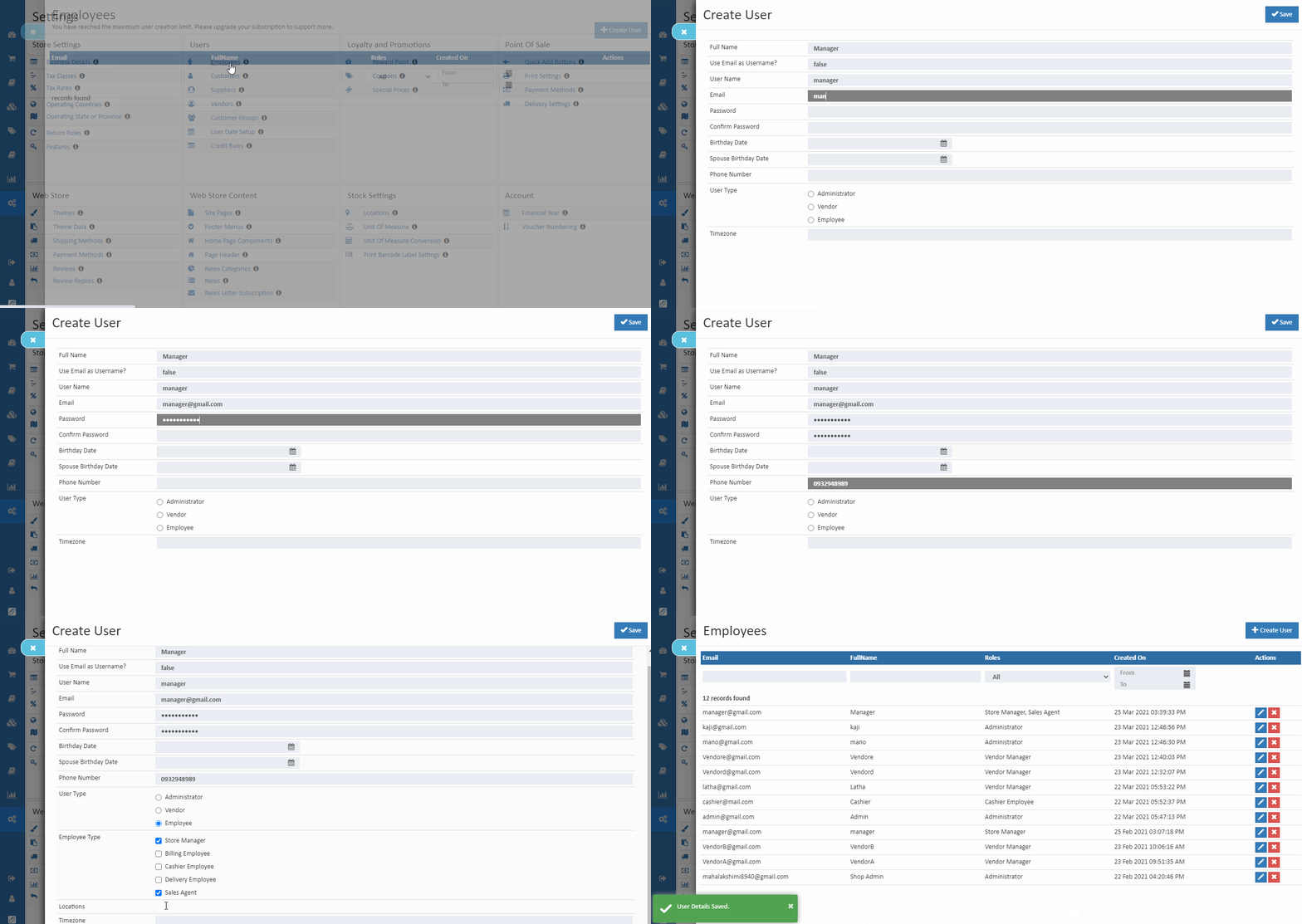
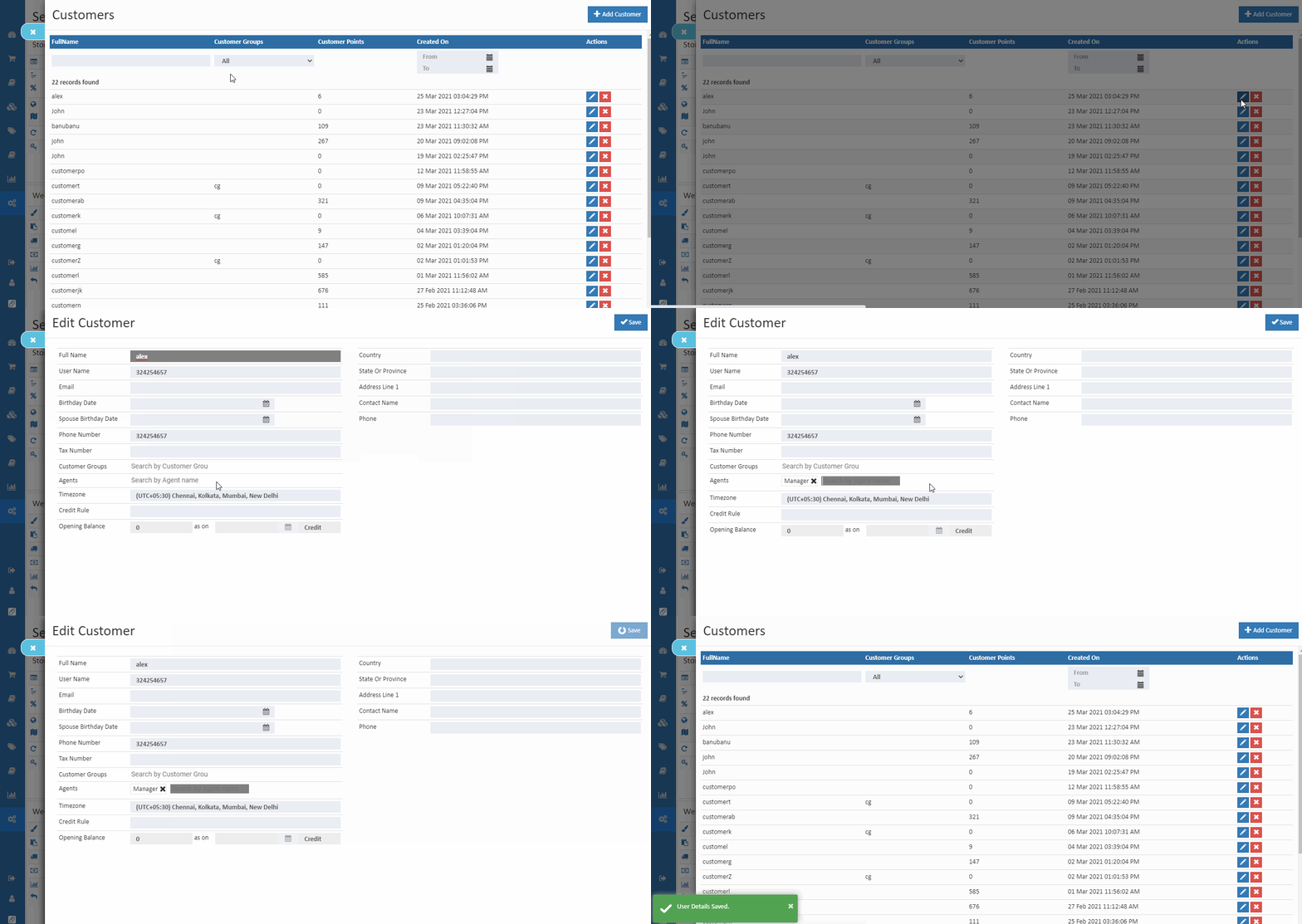
Role Permissions Breakdown
Admin
- Full access to every module
- Can manage:
- Store settings
- Inventory
- Employees
- Reports
- Customer lists
- No limitations across the system
👤 Sales Agent
- Can view assigned customers only
- Access to:
- Customer orders
- Invoices
- Receipts
- Cannot access store settings or global customer data
- Designed for field agents and personal customer managers
🏬 Store Manager
- Can create and edit all operational functions
- Access limited to assigned customers
- Controls:
- Products
- Stock levels
- Purchase and sales operations
- Cannot change admin-level configurations
🧾 Billing Employee
- Can create and edit Sales Orders
- Restricted from:
- Payments
- Product management
- Store configuration
- Useful for billing counters and order desks
- Views assigned customers only
💵 Cashier
- Can create invoices and receipts
- No access to other modules
- Designed for checkout counters
- Can view assigned customer data only
🛒 Reseller Employee (New – SEO Enhanced)
Reseller-focused stores can assign employees specifically to manage reseller-related tasks.
This role is supported inside the O2VEND Agent App, just like other employees.
Reseller Employee Permissions
- Can view assigned reseller customers
- Can create:
- Reseller Orders
- Reseller Invoices
- Can track:
- Reseller order history
- Payment and credit details
- Cannot modify:
- Store settings
- Product configurations
- Other employee permissions
Why This Role Exists
- Many O2VEND businesses operate a reseller distribution model
- Reseller employees need limited, secured access
- Helps prevent data leaks by restricting normal retail customer visibility
- Supports a separate reseller pricing structure inside the Agent App
Summary Table
| Role | Core Permissions |
|---|---|
| Admin | Full access |
| Sales Agent | View orders, invoices, receipts for assigned customers |
| Store Manager | Create & edit operational functions |
| Billing | Create/Edit Sales Orders |
| Cashier | Create invoices & receipts |
| Reseller Employee | Reseller order & invoice handling for assigned resellers |
Why Role-Based Access Matters
- Improves retail and reseller workflow automation
- Strengthens data protection across multiple employees
- Ensures structured access control in multi-branch stores
- Prevents unauthorized changes and information misuse
- Enhances performance with task-focused employee portals