Order Confirmation WhatsApp Number
The Order Confirmation WhatsApp Number feature allows order confirmation messages to be sent directly to a WhatsApp number. This ensures faster communication and provides instant alerts whenever a new order is placed on the eCommerce store.
This setting enables automatic notifications for every order, improving order management efficiency.
Navigation Path
The configuration can be accessed using the following path:
Back Office → Features → WhatsApp → Order Confirmation WhatsApp Number
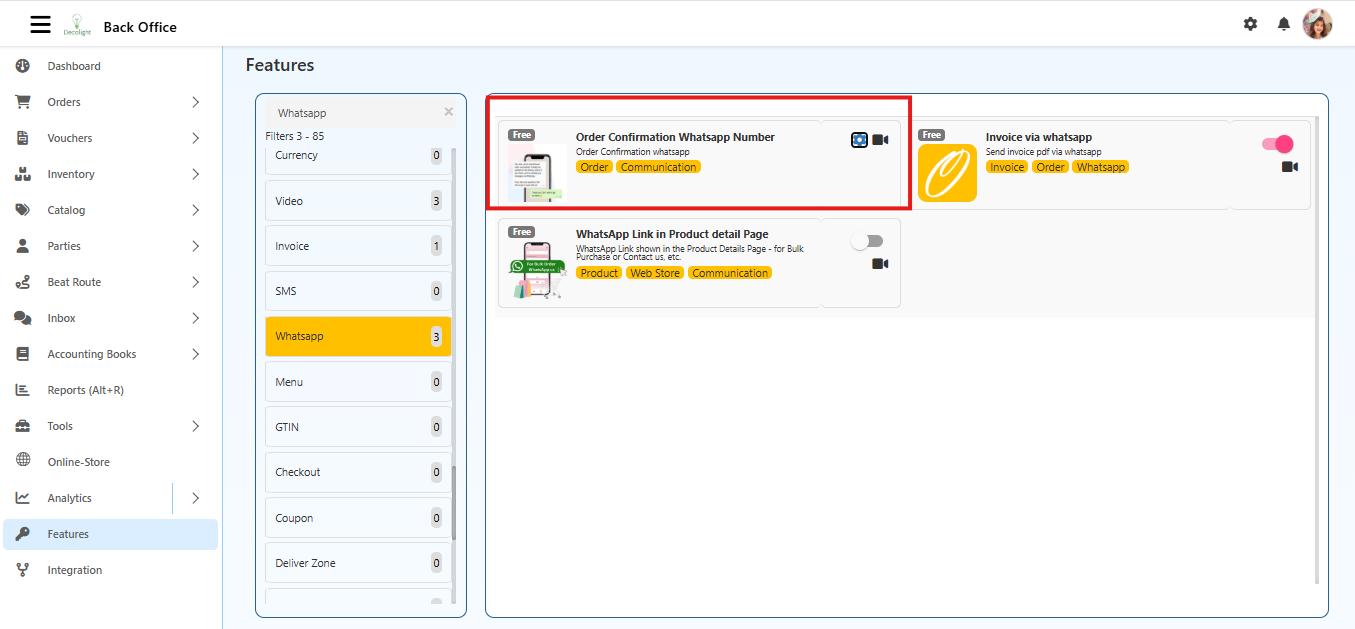
When Enabled
- Sends an automatic WhatsApp message whenever a customer places an order.
- Delivers the message to the configured WhatsApp number.
- Provides instant alerts for new orders to staff or store management.
When Disabled
- No WhatsApp messages are sent for new orders.
Configuration Steps
Open Features
- From the Back Office dashboard, select Features in the left-hand menu.
Select WhatsApp
- In the Features list, select WhatsApp to access messaging options.
Open Order Confirmation WhatsApp Number
- Click Order Confirmation WhatsApp Number.
- A popup window titled Order Confirmation WhatsApp Number will appear.
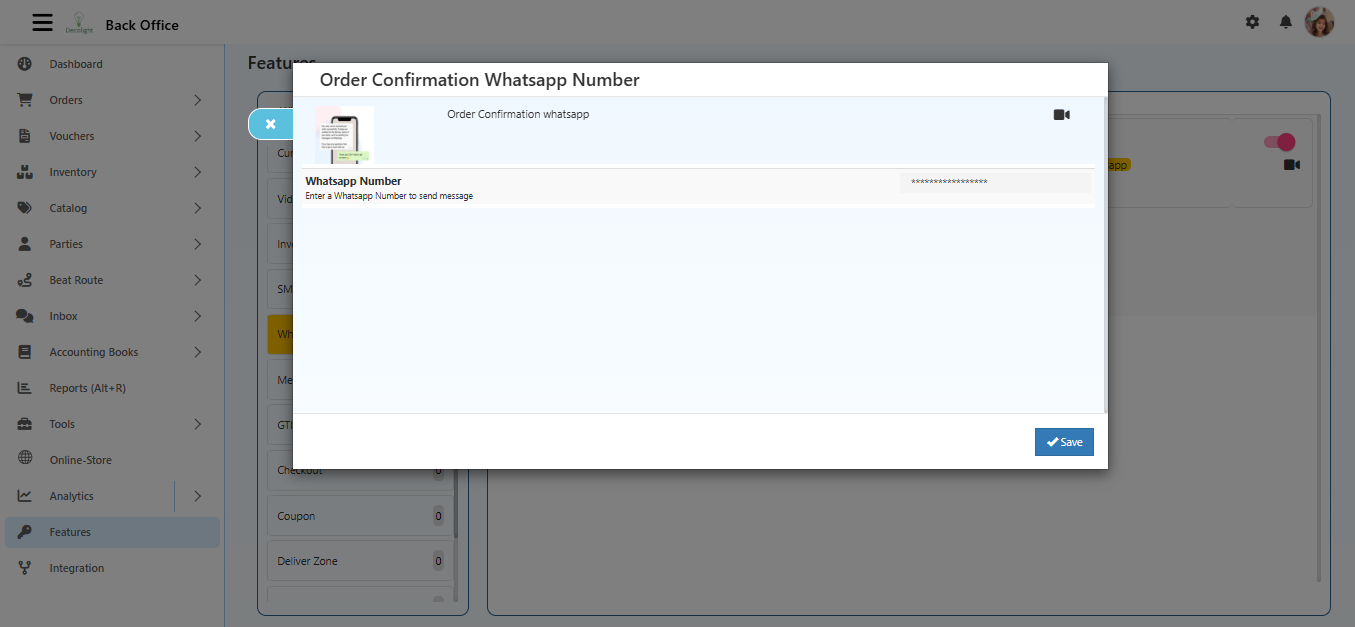
Enter WhatsApp Number
- Locate the WhatsApp Number field.
- Enter the number in the format:
CountryCode + PhoneNumber(Example:+91 9876543210).
Save
- Click the Save button at the bottom-right corner.
- The number is now saved for sending order confirmation messages via WhatsApp.
WhatsApp Number Guidelines
- Ensure the number is valid and active on WhatsApp.
- Messages are sent automatically based on order confirmation triggers.
- Incorrect numbers will prevent WhatsApp notifications from being delivered.
Summary
Configuring the Order Confirmation WhatsApp Number allows:
- Automatic notifications for new orders
- Faster order processing and handling
- Real-time alerts for staff or management