Show Product Variations Dropdown in Web Store Product Lists
This feature allows product variations such as Size, Color, Model, or Pack Size to be shown directly on the product listing pages of the web store. Customers can select the required variation without opening the product detail page.
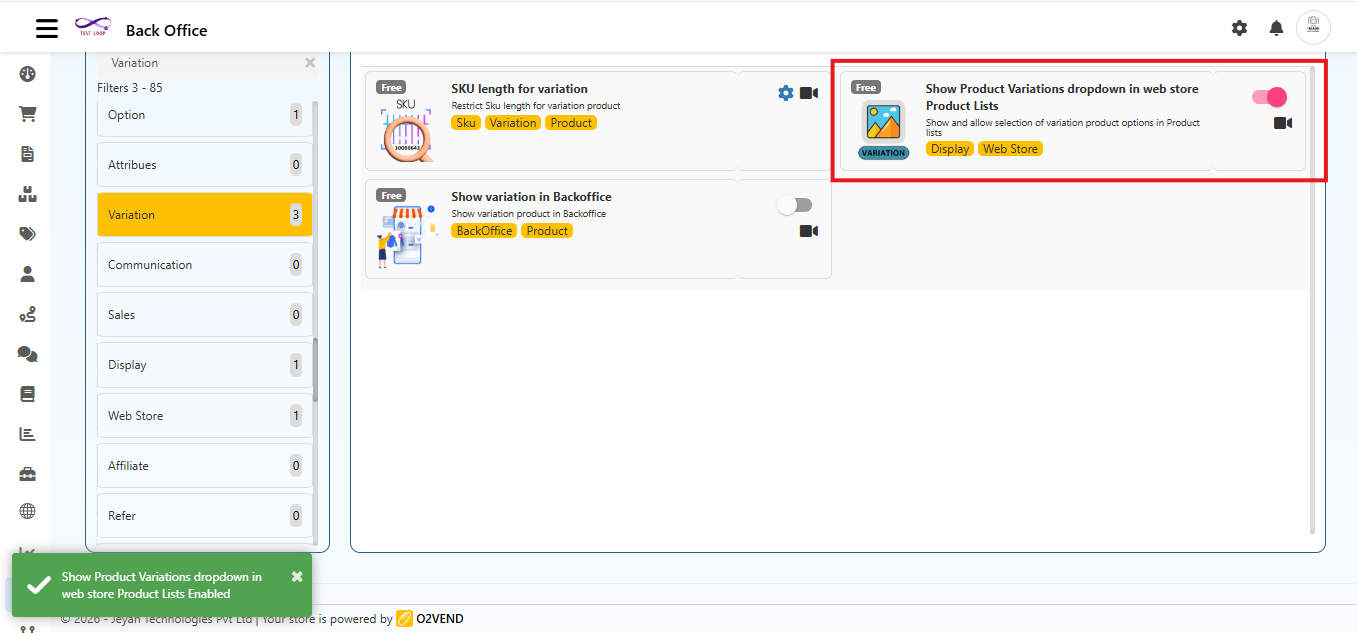
Navigation Path
Back Office → Features → Variation → Show Product Variations dropdown in Web Store Product Lists
Why This Feature Is Useful
This feature improves the Ecommerce shopping experience by showing variations directly in the product list.
- Customers can see all available variations instantly
- Fewer clicks are needed to select a product
- Shopping experience becomes quicker and easier
- Helps customers compare options directly from the list page
Examples
- T-shirts with Size and Color
- Mobile phones with Storage options
- Shoes with different sizes
- Grocery items with pack sizes
How to Enable This Feature
Open Back Office
Go to Features → Variation
Click Show Product Variations dropdown in Web Store Product Lists
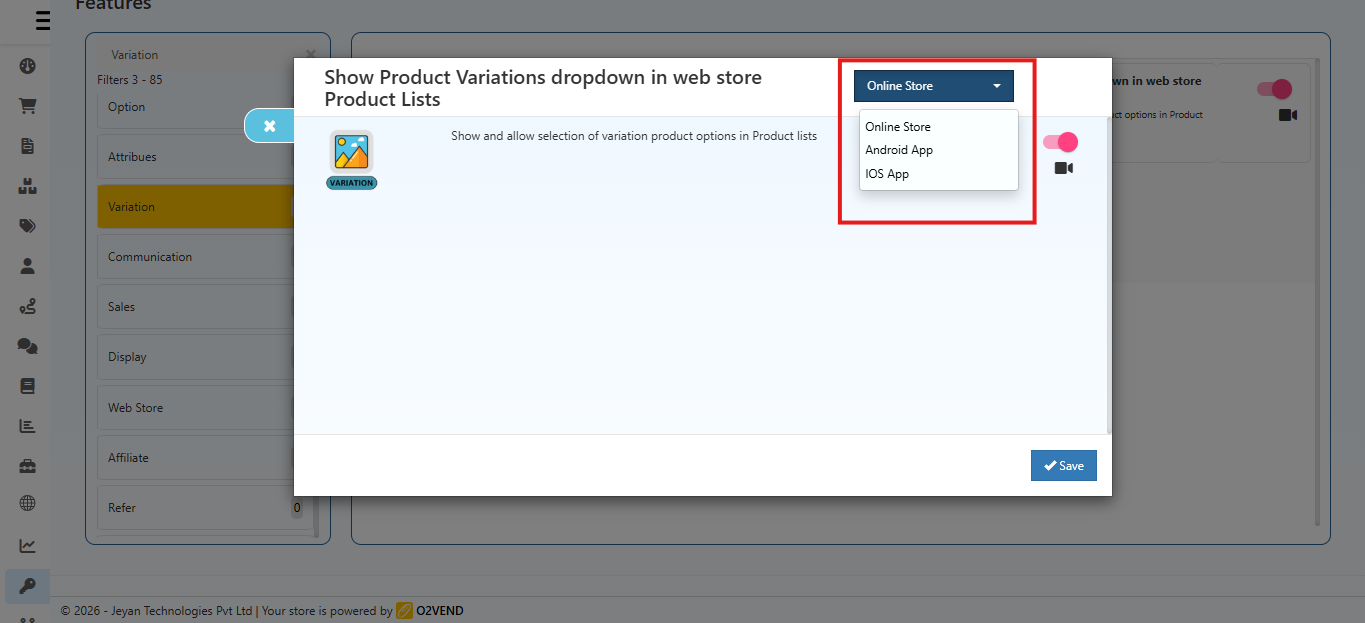
In the popup that appears:
- Use the channel selector at the top-right to choose the platform (e.g., Online Store, Android App, iOS App) where this feature should be applied.
- Turn the toggle ON to enable the feature for the selected channel.
Click Save
Channel Selection
Use the channel selector at the top?right to choose which platform this feature applies to. Each channel has independent settings, including:
- Online Store (Ecommerce)
- Android App
- iOS App
The feature will take effect only on the selected channel.
What Customers Will See
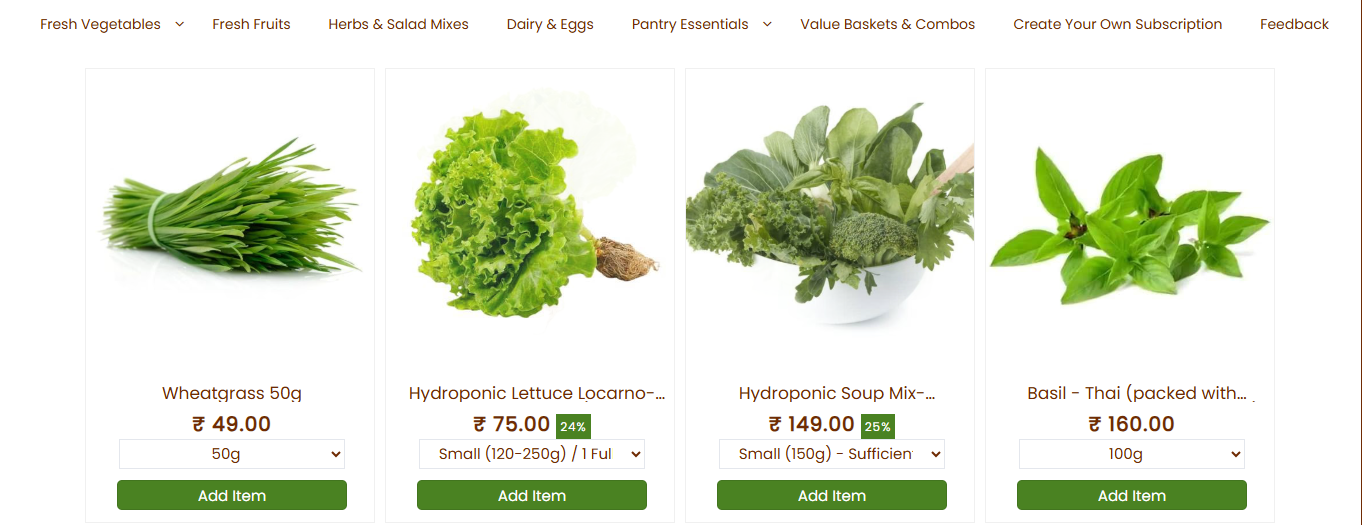
If Enabled
Each product shows a variation dropdown
Customers can:
- The variation dropdown appears on the product thumbnail in the listing.
- View available sizes, colors, or models
- Select the option directly
- Add the correct variant to cart quickly
If Disabled
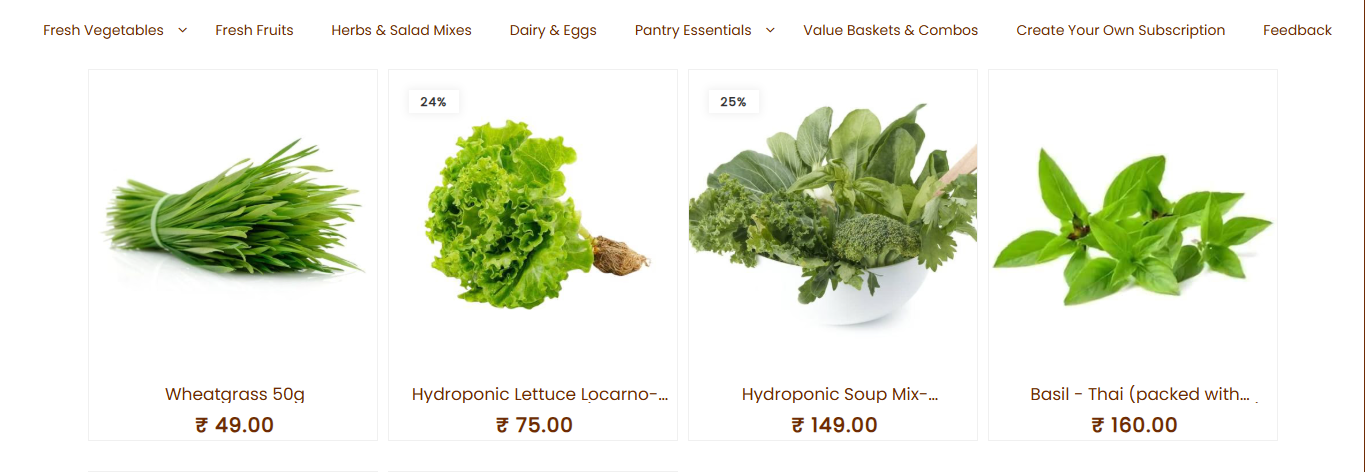
- Only the main product is shown in the list
- Customers must open the product page to choose variations
How It Works
This feature applies to product listing thumbnails across the Ecommerce store, including category pages, search results, and other product list views.
When the feature is turned ON:
- A dropdown box appears under each product in the web store list
- All available variations are shown inside the dropdown
- Customers can choose the required option immediately
- The product page does not need to be opened to select a variation
This works on:
- Category pages
- Search result pages
- All product listing views