Show Variation in Backoffice
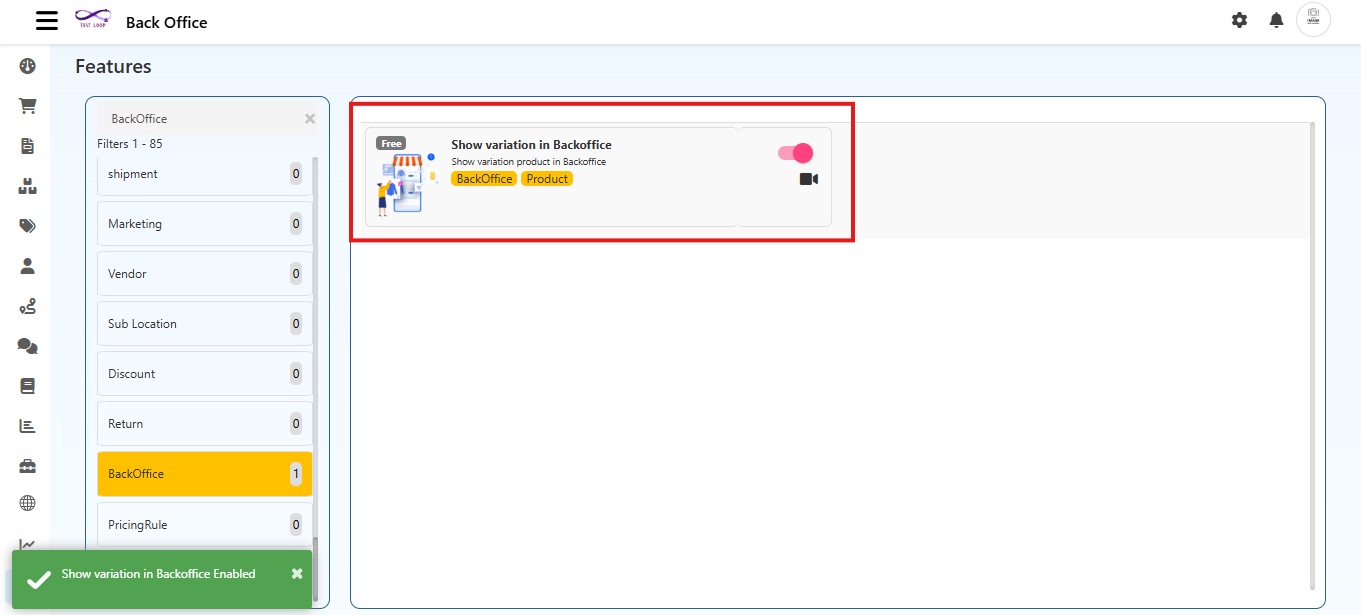
The Show Variation in Backoffice feature controls how product variations are displayed inside the Back Office product list.
When this option is enabled, each variation appears as an individual row in the product list.
When disabled, only the main parent product will be shown, and variations remain hidden.
This screen provides a simple toggle to enable or disable variation visibility.
Navigation Path
Back Office → Features → BackOffice → Show Variation in Backoffice
Purpose
This feature is used to:
- Display variation level products individually inside the Back Office
- Provide detailed visibility of stock, pricing, and attributes for each variation
- Enable or disable variation level management depending on operational needs
- Offer administrators flexibility to switch between a detailed and simplified product list
- Allow the ability to edit and update individual variation product details
Configuration Option
Show Variation in Backoffice
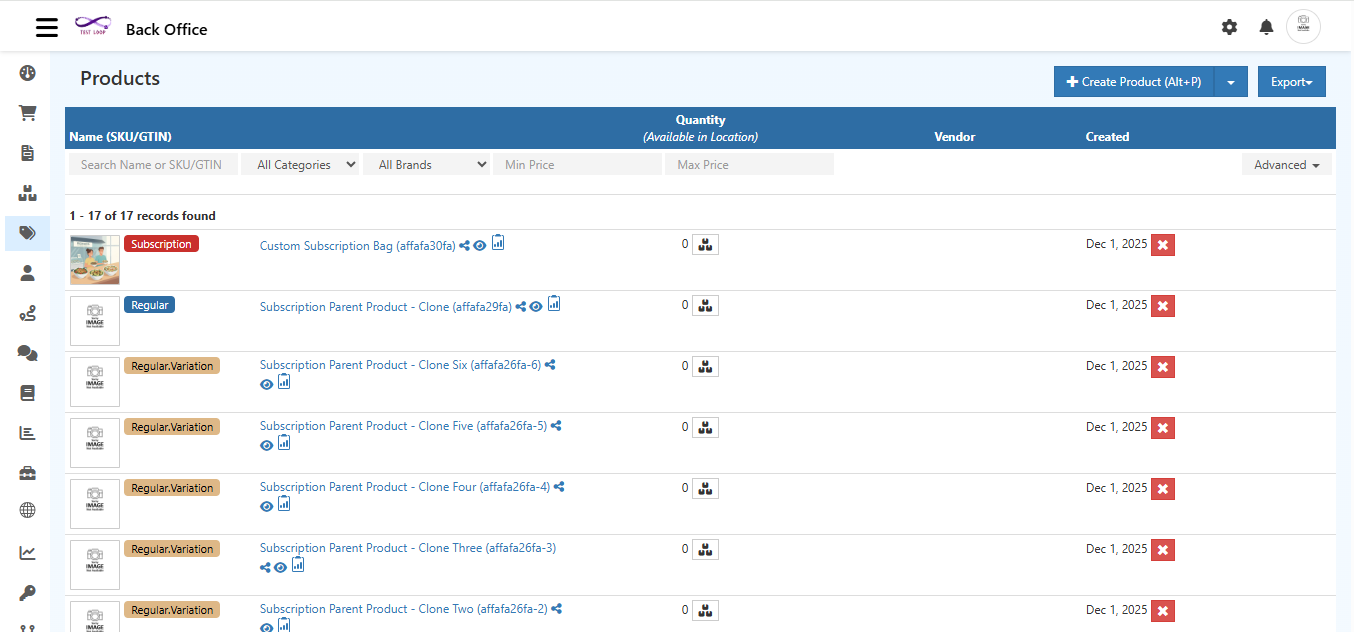
- Enabled
- The Back Office product list displays the parent product along with all its variations
- Each variation appears as a separate row
- Variation?level details (stock, SKU, attributes) become visible
- Disabled
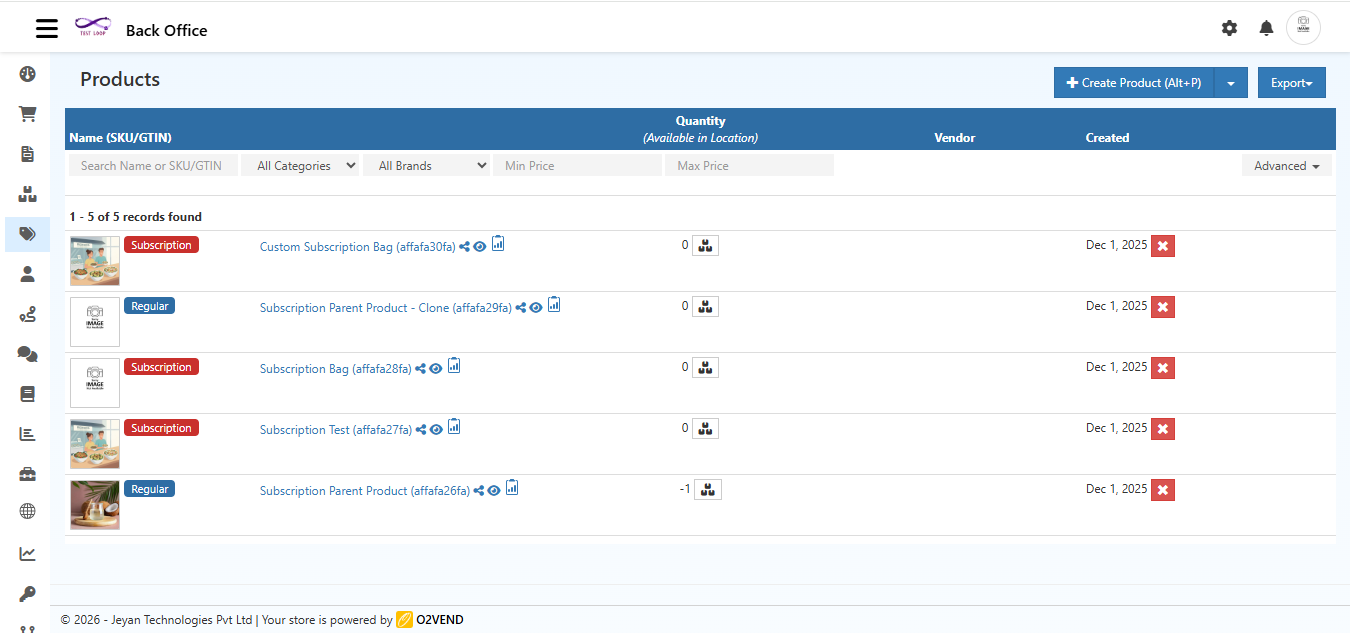
- Only parent products are shown
- Variations do not appear separately
- The product list becomes shorter and easier to navigate
Save
Selecting Save applies the toggle selection immediately.
The Back Office product list will refresh based on the new configuration.
How It Works
- When enabled, all variations (such as size, color, or type) appear individually under the product list.
- When disabled, only the main product entry is visible, and variations remain hidden inside the product details.
- This setting affects only the Back Office view and does not impact the customer facing store.
- The feature can be turned on or off at any time.
- When enabled, all variations (such as size, color, or type) appear individually under the product list.
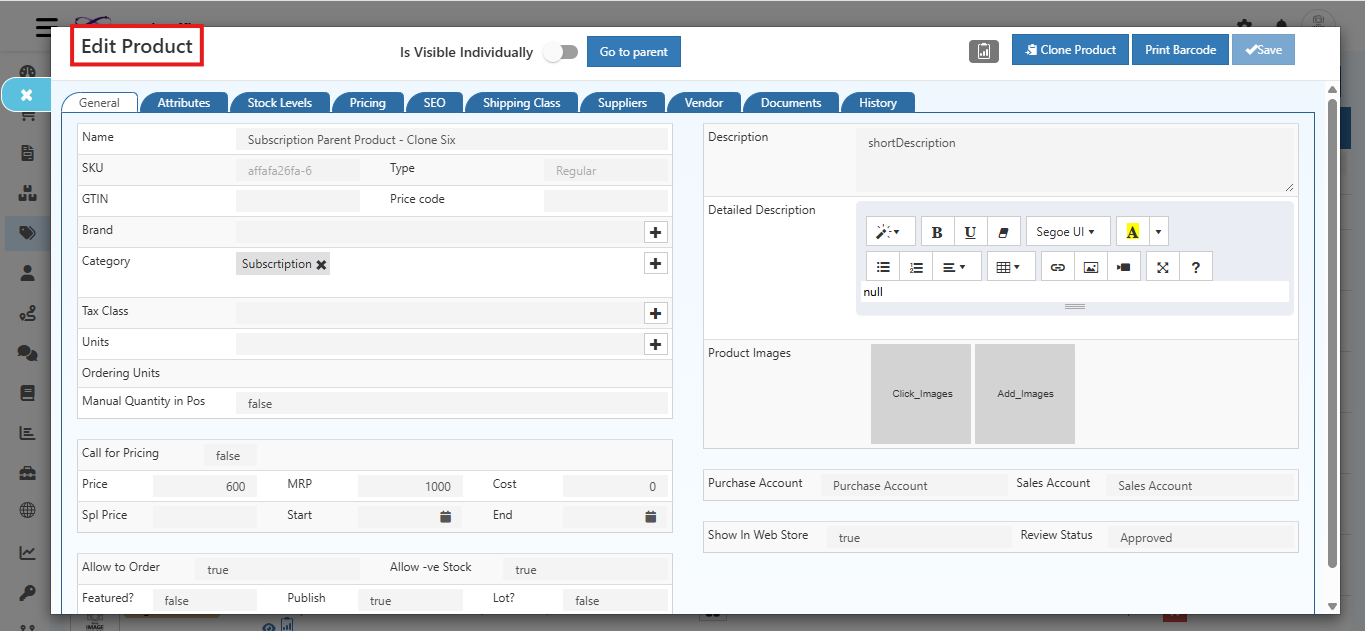
Editing individual variation from Back Office product list