Myntra Integration in O2VEND
This guide explains how to integrate Myntra with the back-office system for seamless order, inventory, and product synchronization. Follow these steps to configure the channel and enable the integration easily.
Step 1: Navigate to Sales Channels
Go to: Back Office → Settings → Sales Channels
- Click the Create Channel button on the top-right side of the screen.
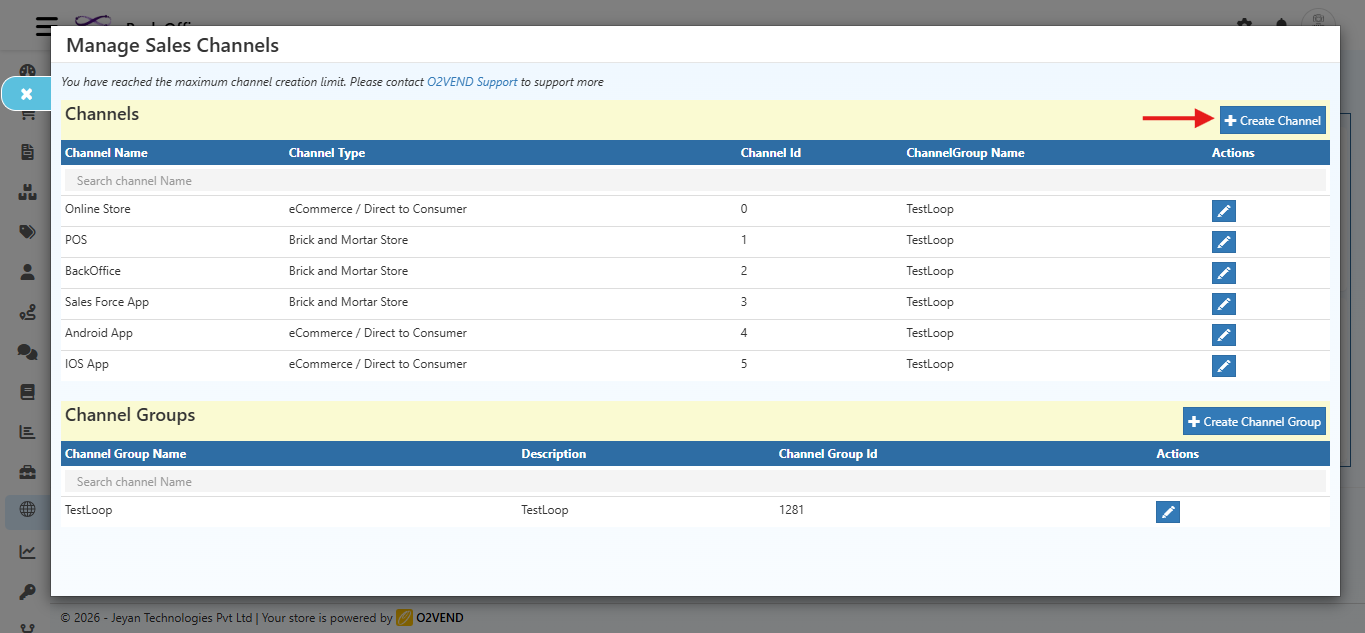
Initial Screen
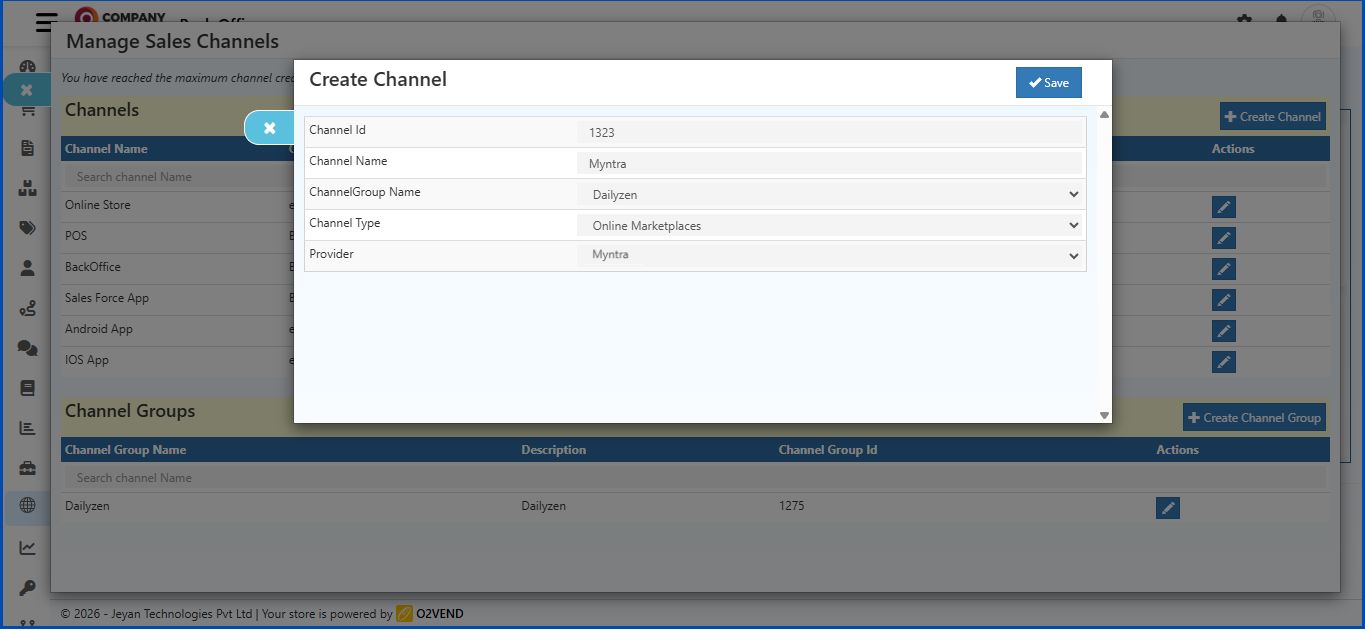
The Create Channel form with these fields:
- Channel Id
- Channel Name
- ChannelGroup Name
- Channel Type
Step 2: Select Channel Type
- Click the Channel Type dropdown.
- Choose Online Marketplaces.
Step 3: Select Provider
- After selecting Online Marketplaces, a new field Provider will appear.
- Click the Provider dropdown.
- Select Myntra.
Step 4: Additional Fields Appear
Once Myntra is selected, the following fields will appear on the same screen:
- MerchantID
- SecretKey
- AccessToken
- RefreshToken
- ExpiryDate
- StoreCode
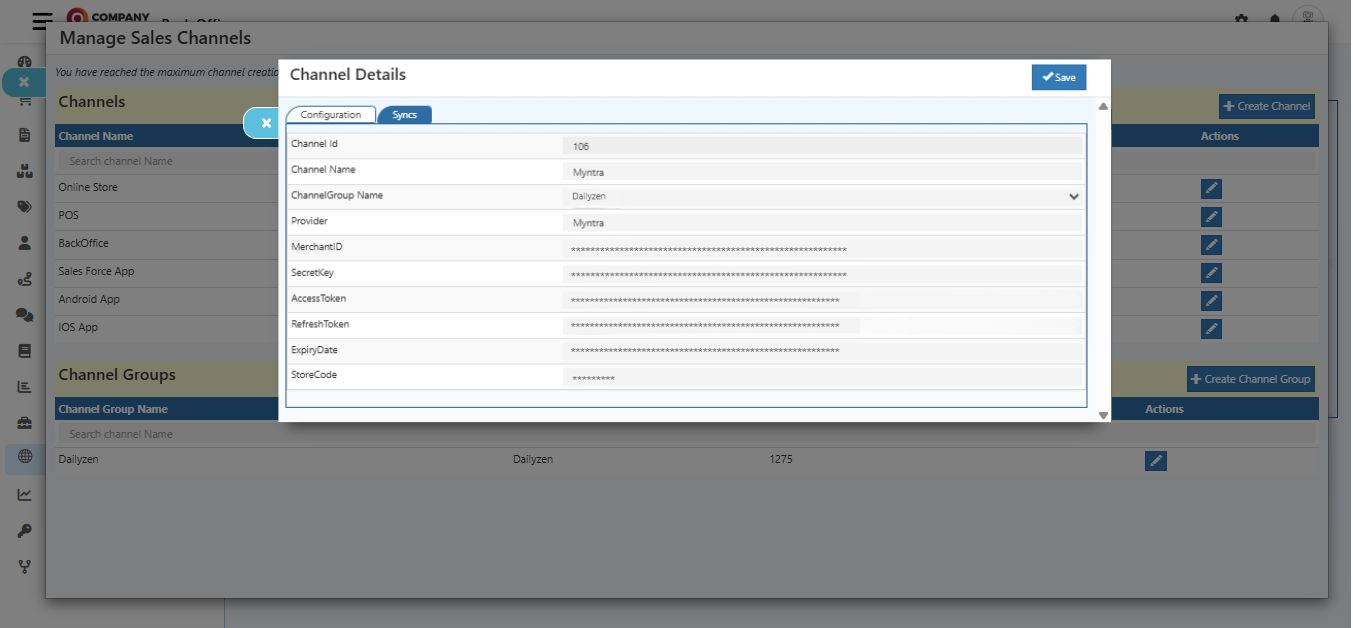
Field Details
| Field | Description |
|---|---|
| Channel Id | Unique identifier for the channel. Enter a Channel ID. |
| Channel Name | Descriptive name for the channel. |
| ChannelGroup Name | Common name used to group related channels. |
| Provider | Select Myntra from the dropdown list. |
| MerchantID | Merchant ID provided by Myntra. |
| SecretKey | Secret key issued by Myntra for authentication. |
| AccessToken | Auto-generated after saving valid MerchantID and SecretKey. Used for authorized API requests. |
| RefreshToken | Auto-generated along with the AccessToken. Used to refresh the AccessToken after expiry. |
| ExpiryDate | Auto-generated when the AccessToken is created. |
| StoreCode | Store code provided by Myntra. |
Notes
- Always select Channel Type → Online Marketplaces first, then Provider → Myntra.
- Keep credentials secure.
- Click Save after completing all fields.
Step 5: Enable Myntra Integration
Go to:
Back Office → Integrations → Order
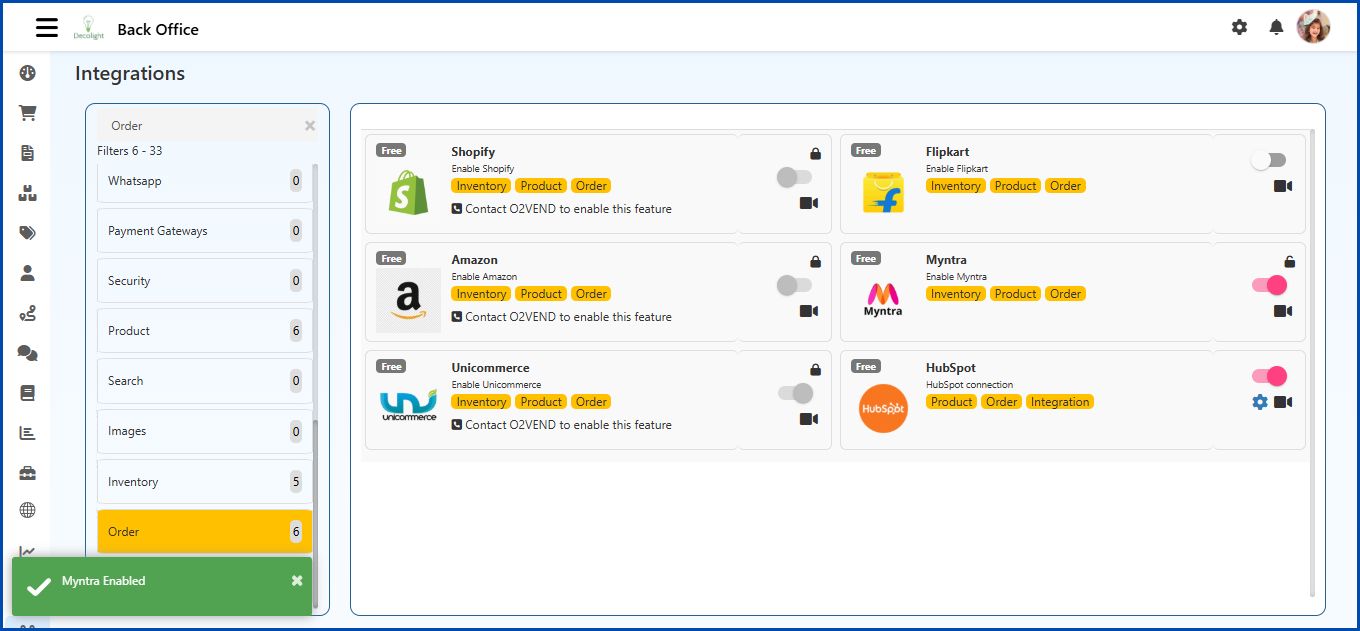
Process
- Select Myntra in the list.
- Click the toggle switch for Myntra to enable the integration.
- Once enabled, Myntra supports Order Sync, Inventory, and Product management.