HubSpot Integration in O2VEND
HubSpot integration syncs customer and sales order data from O2VEND to HubSpot, ensuring accurate CRM records.
Access Path for HubSpot Integration in O2VEND
Go to Integration → Order → HubSpot.
Fields Explanation
This screen is used to configure HubSpot integration with O2VEND for syncing customer and sales order data.
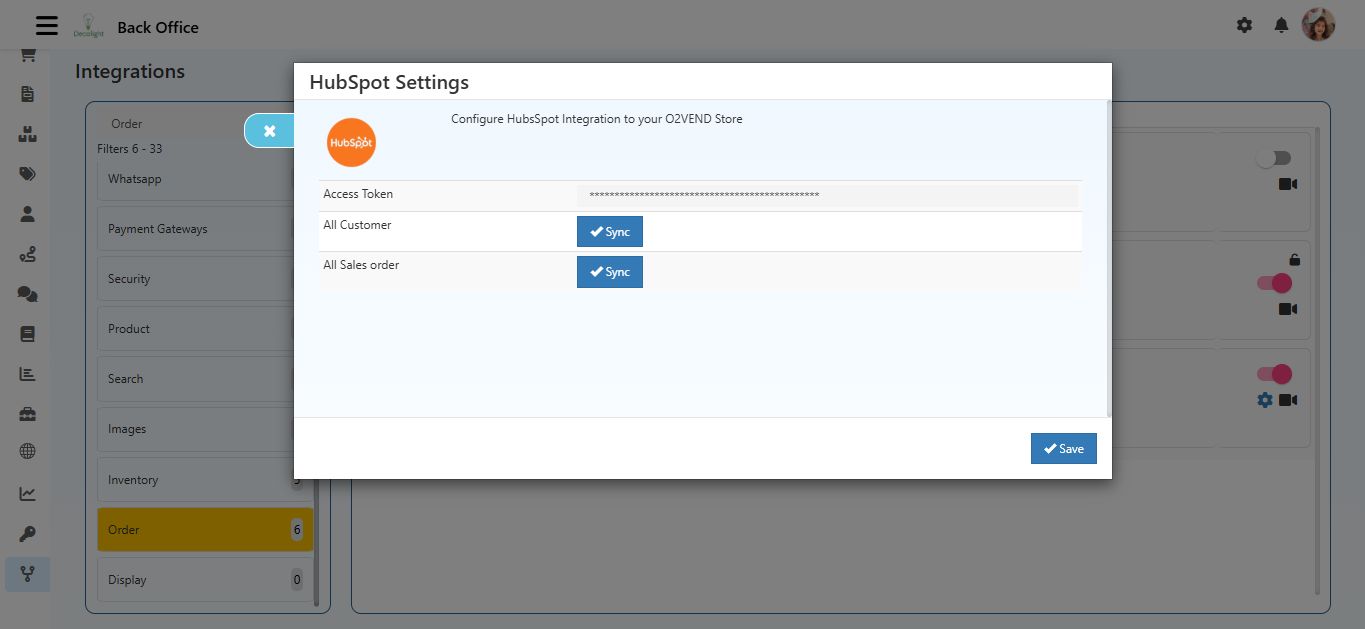
Access Token
- Enter the Access Token provided by HubSpot.
- This token is required for authentication and secure API communication between O2VEND and HubSpot.
- Example:
hubspot-access-token-123
All Customer
- Click the Sync button all customer data from O2VEND to HubSpot.
- Useful for updating HubSpot CRM with the latest customer information.
All Sales Order
- Click the Sync button all sales orders from O2VEND to HubSpot.
- Keeps order history up-to-date in HubSpot.
Save Button
- Click Save after entering the Access Token to activate HubSpot integration.