Pricing Rules in O2VEND
Pricing Rules in O2VEND enable automatic calculation of product prices using predefined formulas, rates, and product attributes. This eliminates manual price entry, ensures consistent pricing across the store, and reduces calculation errors.
The system calculates the final product price by combining configured rates, formulas, and attribute values, providing a precise, component-wise cost breakdown automatically.
Enable Pricing Rule Feature
- Navigate to Back Office → Features → Price → Apply Pricing Rule for Products.
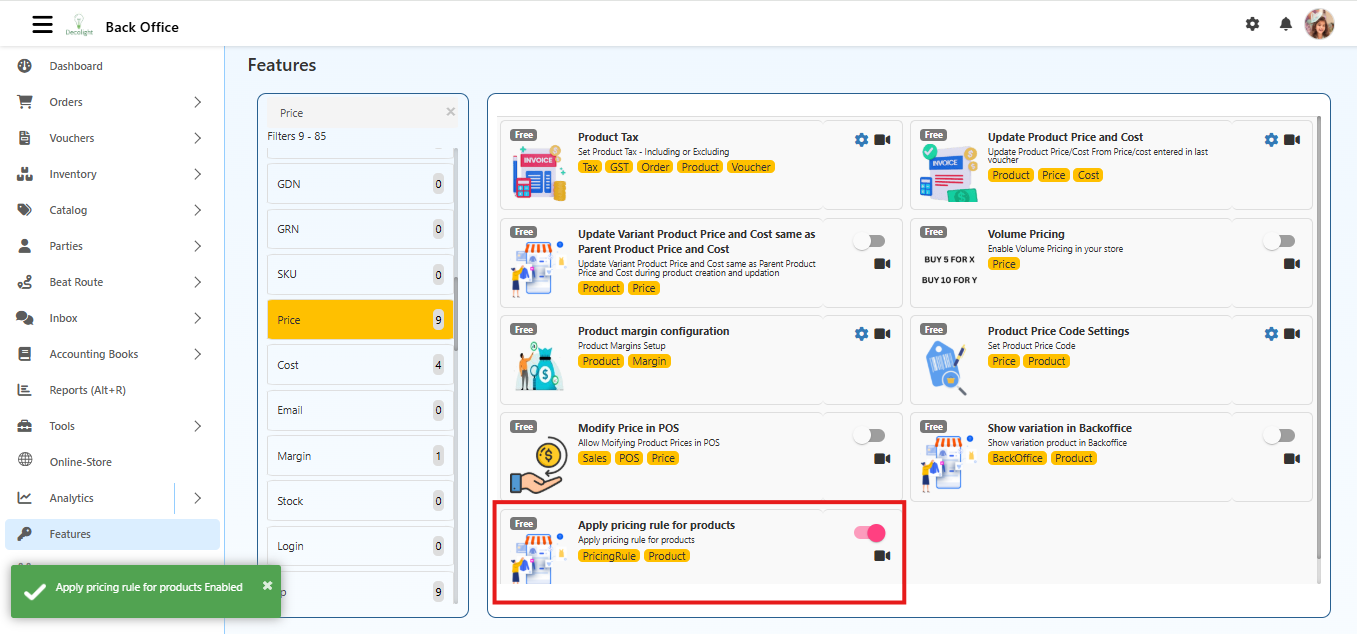
- Turn ON Apply Pricing Rule for Products.
Activating the feature alone does not calculate prices. A template, rates, and product attributes must exist for calculations to work.
Summary of Pricing Rule Workflow
- Create Template – Defines the calculation structure.
- Configure Rates & Formulas – Specifies all pricing components.
- Assign Product Attributes – Adds relevant product data.
- Enable Feature – Activates Pricing Rule in Back Office.
- View Prices – Final price is calculated and displayed automatically.
This workflow ensures consistent, accurate, and automated pricing across all products in the store.
Purpose of Pricing Rules
- Automates price calculation for products.
- Ensures uniform and accurate pricing across the store.
- Saves time and reduces manual errors.
- Prices update automatically based on changes in base rates or product attributes.
How Pricing Rules Operate
- Create a Pricing Rule Template – Defines the structure for price calculation.
- Configure Rates and Formulas – Adds all components, such as base rate, labor, service charges, or multipliers.
- Assign Product Attributes – Attribute values like weight, size, or quality are entered.
- Enable Pricing Rules – Activates the feature in Back Office.
- Final Price Display – The system calculates and displays a detailed cost breakdown on the product page.
Step 1: Create a Pricing Rule Template
- Navigate to Back Office → Catalog → Pricing Rules.
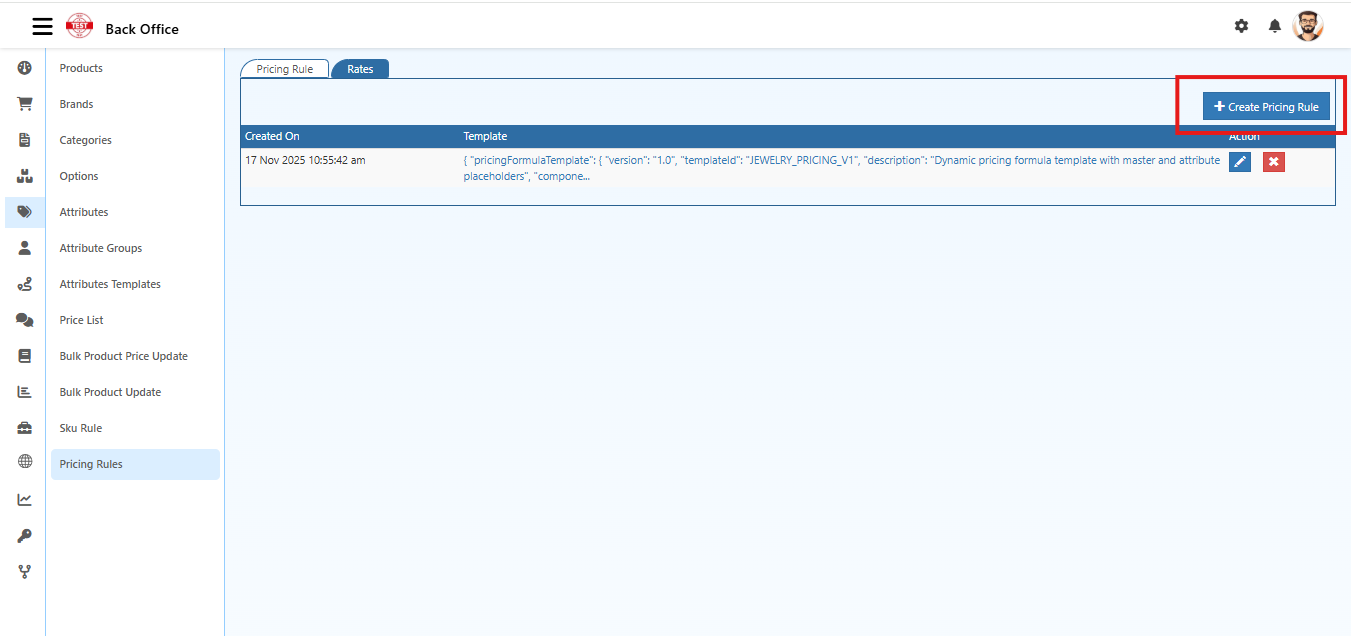
- Click Create Pricing Rule.
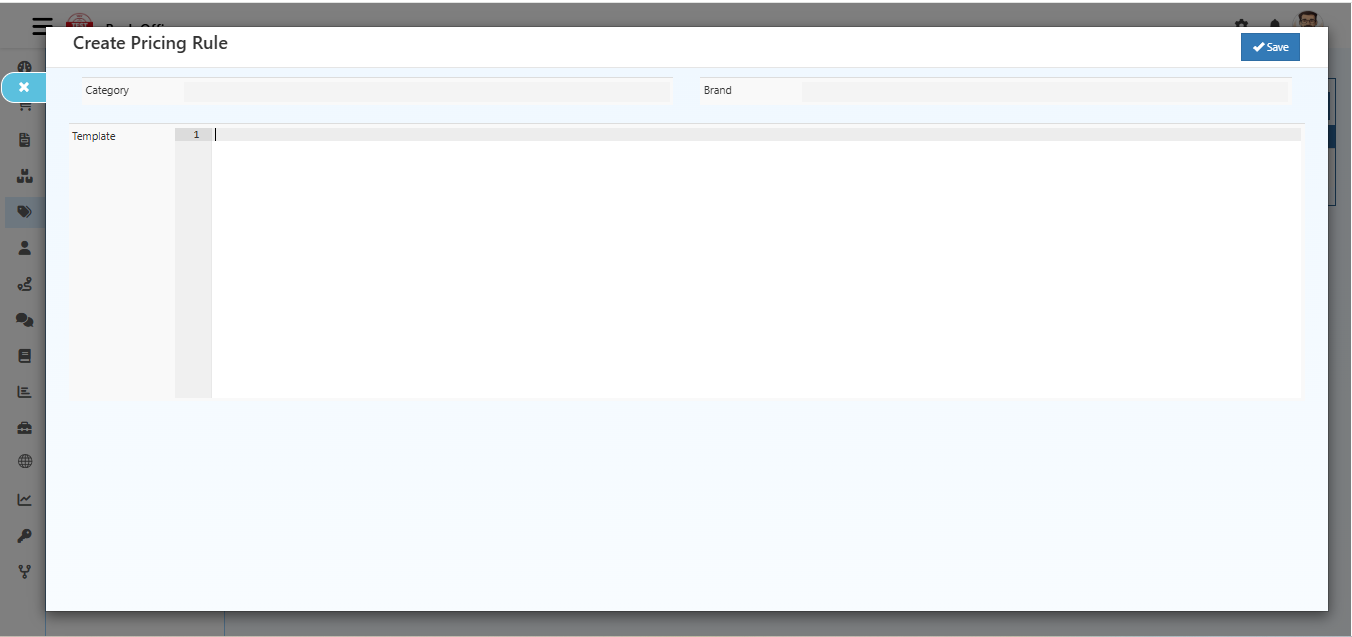
Enter the following details:
- Category: Select the relevant category for category-level filtering.
- Template: Use the defined JSON structure for dynamic price calculation.
- Brand: Select the relevant brand for brand-level filtering.
Click Save to create the template.
Templates can be reused across multiple products for consistent pricing.
Step 2: Configure Rates
The Rates tab defines pricing components for calculation.
- Navigate to Back Office → Catalog → Pricing Rules → Rates Tab.
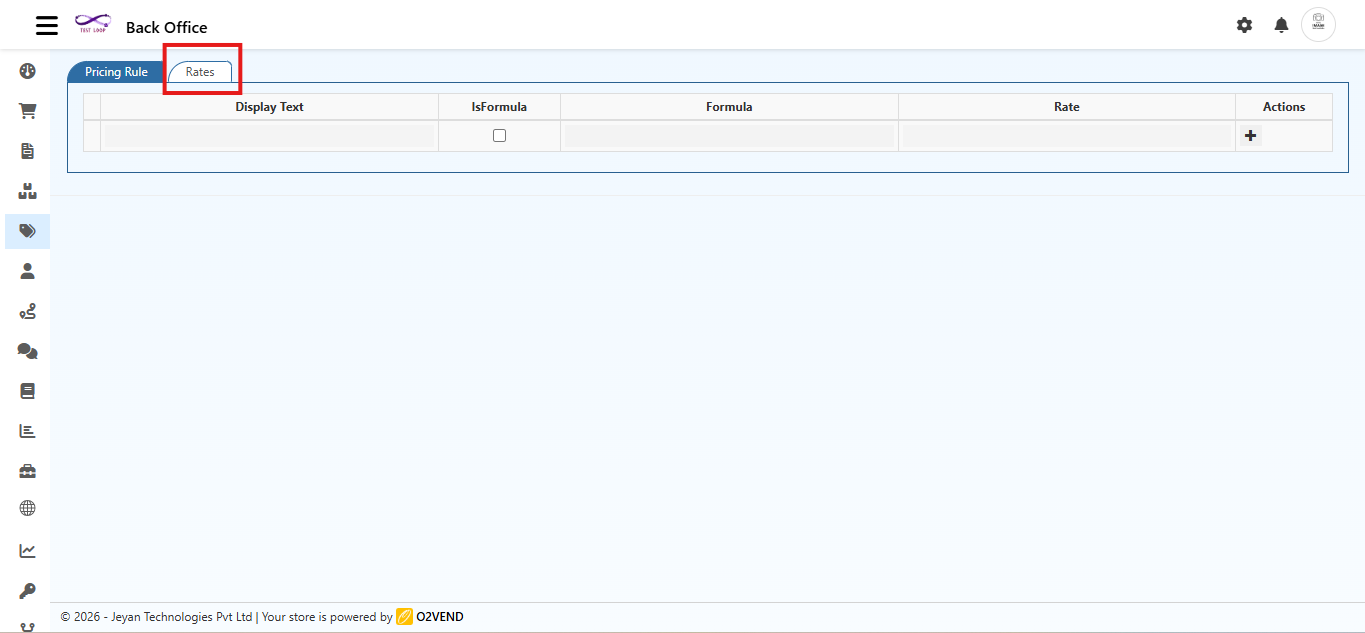
Open the Rates tab in the pricing rule.
Add components required for price calculation, such as:
- Base Rate (Gold, Diamond, Raw Material)
- Labour Rate
- Service Charges
- Multipliers based on product attributes
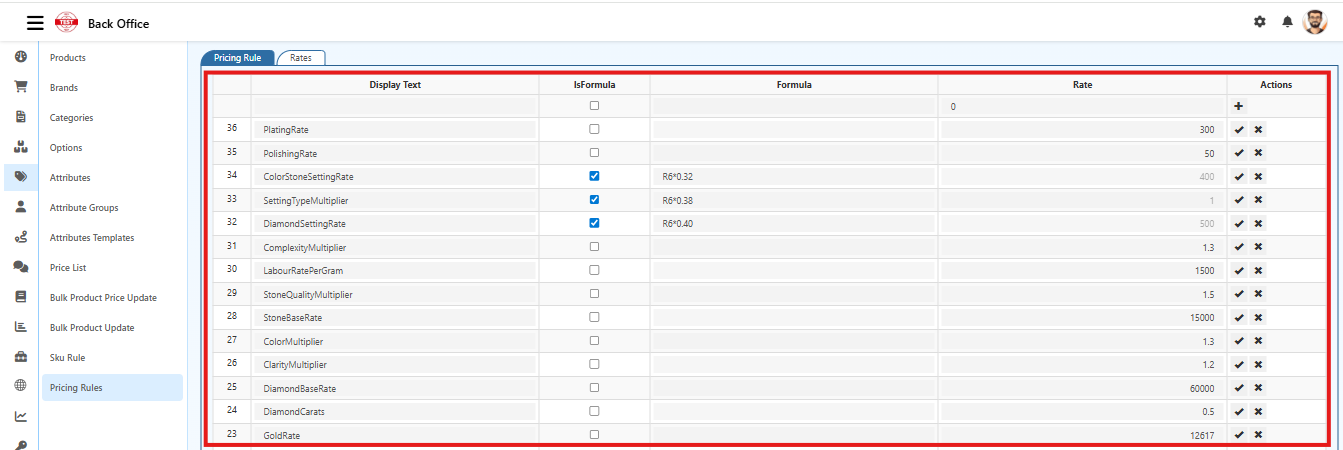
For each component, specify:
- Display Text: Name of the component (e.g., Gold Rate, Labour Cost)
- Rate: Fixed value if not formula-based
- Is Formula: Enable if calculated from other rates
- Formula: Define the calculation, e.g.,
R13 * 0.92(R13 represents Gold Rate)
Save all entries.
Example Formula: R13 × 0.92 (R13 refers to another rate in the list).
Rates can be edited or deleted later to reflect updated costs or business rules.
Step 3: Assign Product Attributes
Pricing Rules calculate the final price using product attributes.
Navigate to Back Office → Catalog → Product → Attributes.
Enter values for all attributes used in pricing.
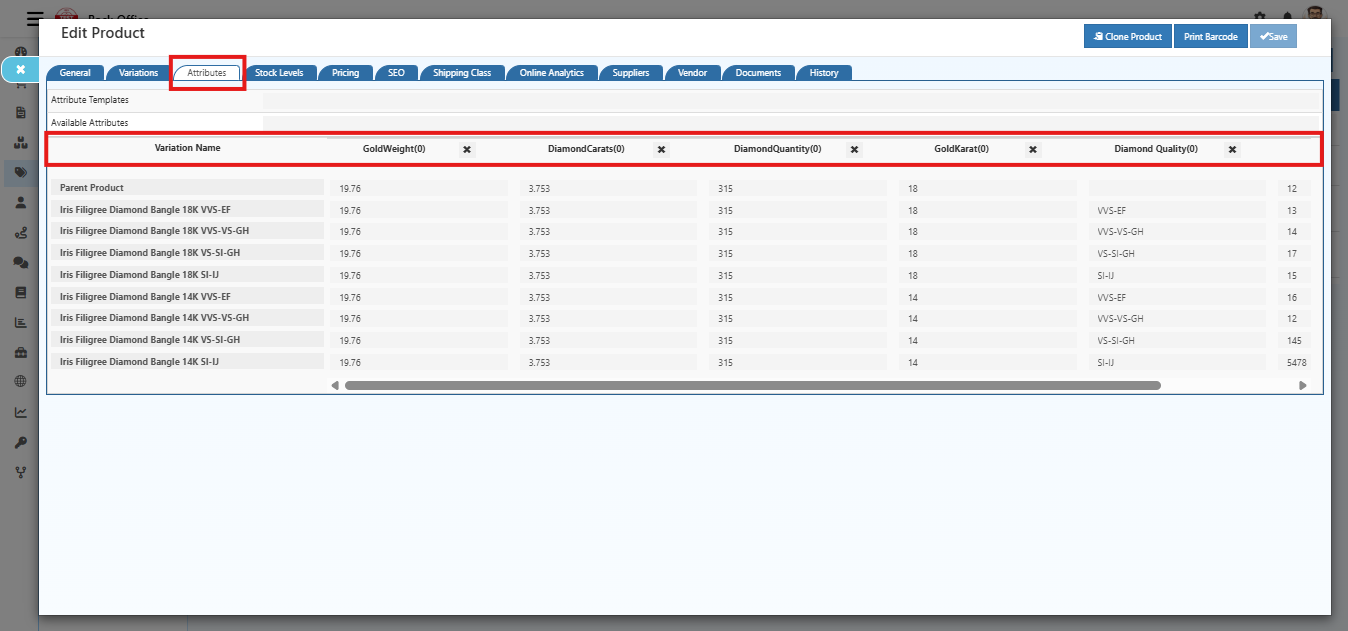
Example Attributes:
- Gold Weight
- Diamond Carat
- Diamond Quantity
- Gold Karat
- Diamond Quality
- Save the product.
Attribute values directly impact the calculated price using the configured formula.
Step 4: View Final Price
After enabling:
- The product page displays a component-wise cost breakdown (e.g., Gold cost, Diamond cost, Labour, Tax).
- The final selling price is calculated automatically.
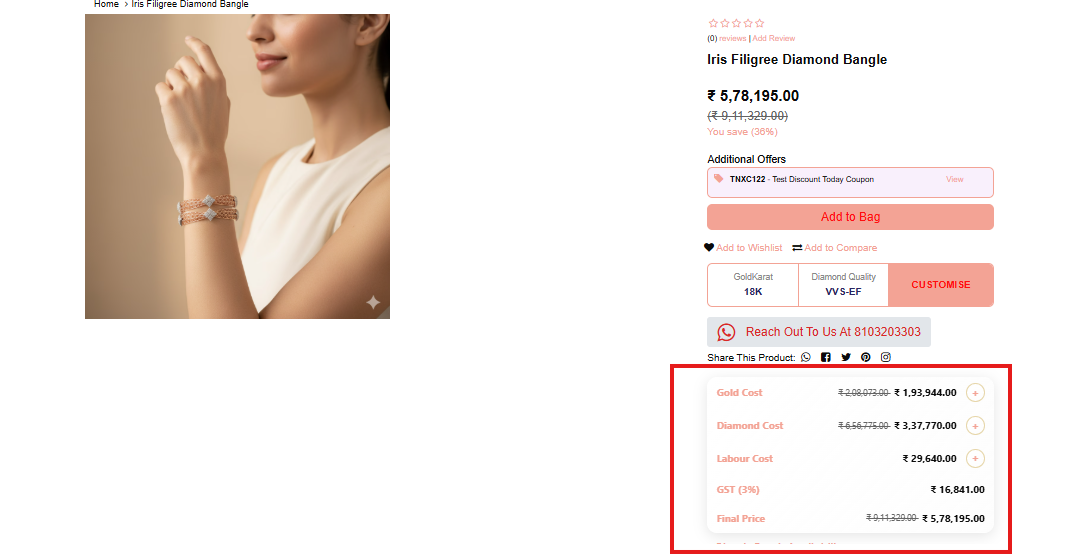
All calculations are performed in real-time based on the template, rates, and product attributes.