SMS Notification Settings in O2VEND
The Invoice Details via SMS feature sends key invoice information to customers through SMS after invoice creation.
Feature Name
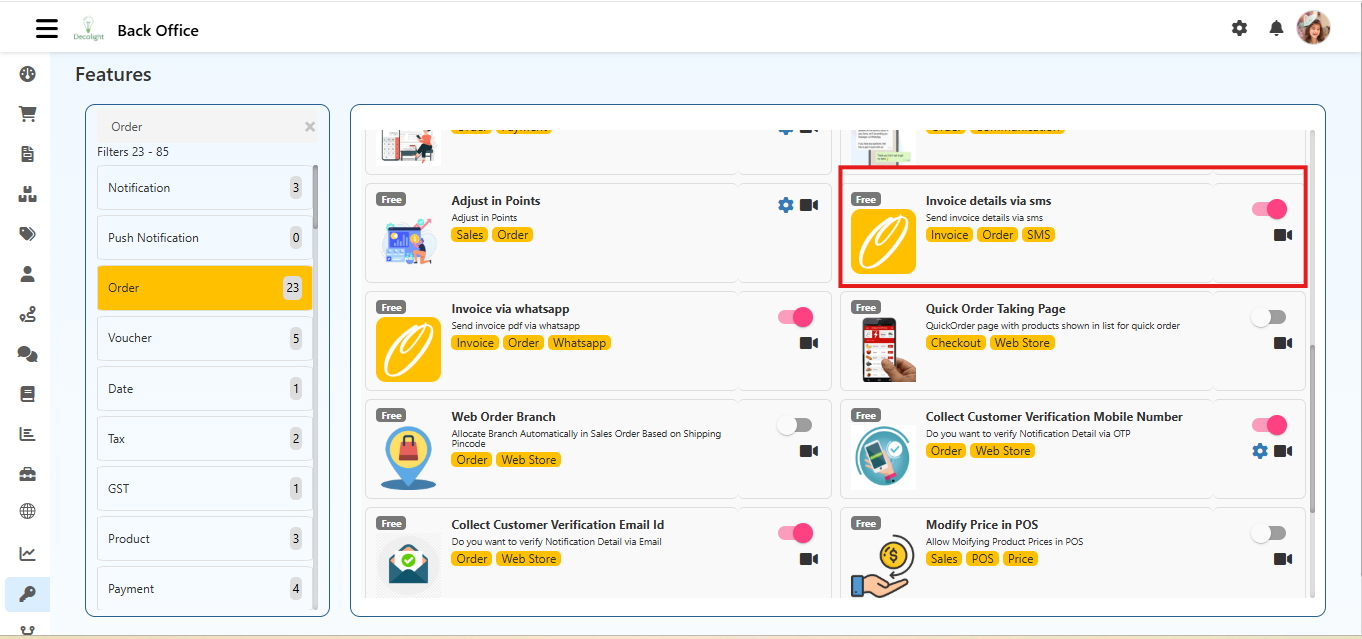
Invoice details via sms
Description
Send invoice details via sms.
What this feature does
When enabled, O2VEND sends an SMS with invoice summary details instead of sending a full invoice PDF.
Typical SMS content:
- Invoice Number
- Order Total
- Payment Status
- Store Name
Navigation
Back Office → Features → SMS → Invoice Details via SMS
In some setups, this option can also appear under the Invoice feature group.
How to Enable
- Log in to Back Office.
- Open Features.
- Filter by SMS (or Invoice).
- Open Invoice Details via SMS.
- Turn the toggle ON.
- Click Save.
SMS Template Configuration
Configure message template at:
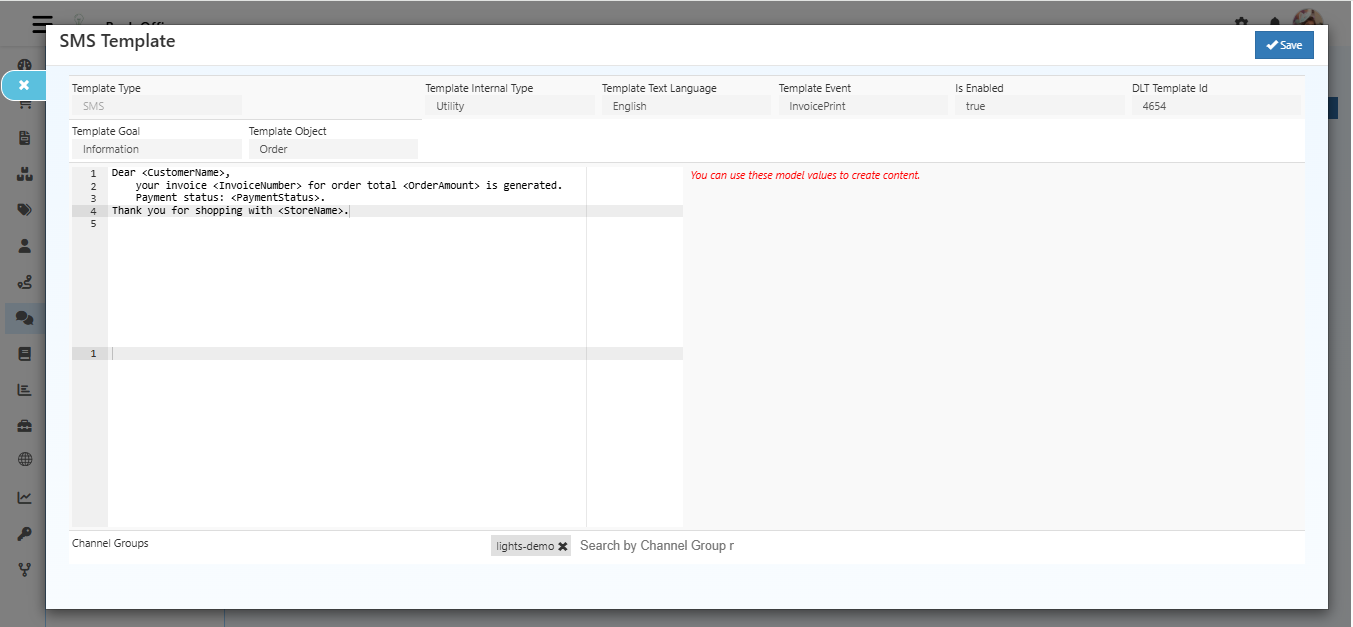
Inbox → Configuration → SMS Templates
Recommended template values:
- Template Type: SMS
- Template Goal: Invoice Notification
- Template Object: Invoice
- Template Event: InvoiceCreated
- DLT Template ID: Required for India-based SMS delivery
Example message:
Dear {{CustomerName}}, your invoice {{InvoiceNumber}} for {{OrderAmount}} is generated. Payment status: {{PaymentStatus}}.
How it Works
- Invoice is created in Sales/Order flow.
- System checks SMS feature and template mapping.
- Invoice details are merged into template variables.
- SMS is sent to the customer mobile number.
Benefits
- Faster customer communication
- Works without internet/app access
- Improves payment and order transparency
- Reduces support follow-up for invoice status
Troubleshooting
SMS not delivered
- Verify feature toggle is enabled.
- Check SMS template status and event mapping (
InvoiceCreated). - Validate customer mobile number format with country code.
- Confirm DLT template approval (for India).
Wrong invoice values in SMS
- Recheck template placeholders.
- Ensure invoice object fields are mapped correctly.