Blog Categories Setup
Blog Categories help you organize blog posts into clear groups such as Fashion Tips, Product Updates, Health Advice, or Seasonal Offers. This makes it easier for customers to browse related articles and helps search engines understand your blog structure.
Navigation Path
Back Office -> Online Store -> Blog Categories
Access Blog Categories
- Login to the Back Office
- Open Online Store from the left-side menu
- Select the required store from Select Channel
- In the Online Store settings panel, click Blog Categories
From this page, you can view the list of existing blog categories and manage them.
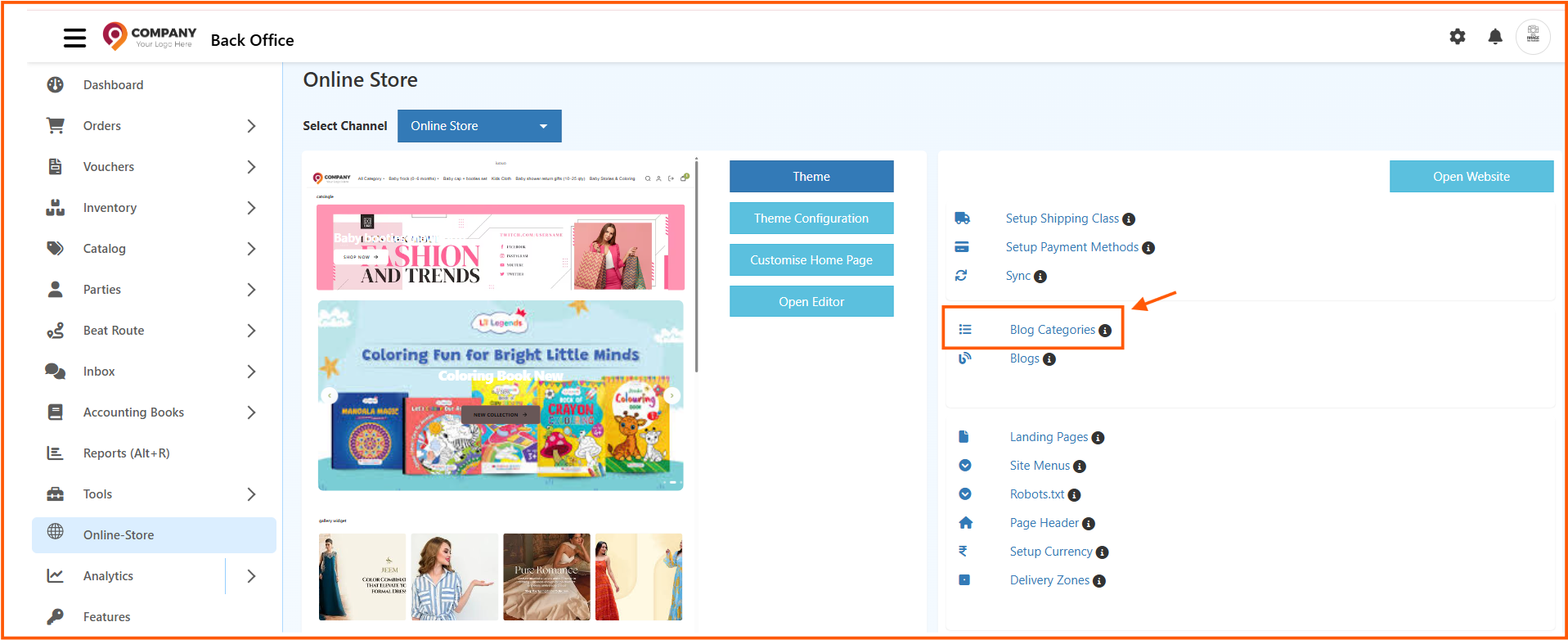
Blog Categories List Page
The Blog Categories list page shows all created categories in one place.
Available Options
- Name: Displays the category name
- Is Published: Shows whether the category is visible for use
- Actions: Lets you edit or delete a category
- Create Blog Category: Opens the form to add a new category
Use the Create Blog Category button in the top-right corner to create a new category.

How to Create a Blog Category
- Go to Back Office -> Online Store -> Blog Categories
- Click Create Blog Category
- Enter all required category details
- Upload the banner and thumbnail images if needed
- Set publication and SEO details
- Click Save
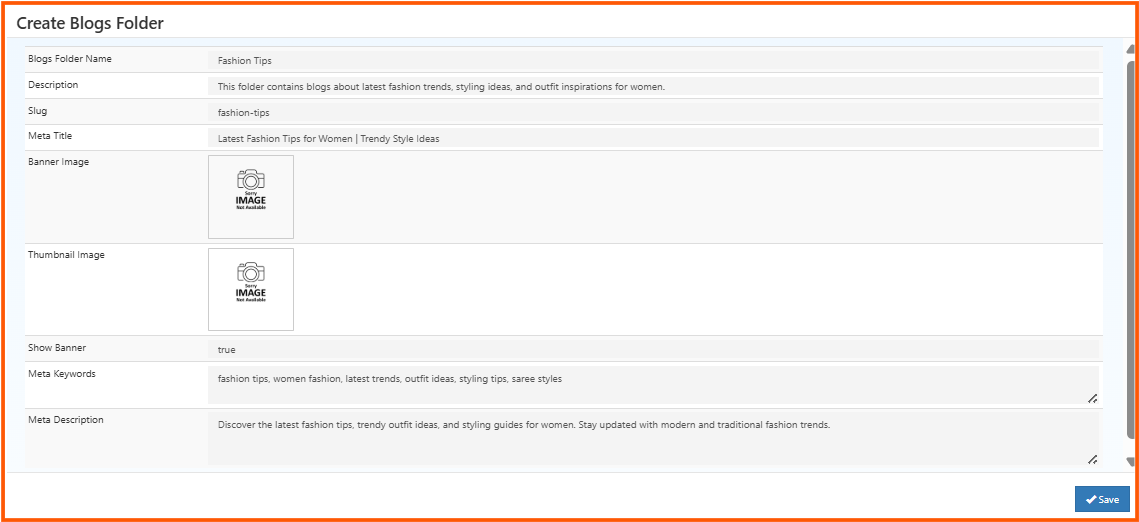
Create Blog Category Fields
The create screen appears as Create Blogs Folder in the interface. Each field is used as follows:
Blogs Folder Name
Enter the category name that will group related blogs together.
Example: Fashion Tips
This name is used internally and can also be shown on the storefront depending on your theme or blog layout.
Description
Add a short summary about the category.
Example: This folder contains blogs about latest fashion trends, styling ideas, and outfit inspirations for women.
Use this field to explain what type of blogs belong to this category.
Slug
Enter the URL-friendly version of the category name.
Example: fashion-tips
This should be short, readable, and usually written in lowercase with hyphens instead of spaces.
Meta Title
Enter the SEO title for the category page.
Example: Latest Fashion Tips for Women | Trendy Style Ideas
This title may appear in browser tabs and search engine results.
Banner Image
Upload the main image for the category.
Use this image when you want to display a large visual banner on the category or blog listing page.
Thumbnail Image
Upload a smaller preview image for the category.
This image is useful for category cards, widgets, or compact listing sections.
Show Banner
This controls whether the banner image should be shown on the storefront.
true-> Displays the banner imagefalse-> Hides the banner image
Enable this only when you want the category banner to appear on the front end.
Meta Keywords
Enter relevant keywords for the category.
Example: fashion tips, women fashion, latest trends, outfit ideas, styling tips
Use keywords that closely match the blog topic.
Meta Description
Enter a short SEO description for the category page.
Example: Discover the latest fashion tips, trendy outfit ideas, and styling guides for women. Stay updated with modern and traditional fashion trends.
This description may be used by search engines when showing the page in results.
Best Practices
- Use a clear and meaningful category name
- Keep the slug simple and unique
- Add SEO-friendly meta title and meta description
- Use relevant banner and thumbnail images for better presentation
- Publish only categories that are ready to be used in blog content
After saving, the new blog category will be available in the Blog Categories list and can be used to organize blog posts more effectively in your online store.