Print Split By Option and Attributes
The Print Split By Option and Attributes feature controls how product variations are printed in the invoice when multiple options or attributes are used in a single bill.
🔹 Where to Configure
Go to:
Backoffice - Features → Attributes → Print Split By Option and Attributes
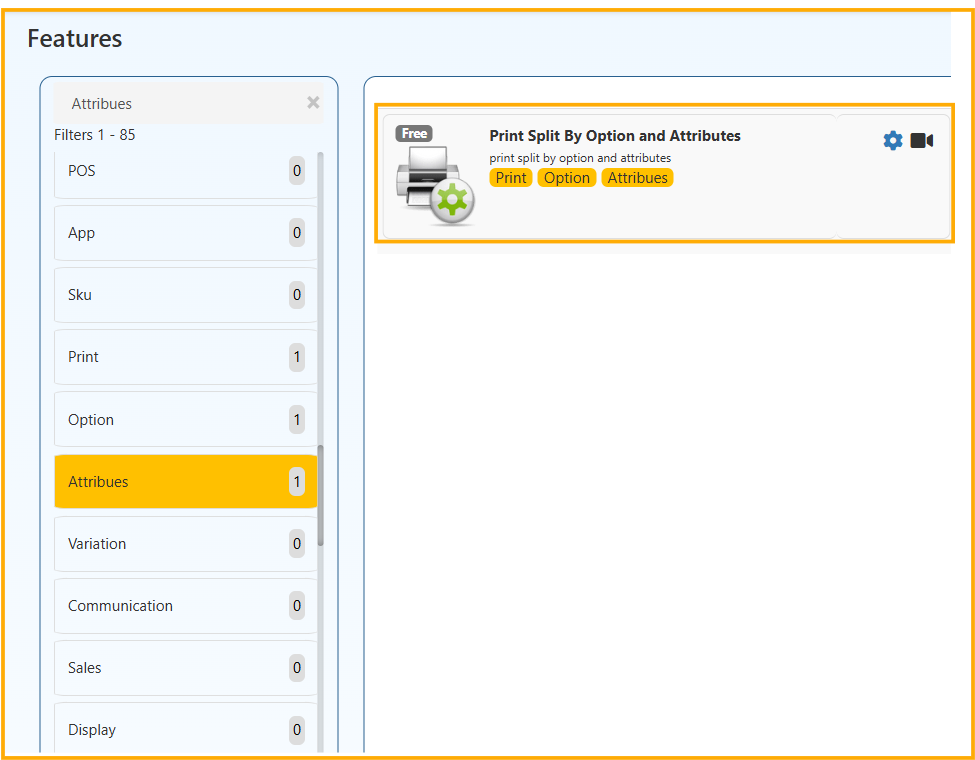
You will see two settings:
- Print split by Attributes
- Print split by Option
Select the required Attribute or Option and click Save.
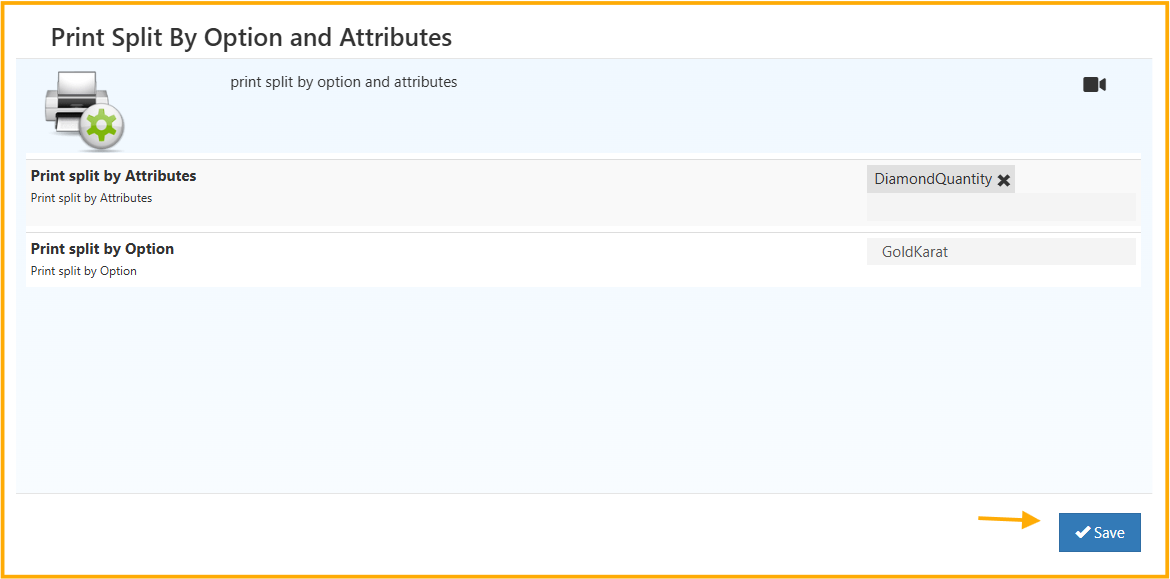
1️⃣ Print Split by Attributes
When you select an attribute (for example: DiamondQuantity):
If the same product is added multiple times with different attribute values,
the invoice will print them as separate lines instead of combining them.
What This Means:
If a product contains different attribute values, each variation will appear individually in the invoice print.
If this feature is disabled, the system may merge similar items into a single line (based on system configuration).
2️⃣ Print Split by Option
When you select an option (for example: GoldKarat):
If a product is billed with different option values, the invoice will print each option separately.
What This Means:
Each option variation (like different karat, size, or type)
will appear as a separate line item in the printed bill.
If disabled, the system may group them depending on product configuration.
🎯 Why This Feature Is Used
This feature is commonly enabled in businesses where:
- Product options affect pricing
- Product attributes affect weight or specification
- Each variation must be clearly visible in the printed invoice
- Audit clarity is required
Especially useful for:
- Jewelry billing
- Variant-based products
- Specification-based items
✅ When to Enable
Enable this feature when:
- You want each product variation clearly separated in invoice print.
- Option or attribute differences must be visible to customers.
- Billing transparency is important.
This ensures clean, structured, and variation-based invoice printing without altering backend calculations.