<<<<<<< Updated upstream The Sales Navigator App helps sales teams manage products, orders, and customer activities from a mobile device. It is useful for users who need to browse the catalog, create orders, and continue sales work even when internet connectivity is limited.
What Is Sales Navigator App?
Sales Navigator is a mobile app used to support daily sales operations. It gives users quick access to product search, catalog browsing, order creation, quotations, and product synchronization.
It is designed to make sales activities faster and easier while working in the field or away from the main system.
Who Can Use This App
The Sales Navigator App is mainly used by sales-focused users who need quick access to products and order activities while working on the go.
It is useful for:
- Sales Agents who create and manage customer orders
- Shop Administrators who monitor sales activities and product access
- Store Staff who support order entry and customer handling These users can search products, create orders, review order details, and manage sales tasks directly from the app.
Login to the Application
To log in:
- Open the Sales Navigator app on your mobile device.
- Enter your username.
- Enter your password.
- Tap Login.
After login, the home screen displays the main app features.
Home Screen Overview
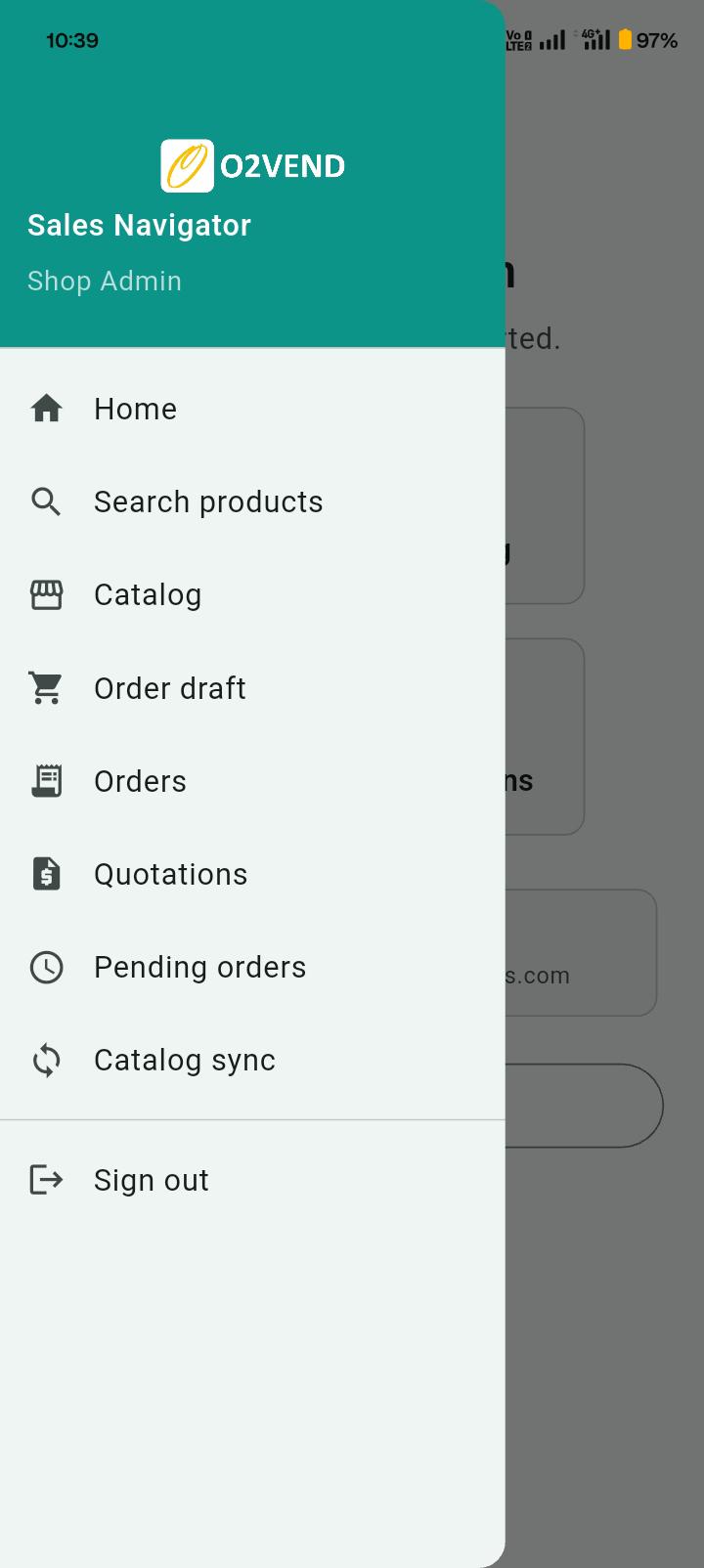
The home screen gives quick access to the main functions of the app.
Common options available include:
- Search to quickly find products
- Catalog to browse available items
- Orders to view created orders
- Quotations to manage quotation activity
- Product Sync or Catalog Sync to update product data
This helps users move between important sales tasks without delay.
=======
Sales Navigator App in O2VEND | Mobile Sales and Order Management Guide
The Sales Navigator App in O2VEND is built for teams that need to handle sales on the go. Whether you're on the shop floor or out in the field, it lets you quickly find products, create orders, and manage customer activity without being tied to a system.
One of the most useful parts? It works even when your internet doesn’t. You can continue working offline and sync everything later.
What Is Sales Navigator App in O2VEND?
The Sales Navigator App is a mobile tool that helps sales teams manage products and customer orders directly from their device.
In simple terms, it replaces manual order taking with a faster, more structured workflow.
Who Typically Uses This App
You’ll usually see these roles using the app:
- Shop Administrators
- Sales Agents
- Store Staff
If someone is responsible for taking orders or assisting customers, this app is designed for them.
Key Features (What You’ll Actually Use Daily)
Here’s what most users rely on:
- Quickly search and find products
- Browse the full product catalog
- Create and submit customer orders
- Generate quotations when needed
- Work offline and sync later
- Keep product data updated with sync
How to Login
Getting started is straightforward:
Stashed changes
- Open the Sales Navigator app
- Enter your username
- Enter your password
- Tap Login
<<<<<<< Updated upstream Product synchronization ensures the app contains the latest product information.
- Open the side menu.
- Tap Catalog Sync or Product Sync.
- Wait for the sync process to finish.
After synchronization, the latest products, pricing, and availability details become available in the app.
- Search – Find products quickly
- Catalog – Browse all products
- Orders – View and manage orders
- Quotations – Create and manage quotes
- Product Sync – Update product data
======= Once you’re in, you’ll land on the home screen with all the main options.
Home Screen Overview
The home screen is designed to keep things simple and quick.
You’ll find:
- Search – for quickly finding products
- Catalog – to browse everything available
- Orders – where all your orders are listed
- Quotations – for creating price quotes
- Product Sync – to refresh product data
Most of your daily work happens from here.
Stashed changes
Users can quickly search for products from the app.
<<<<<<< Updated upstream To search for a product:
- Tap Search.
- Enter the product name in the search field.
- Select the required product from the results.
- View the product details.
This helps users find products faster during order creation.
The catalog section allows users to view the available product list.
From the catalog, users can:
- browse product listings
- open a product for more details
- review price and availability
- add products to an order
This is useful when users want to explore products instead of searching directly.
Users can create customer orders directly from the app.
A typical order flow is:
- Search or browse for products.
- Add the required items.
- Enter the quantity.
- Review the order details.
- Tap Create Order or Submit Order.
Once submitted, the order is stored in the system and can be viewed from the orders section.
Save as Draft
If an order is not ready to submit, it can be saved as a draft.
Draft orders help users:
- save incomplete orders
- continue editing later
- submit after final review
This is helpful when order details are still being confirmed.
Pending orders are orders that have been created but are still waiting for the next action. Users can open pending orders, review the details, and complete the required updates.
- Browse previously synced products
- Create and save orders offline
- Automatically sync orders when internet is available
The app supports offline work for uninterrupted sales activity.
When internet access is unavailable:
- previously synced products can still be viewed
- orders can be created and saved locally
- saved data can be synced later when the connection returns
This helps users continue sales work without stopping because of network issues.
View Orders
The Orders section helps users view and monitor created orders.
Order records may include:
- order number
- customer details
- order status
- creation date
Users can open an order to review full details.
The app also supports quotation creation for customers.
Users can:
- select products
- enter quantity and pricing details
- generate a quotation
- share or review the quotation as needed
This helps sales teams prepare pricing information before confirming an order.
Why Sales Navigator App Is Useful
Using the Sales Navigator App helps you:
- manage sales activities from a mobile device
- search products quickly
- create orders faster
- continue working in offline mode
- keep product data updated through sync
Related Topics
Syncing the Product Catalog
Before you start taking orders, it’s a good idea to sync your catalog.
Steps:
- Open the side menu
- Tap Catalog Sync
- Wait for it to finish
This ensures you’re working with the latest prices and product details.
Searching for Products
If you know what you’re looking for:
- Tap Search
- Type the product name
- Select it from the results
You’ll be able to see basic details like price and availability right away.
Browsing the Catalog
If you want to explore instead:
- Tap Catalog
- Scroll through the list
- Open any product to view details
- Add it to an order if needed
Creating a Customer Order
This is the core part of the app.
- Add products to your order
- Enter quantities
- Review everything
- Tap Create Order
That’s it—the order gets saved and shows up under Orders.
Working with Draft Orders
Not every order gets completed in one go.
You can:
- Save it as a draft
- Come back later
- Make changes before submitting
This is helpful when customers need time to confirm.
Understanding Pending Orders
Pending orders are simply orders that haven’t been processed yet.
Sometimes they’re waiting for sync, or just need final action from your side.
Using the App Without Internet
This is where the app really helps in real-world situations.
- You can still browse previously synced products
- You can create orders as usual
- Everything gets saved locally
Once you’re back online, the app syncs automatically.
Viewing Orders
To check your orders:
- Go to the Orders section
- Open any order to see details
You’ll find:
- Order number
- Customer info
- Status
- Date
Creating Quotations
When a customer needs a price estimate:
- Select products
- Add quantities and pricing
- Generate the quotation
- Share it
Why Syncing Matters
If you skip syncing, you might end up using outdated data.
Regular sync helps you:
- Stay updated with pricing
- See new products
- Avoid mistakes during order creation
When This App Is Most Useful
You’ll find this app especially helpful when:
- You’re handling field sales
- Taking orders outside the store
- Working in low network areas
- Managing multiple customer requests quickly
Getting Started
If you’re new:
- Log in and explore the home screen
- Sync your catalog first
- Try creating a sample order
- Use offline mode if needed
The Sales Navigator App makes day-to-day sales faster and a lot more manageable—especially when you're not sitting at a desk.
Stashed changes