O2VEND Retail ERP
  • Getting Started
  • Ecommerce
  • Back Office
  • POS
  • Agent App
  • PIM
  • Communication
  • CMS
  • OMS
  • WMS
  • O2C
  • Accounting
  • Reports
  • Themes and Apps
Search Results for

    Show / Hide Table of Contents
    • Overview
    • Features
      • Product Management Features
        • Product Management
        • Product Attributes
        • Product Variations
        • SKU Length for Variations
        • Product Pricing
        • Product Margin Settings
        • Product Cost Configuration
        • Product Tax Settings
        • Additional Tax Setup
      • Inventory Management Features
        • Inventory Management
        • Stock Management
        • GRN (Goods Receipt Note)
        • GDN (Goods Delivery Note)
        • Disable Lot Popup Option
      • Order & Sales Features
        • Order Management
        • Point of Sale (POS)
        • Credit Sales & Invoice Return
        • Outstanding Management
        • Voucher Management
        • Guest Checkout Option
      • Marketing & SEO Features
        • SEO Optimization
        • URL Configuration
        • Schema Markup Setup
        • Segmentation
      • Communication & Notification Features
        • Email Settings
        • Communication Settings
        • Notifications
        • Web Notifications
      • System & Security Features
        • Application Settings
        • General Settings
        • Date Configuration
        • IP Restrictions
        • White Listing
        • Print Configuration
        • Option Settings
    • Integrations
      • Marketplace Integrations
        • Amazon Integration
        • Flipkart Integration
        • Myntra Integration
        • Shopify Integration
        • Unicommerce Integration
      • Payment Gateway Integrations
        • Razorpay Integration
        • PayU Integration
        • Paytm Integration
        • PhonePe Integration
        • Cashfree Integration
        • Stripe Integration
        • Paypal Integration
      • Shipping & Logistics Integrations
        • Shiprocket Integration
        • Shipway Integration
        • eShipper Integration
        • Amazon Shipping Integration
        • XpressBees Integration
        • GetDelivered Integration
      • Communication Integrations
        • WhatsApp Integration
        • MSG91 Integration
        • SendGrid Integration
        • Amazon SES Integration
        • Email Integration
      • Marketing & CRM Integrations
        • HubSpot Integration
        • Typesense Integration
      • Tax & Compliance Integrations
        • e-Invoice Integration
        • e-Way Bill Integration
        • Tax Configuration
      • Security & Technical Integrations
        • reCAPTCHA Integration
        • Webhook Integration
        • Custom CDN Domain Setup
      • Inventory & Store Integrations
        • Inventory Integration
        • Storefront Integration
        • Display Configuration
        • General Settings
    • Product Enhancements
      • Affiliate Program Management
      • Back Office Management System
      • Checkout Process Settings
      • Coupon Code Management
      • Currency Configuration Settings
      • Delivery Zone Configuration
      • Discount Management System
      • Product Display Settings
      • Geo IP Location Detection
      • GTIN Product Code Management
      • Invoice Management System
      • Marketing & Campaign Tools
      • Menu Management Settings
      • Pricing Rule Configuration
      • Purchase Management Module
      • Referral Program Settings
      • Return Management Process
      • Sales Management System
      • Shipment & Delivery Tracking
      • SMS Notification Settings
      • Sub Location Management
      • Vendor Management System
      • Product Video Integration
      • Web Store Configuration
      • WhatsApp Integration Settings
    • Blog Categories Setup
    • Blog Management
    • Email Settings
    • Home Page Components
    • Main Menu Management
    • Newsletter Subscription Settings
    • SMS Settings
    • WhatsApp Settings
    • Communication Template Setup
    • Page Header Settings
    • Site Menu Management
    • Site Pages Management

    Purchase Feature in O2VEND

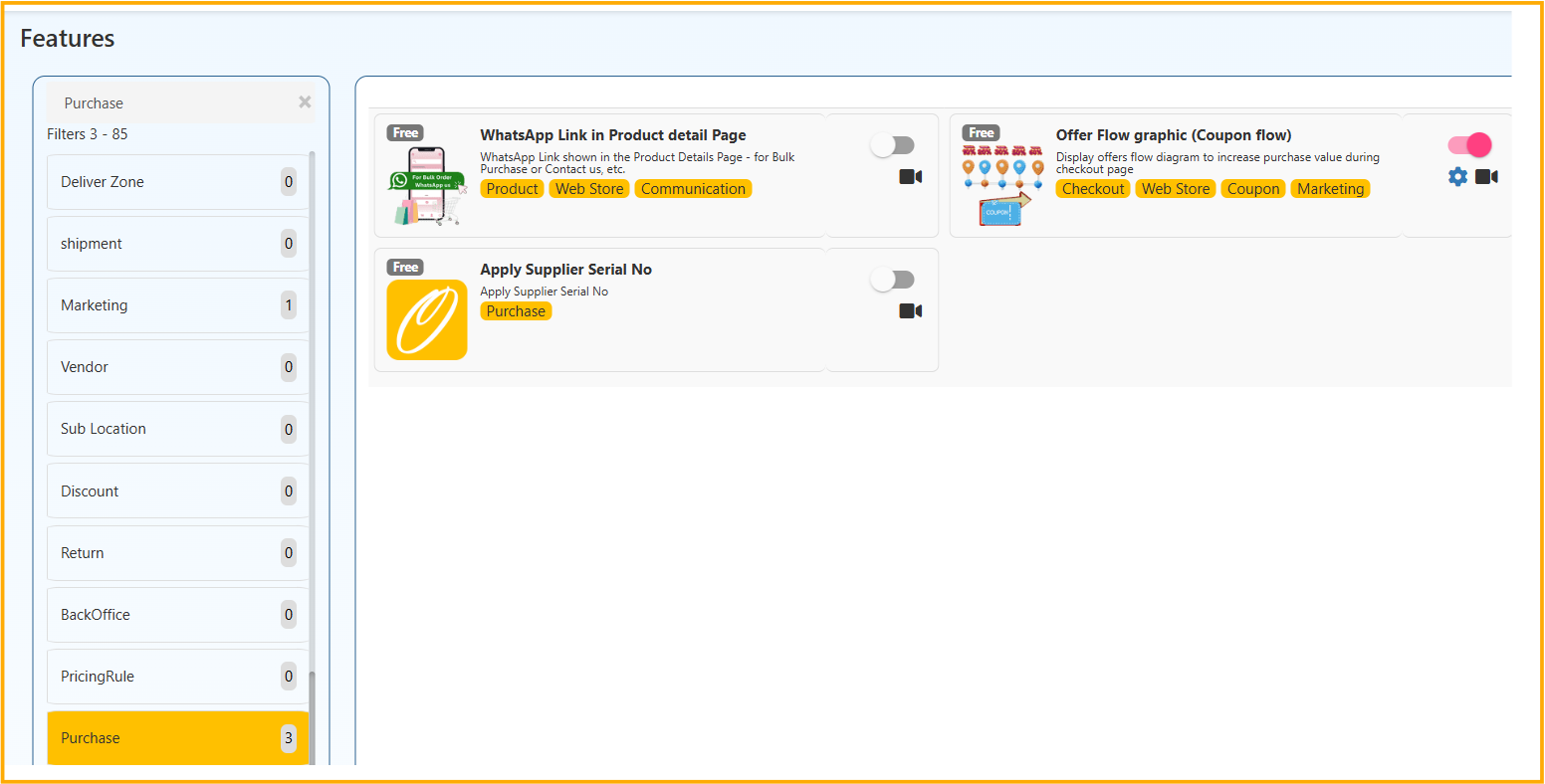
    Bulk Purchase WhatsApp Link in Product Details

    WhatsApp link will be added to the product details page in eCommerce. It is useful for the online customer who wants to buy bulk purchases in an eCommerce store.

    Purchase Feature in O2VEND

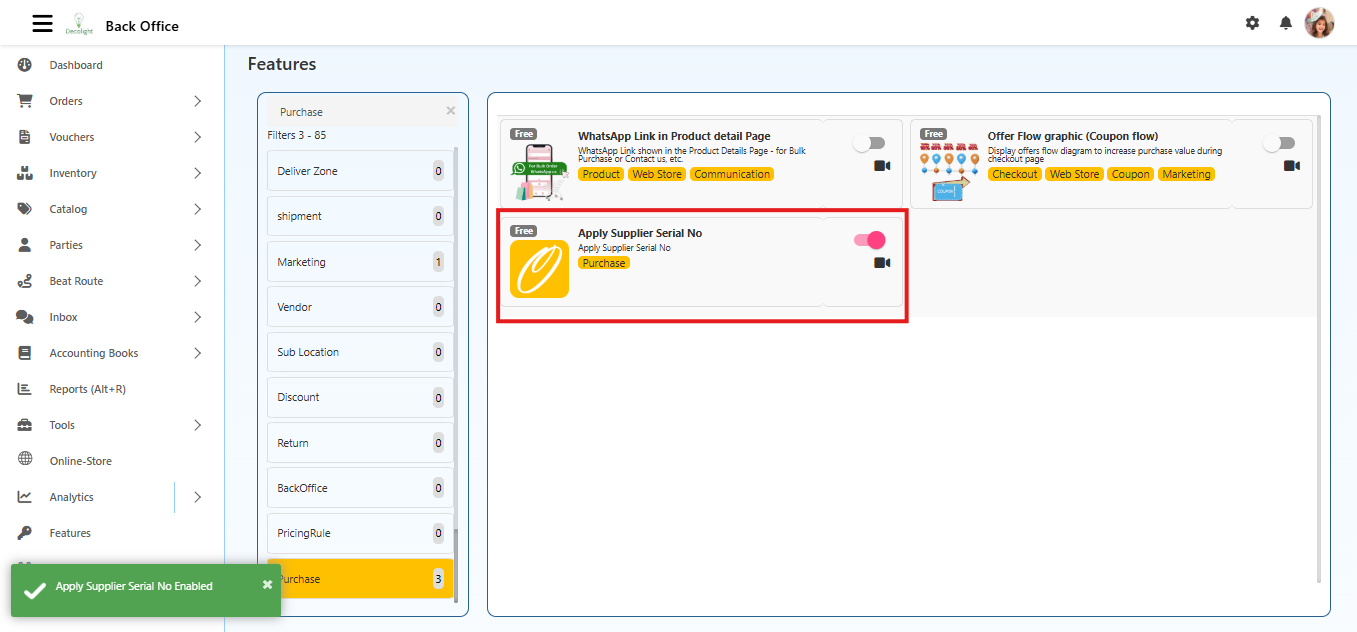
    Apply Supplier Serial No

    The Apply Supplier Serial No feature adds an additional column in the Purchase Order and Purchase Invoice screens to capture the serial number provided by the supplier for each product line.

    Many suppliers include their own line?item numbering (1, 2, 3�) in their invoice.
    This feature allows entering the same numbers inside O2VEND, improving accuracy, matching, and audit clarity.

    Once enabled, a new column labeled SL appears beside every product row where the suppliers serial number can be entered.

    Navigation Path

    Back Office → Features → Purchase → Apply Supplier Serial No

    Purchase Feature in O2VEND

    Purpose

    This feature helps to:

    • Record the exact serial number shown in the suppliers invoice
    • Maintain accurate mapping between supplier documents and system entries
    • Reduce confusion when suppliers use their own line numbering

    Where This Feature Applies

    Once enabled, the SL column appears in both:

    • Purchase Order
    • Purchase Invoice

    Users can enter supplier serial numbers at either stage of the purchase workflow.

    Effect of Enabling the Feature

    When Enabled (True)

    The system displays a new column SL (Supplier Serial No) on:

    • Purchase Order entry
    • Purchase Invoice entry

    This new column allows:

    • Entering the suppliers serial number for each product row
    • Matching the suppliers invoice numbering exactly
    • Keeping serial numbers separate for each line item
    • Supporting grouped numbering for products with variations

    When Disabled (False)

    • The SL column is hidden
    • Only the default SL.No (system-generated row number) is shown
    • No supplier serial numbers can be recorded
    • The interface remains clean and simple for businesses that do not require supplier-side serial referencing

    Configuration Option

    Apply Supplier Serial No (Toggle)

    • Enabled: Shows the SL column
    • Disabled: Hides the SL column

    This setting affects only Purchase Order and Purchase Invoice screens.
    It does not affect stock, pricing, or product behavior.

    How It Works

    When the feature is turned ON:

    • Each product row includes an editable field for entering the suppliers serial number
    • The serial numbers entered are saved as part of the Purchase Order or Purchase Invoice
    • Serial numbers are used only for documentation, matching, and auditing
    • They do not change stock calculation, pricing, or GRN workflow

    Example Scenario:

    This example explains how serial numbers behave when adding normal products and variation products to a Purchase Order.

    Normal Products

    If two normal products are added:

    Line Item Product Type Supplier Serial No
    Row 1 Normal Product 1 1
    Row 2 Normal Product 2 2

    Each normal product gets its own unique SL number.

    Variation Products

    Now add a variation product that has 3 variations:

    • Small
    • Medium
    • Large

    In the Purchase Order, these appear as three separate rows.

    All three get the same supplier serial number (3) because they belong to the same product group, just like in the supplier�s invoice.

    Line Item Product Type Variation Supplier Serial No
    Row 3 Variation Product Small 3
    Row 4 Variation Product Medium 3
    Row 5 Variation Product Large 3

    Why the Same Serial Number?

    Suppliers typically list a variation product like this:

    3. T?Shirt (Small, Medium, Large)
    

    So all variations share the same supplier serial number.

    Summary of Behavior

    • Normal products → Each line gets its own serial number
    • Variation products → All variations share a single serial number
    • SL numbers follow the suppliers invoice sequence
    • Helps with matching, checking, and auditing purchases

    Outcome

    When enabled, supplier serial numbers can be entered for each product, making invoice matching and auditing easier.

    When disabled, only system serial numbers are shown, and supplier serial entry is not available.

    In this article
    Back to top _includes/footer.html
    © 2019–2026 Jeyan Technologies Private Limited • www.o2vend.com • Create your own store