Marketing Product Enhancement: Offer Flow Graphic (Coupon Flow)
The Offer Flow Graphic (Coupon Flow) feature displays a visual offer progress message in checkout to encourage customers to add more items and unlock discounts.
Feature Details
- Feature Name: Offer Flow Graphic (Coupon Flow)
- Purpose: Increase purchase value during checkout
What This Feature Does
When enabled, customers see an offer progress indicator in the checkout flow, such as:
Add 200 more to unlock 10% discount
This nudges customers to increase cart value and helps improve average order value (AOV).
Navigation
Use the Features cards area and open:
Back Office → Features → Marketing → Offer Flow Graphic (Coupon Flow)
In some setups, the same feature can also appear under Checkout or Coupon filter groups.
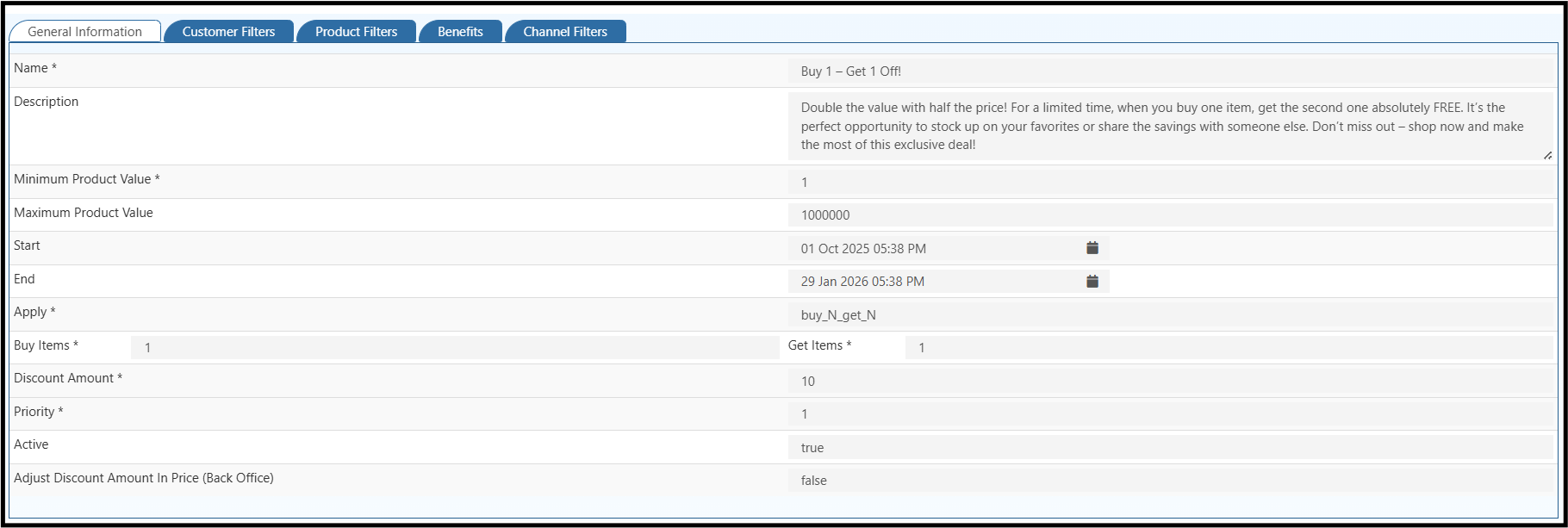
This is the offer creation page. Create offers and discounts in Back Office → Settings → Loyalty and Promotions → Offers and Discounts.
Related setup links:
How to Enable
- Log in to Back Office.
- Go to Features.
- Filter by Marketing, Checkout, or Coupon.
- Open Offer Flow Graphic (Coupon Flow).
- Turn the toggle ON.
- Configure the offer values.
- Click Save.
Recommended Configuration
Set these values based on your campaign:
- Target Cart Value: Minimum cart amount to unlock offer.
- Reward Type: Percentage discount or flat discount.
- Reward Value: Discount amount/percentage.
- Display Message: Customer-facing progress text.
- Coupon Dependency: Link flow to specific promotion coupon rules (if used).
Customer Checkout Flow
- Customer adds products to cart.
- Checkout page shows current eligibility for offer.
- System displays the remaining amount required to unlock reward.
- Customer adds more products.
- Offer unlocks and coupon benefit is applied as configured.
Example Scenario
- Offer rule:
Spend 1500 and get 10% off - Customer cart:
1200 - Checkout message:
Add 300 more to unlock 10% discount - Customer adds one more item worth
350 - Final cart becomes eligible and discount is applied
Business Benefits
- Increases Average Order Value (AOV)
- Improves coupon adoption at checkout
- Reduces cart drop-offs with clear reward visibility
- Creates stronger promotional impact in Web Store
Troubleshooting
Offer flow not visible in checkout
- Confirm feature toggle is ON.
- Verify coupon is active.
- Check whether customer cart meets minimum conditions.
Discount not applied after threshold
- Validate coupon rule conditions and validity dates.
- Check product/category restrictions in coupon setup.
- Verify no conflicting promotion rule is overriding the flow.
Success Metrics to Track
After enabling, monitor:
- Average Order Value (AOV)
- Coupon usage rate
- Checkout conversion rate
- Cart abandonment rate
This helps confirm whether the Offer Flow Graphic is improving checkout performance.