Date Section Feature
Location in Back Office
Navigation Path:
Back Office → Features → System & Security → Date
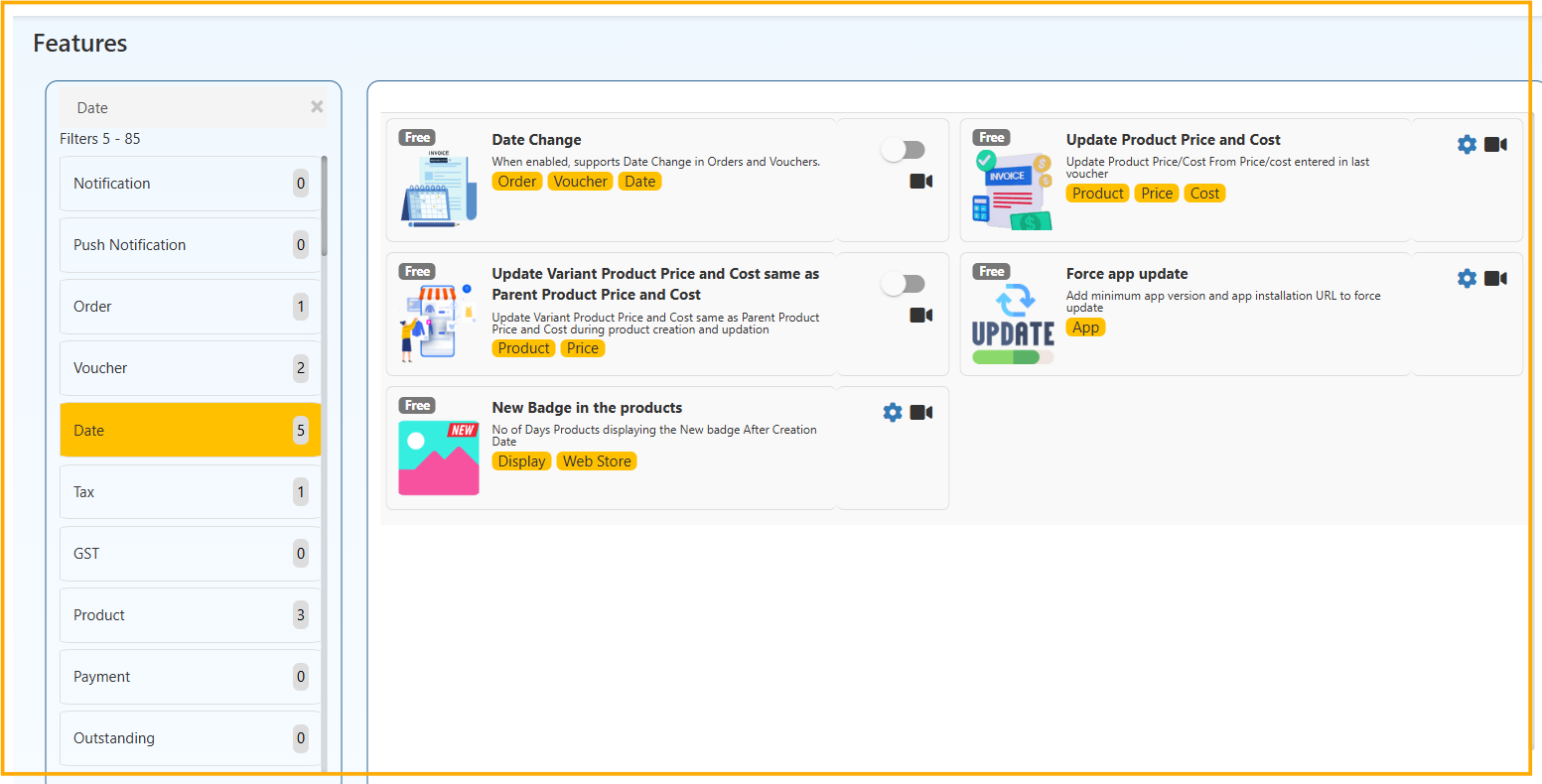
1️⃣ Date Change
Allows users to change the date in Orders and Vouchers when creating or editing transactions.
Used when:
- Entering backdated sales
- Correcting voucher dates
2️⃣ Update Product Price and Cost
Automatically updates product price or cost based on the latest voucher entry.
Helps maintain:
- Accurate pricing
- Updated cost values
3️⃣ Update Variant Product Price and Cost Same as Parent
Syncs variant product price and cost with the parent product during creation or update.
Prevents:
- Price mismatch
- Manual corrections
4️⃣ Force App Update
Forces users to update the app by setting a minimum required app version and update URL.
Useful for:
- Mandatory updates
- Feature releases
- Bug fixes
5️⃣ New Badge in Products
Displays a “New” badge on recently created products for a specified number of days.
Useful for:
- Highlighting new arrivals
- Web store visibility