Blog Management
Blogs help you publish articles, guides, announcements, and educational content in your online store. With O2VEND, you can create blog posts, organize them using blog categories, and publish them on the storefront to improve customer engagement and SEO visibility.
Navigation Path
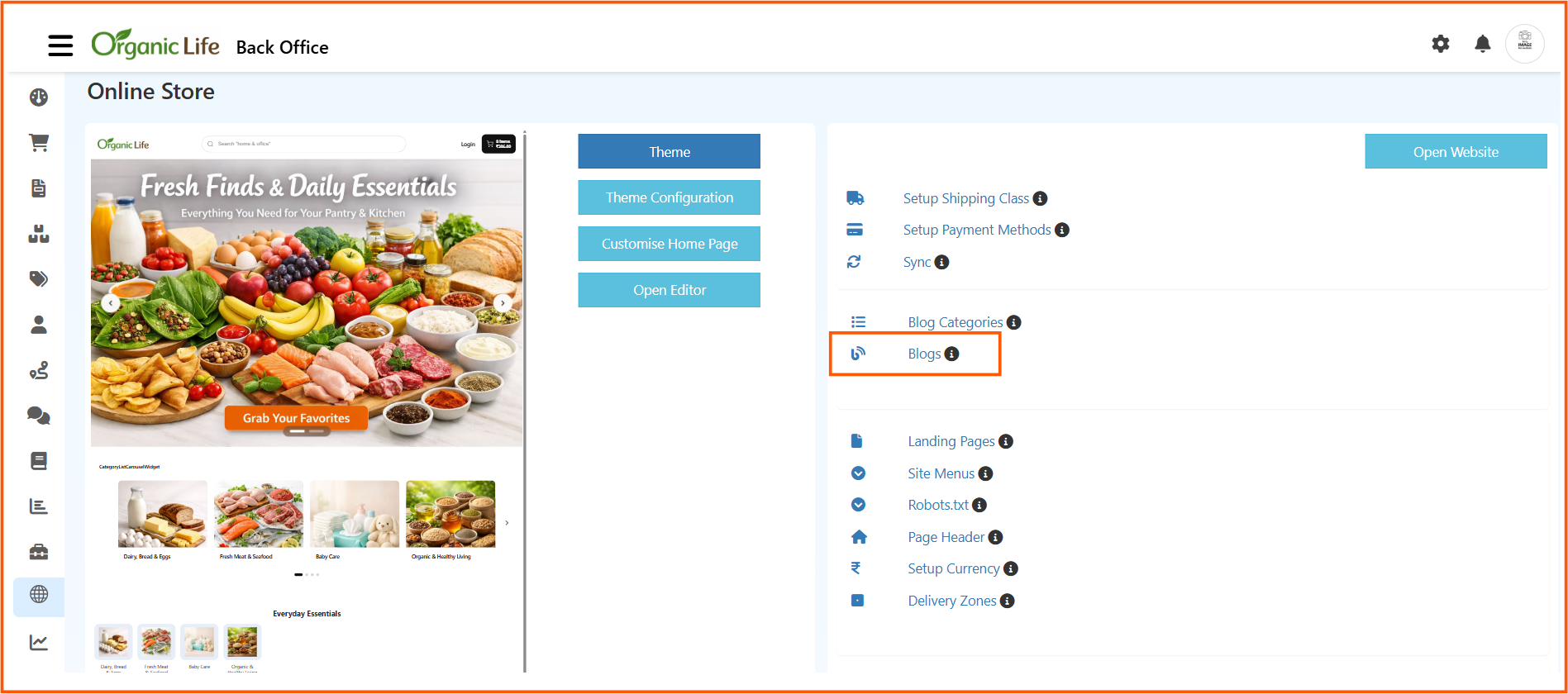
Back Office -> Online Store -> Blogs
Access Blogs
- Login to the Back Office
- Open Online Store from the left-side menu
- Select the required store from Select Channel
- In the Online Store settings panel, click Blogs
From this page, you can create, edit, publish, and manage blog posts for your storefront.
Blogs List Page
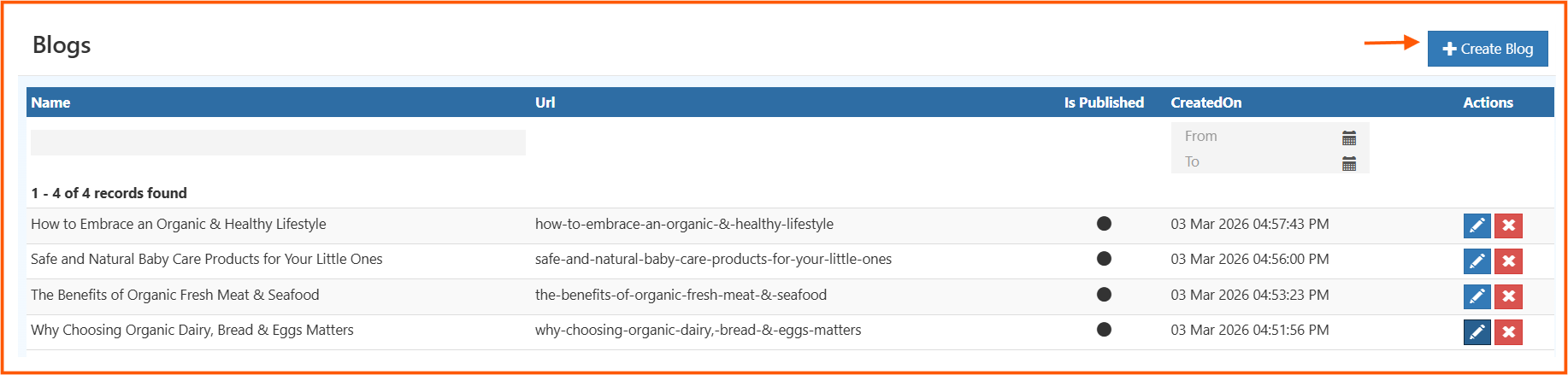
The Blogs page displays all existing blog posts in a list view.
Available Columns and Actions
- Name: Displays the blog title
- Url: Shows the blog slug or page URL
- Is Published: Indicates whether the blog is currently live
- CreatedOn: Shows when the blog was created
- Actions: Lets you edit or delete a blog post
- Create Blog: Opens the blog creation form
You can also use the CreatedOn date filter to narrow down blog records by date.
How to Create a Blog
- Go to Back Office -> Online Store -> Blogs
- Click Create Blog
- Upload the main image for the article
- Enter the blog name and slug
- Choose the related category
- Add SEO details such as meta title, keywords, and meta description
- Enter the short description
- Write the full article in the content editor
- Set Is Published based on whether the blog should go live immediately
- Save the blog
Blog Form Fields
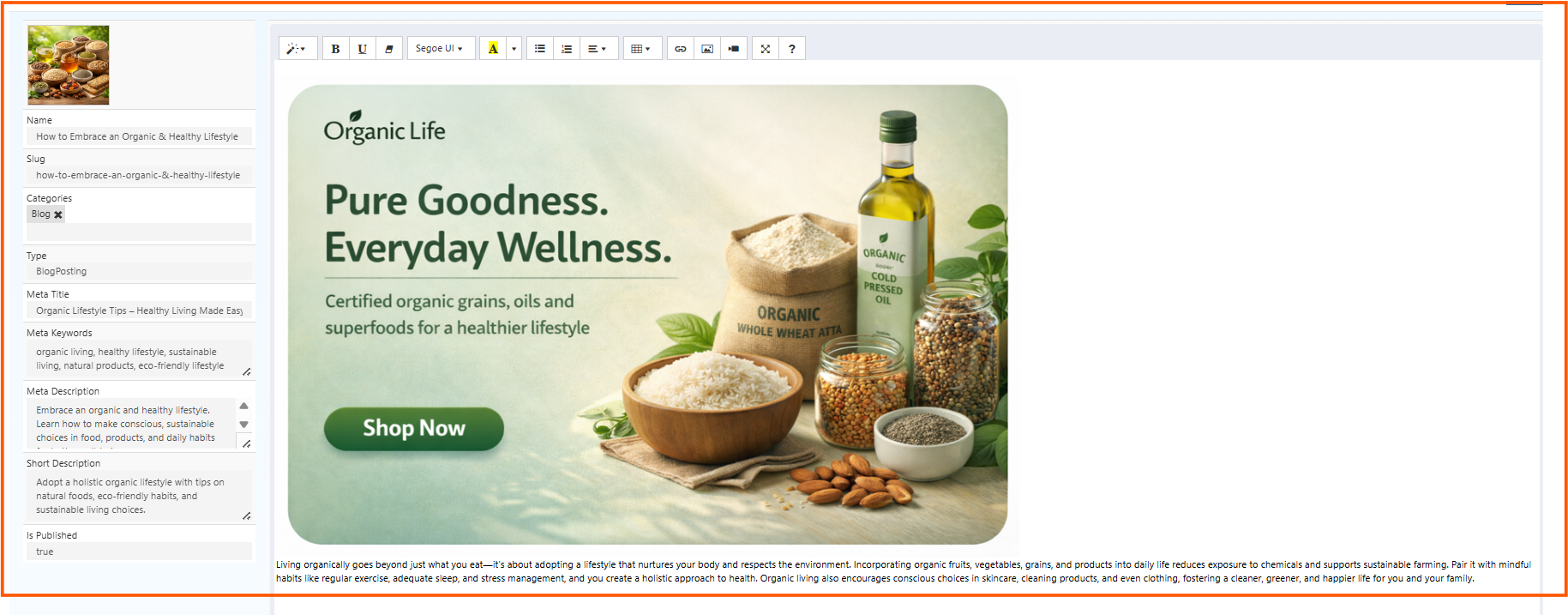
The blog editor contains content details, SEO fields, category mapping, and publishing controls. Each field is explained below.
Blog Image
This is the main image of the blog post.
It may be shown in blog listings, featured sections, and at the top of the blog detail page. Choose an image that clearly matches the article topic.
Name
Enter the title of the blog post.
Example: How to Embrace an Organic & Healthy Lifestyle
This title is displayed to customers and is the primary heading of the blog article.
Slug
Enter the URL-friendly version of the blog title.
Example: how-to-embrace-an-organic-&-healthy-lifestyle
The slug becomes part of the blog page URL, so it should be unique, readable, and relevant to the topic.
Categories
Select the category that the blog belongs to.
Example: Blog
This helps group related articles together and improves content organization on the storefront.
Type
This defines the content type of the entry.
Example: BlogPosting
This is typically used for content classification and structured data.
Meta Title
Enter the SEO title for the blog page.
Example: Organic Lifestyle Tips - Healthy Living Made Easy
This title may appear in browser tabs and search engine results.
Meta Keywords
Enter keywords related to the article topic.
Example: organic living, healthy lifestyle, sustainable living, natural products, eco-friendly lifestyle
Use keywords that closely match the search terms your customers may use.
Meta Description
Enter a short SEO summary for the blog page.
Example: Embrace an organic and healthy lifestyle. Learn how to make conscious, sustainable choices in food, products, and daily habits.
This description may appear in search results and should briefly explain the article.
Short Description
Enter a short summary of the blog post.
Example: Adopt a holistic organic lifestyle with tips on natural foods, eco-friendly habits, and sustainable living choices.
This is useful for blog cards, previews, widgets, and listing pages.
Is Published
This controls whether the blog is visible on the storefront.
true-> The blog is published and visible to customersfalse-> The blog is saved as draft or unpublished
Content Editor
The large editor area is used to write the complete blog article.
You can use it to:
- enter formatted text
- create paragraphs and lists
- insert images
- add links
- align content
- build the full blog body
This is the main article content customers will read on the storefront.
Best Practices
- Use a clear and engaging blog title
- Keep the slug simple and SEO-friendly
- Select the correct category before publishing
- Add meaningful meta title, keywords, and meta description
- Use a strong blog image that matches the topic
- Write a helpful short description for blog previews
- Review the full article before enabling publish
Result
After saving, the blog will appear in the Blogs list page. If Is Published is enabled, the article will also be available on the storefront under the selected category.