O2VEND Retail ERP
  • Product
  • Solutions
  • Resources
    • Blog
    • Community
    • Partnership
    • Find Partner
    • Developer
  • Pricing
  • Docs
    • Getting Started
      • Channels
        • Sales Channel
        • O2VEND to O2VEND Channel
        • Shopify Integration Guide
    • Commerce
      • Ecommerce
      • POS
      • Agent App
      • CMS
      • Themes & Apps
      • Apps
        • Sales Navigator
    • Operations
      • OMS
      • WMS
      • O2C
      • Vendor Portal
      • Supplier Portal
    • Back Office
      • Accounting
      • Reports
      • PIM
      • Communication
      • Back Office
Search Results for

    Show / Hide Table of Contents
    • Overview
    • Features
      • Product Management Features
        • Product Management
        • Product Attributes
        • Product Variations
        • SKU Length for Variations
        • Product Pricing
        • Product Cost Configuration
        • Product Tax Settings
        • Additional Tax Setup
      • Inventory Management Features
        • Inventory Management
        • Stock Management
        • GRN (Goods Receipt Note)
        • GDN (Goods Delivery Note)
        • Disable Lot Popup Option
      • Order & Sales Features
        • Order Management
        • Point of Sale (POS)
        • Credit Sales & Invoice Return
        • Outstanding Management
        • Voucher Management
        • Guest Checkout Option
      • Marketing & SEO Features
        • SEO Optimization
        • URL Configuration
        • Schema Markup Setup
      • Communication & Notification Features
        • Email Settings
        • Communication Settings
        • Notifications
        • Web Notifications
      • System & Security Features
        • Application Settings
        • General Settings
        • Date Configuration
        • White Listing
        • Option Settings
    • Integrations
      • Marketplace Integrations
        • Amazon Integration
        • Flipkart Integration
        • Myntra Integration
        • Shopify Integration
        • Unicommerce Integration
      • Payment Gateway Integrations
        • Razorpay Integration
        • PayU Integration
        • Paytm Integration
        • PhonePe Integration
        • Cashfree Integration
        • Stripe Integration
        • Paypal Integration
      • Shipping & Logistics Integrations
        • Shiprocket Integration
        • Shipway Integration
        • eShipper Integration
        • Amazon Shipping Integration
        • XpressBees Integration
        • GetDelivered Integration
      • Communication Integrations
        • WhatsApp Integration
        • MSG91 Integration
        • SendGrid Integration
        • Amazon SES Integration
        • Email Integration
      • Marketing & CRM Integrations
        • HubSpot Integration
        • Typesense Integration
      • Tax & Compliance Integrations
        • e-Invoice Integration
        • e-Way Bill Integration
        • Tax Configuration
      • Security & Technical Integrations
        • reCAPTCHA Integration
        • Webhook Integration
        • Custom CDN Domain Setup
      • Inventory & Store Integrations
        • Inventory Integration
        • Storefront Integration
        • Channel-to-Channel Integration
        • Display Configuration
        • General Settings
    • Product Enhancements
      • Affiliate Program Management
      • Back Office Management System
      • Checkout Process Settings
      • Coupon Code Management
      • Currency Configuration Settings
      • Delivery Zone Configuration
      • Discount Management System
      • Product Display Settings
      • GTIN Product Code Management
      • Invoice Management System
      • Marketing & Campaign Tools
      • Menu Management Settings
      • Pricing Rule Configuration
      • Purchase Management Module
      • Referral Program Settings
      • Return Management Process
      • Sales Management System
      • Shipment & Delivery Tracking
      • SMS Notification Settings
      • Sub Location Management
      • Vendor Management System
      • Product Video Integration
      • Web Store Configuration
      • WhatsApp Integration Settings
    • Blog Categories Setup
    • Blog Management
    • Email Settings
    • Home Page Components
    • Main Menu Management
    • Newsletter Subscription Settings
    • SMS Settings
    • WhatsApp Settings
    • Communication Template Setup
    • Page Header Settings
    • Site Menu Management
    • Site Pages Management

    Return Management Process in O2VEND

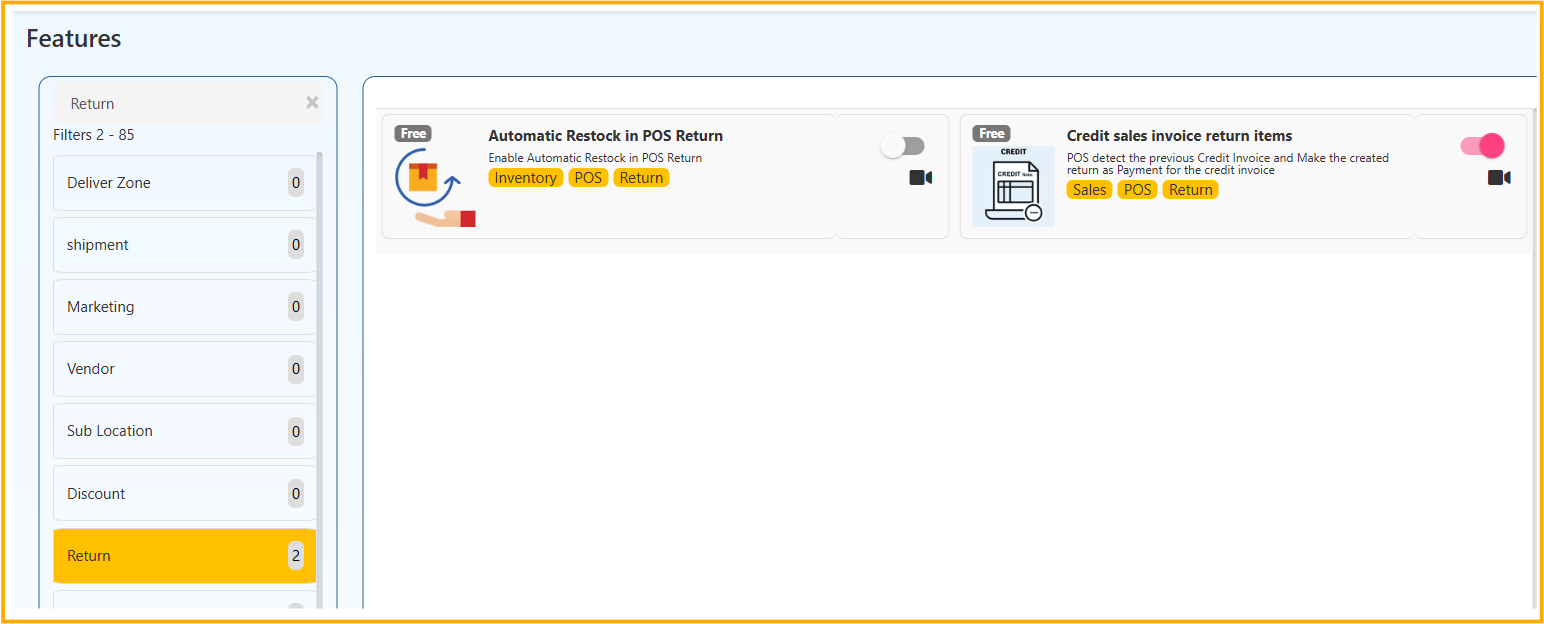
    The Return feature group controls return handling in POS, stock updates after returns, and credit-invoice settlement during return operations.

    Features Covered

    1. Automatic Restock in POS Return
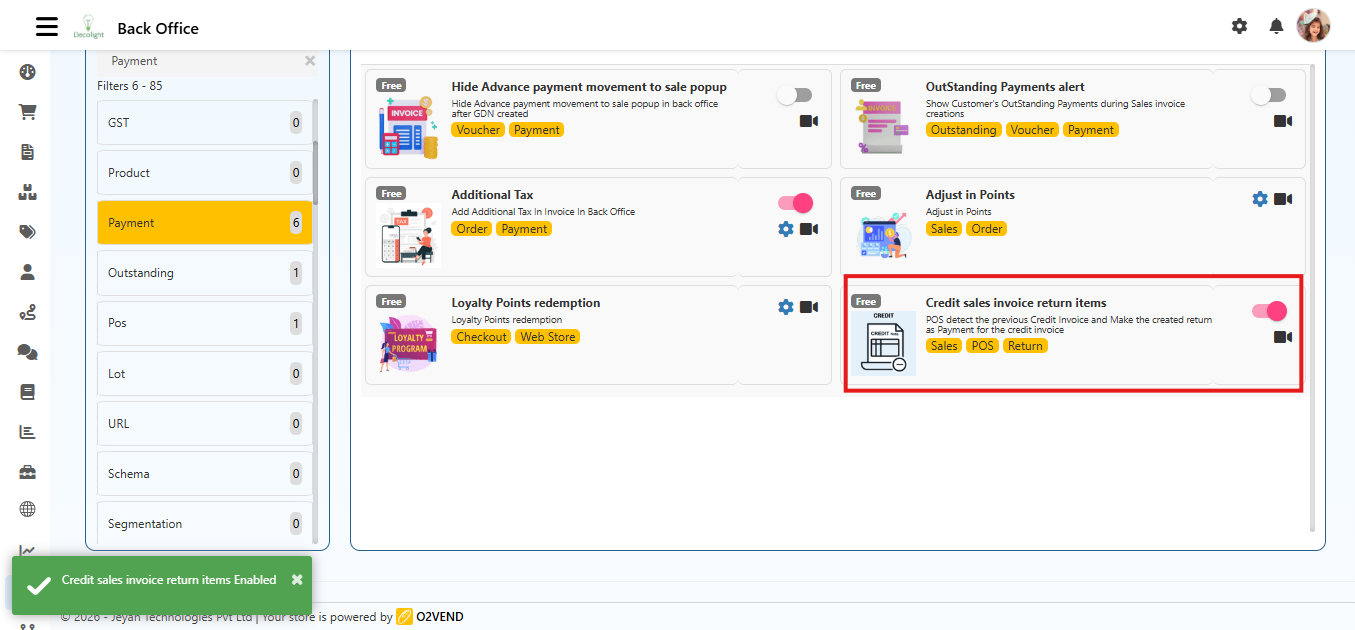
    2. Credit Sales Invoice Return Items

    1) Automatic Restock in POS Return

    What it does

    When a return is processed in POS, the returned quantity is automatically added back to inventory.

    Navigation

    • Back Office → Features → Return → Automatic Restock in POS Return
    • In some setups, this can also appear under POS features.

    How to Enable

    1. Open Back Office.
    2. Go to Features.
    3. Search for Automatic Restock in POS Return.
    4. Turn the toggle ON.
    5. Click Save.

    How it works

    1. Cashier creates return in POS.
    2. System validates return quantity.
    3. Returned quantity is posted back to stock automatically.
    4. Stock becomes available for future sales.

    Business impact

    • Maintains stock accuracy
    • Reduces manual restock errors
    • Speeds up return-to-stock process

    2) Credit Sales Invoice Return Items

    What it does

    If items are returned from a previous credit sale invoice, POS detects that invoice and adjusts the return amount against the customer's credit outstanding.

    Navigation

    • Back Office → Features → Return → Credit Sales Invoice Return Items

    How to Enable

    1. Open Back Office.
    2. Go to Features.
    3. Open Credit Sales Invoice Return Items.
    4. Turn the toggle ON.
    5. Click Save.
    Return Management Process in O2VEND

    Example

    • Credit sale invoice amount: 10,000
    • Return amount: 2,000
    • Outstanding after return adjustment: 8,000

    Business impact

    • Accurate customer credit settlement
    • Cleaner accounting entries for returns
    • Better visibility of pending receivables

    Troubleshooting

    Returned quantity not restocked

    • Confirm Automatic Restock in POS Return is enabled.
    • Check whether return transaction is completed and saved.
    • Verify item is stock-tracked.

    Credit outstanding not reduced after return

    • Confirm Credit Sales Invoice Return Items is enabled.
    • Ensure the return is linked to the original credit invoice/customer.
    • Verify the invoice is a credit-type sale and still has outstanding balance.

    Internal Links

    • POS Features (Detailed)
    • Credit Sales Invoice Return Items (Detailed)
    • Invoice Management System
    In this article
    © 2019-2026 Jeyan Technologies Private Limited • www.o2vend.com • Create your own store