O2VEND Retail ERP
  • Product
  • Solutions
  • Resources
    • Blog
    • Community
    • Partnership
    • Find Partner
    • Developer
  • Pricing
  • Docs
    • Getting Started
      • Channels
        • Sales Channel
        • O2VEND to O2VEND Channel
        • Shopify Integration Guide
    • Commerce
      • Ecommerce
      • POS
      • Agent App
      • CMS
      • Themes & Apps
      • Apps
        • Sales Navigator
    • Operations
      • OMS
      • WMS
      • O2C
      • Vendor Portal
      • Supplier Portal
    • Back Office
      • Accounting
      • Reports
      • PIM
      • Communication
      • Back Office
Search Results for

    Show / Hide Table of Contents
    • Overview
    • Features
      • Product Management Features
        • Product Management
        • Product Attributes
        • Product Variations
        • SKU Length for Variations
        • Product Pricing
        • Product Cost Configuration
        • Product Tax Settings
        • Additional Tax Setup
      • Inventory Management Features
        • Inventory Management
        • Stock Management
        • GRN (Goods Receipt Note)
        • GDN (Goods Delivery Note)
        • Disable Lot Popup Option
      • Order & Sales Features
        • Order Management
        • Point of Sale (POS)
        • Credit Sales & Invoice Return
        • Outstanding Management
        • Voucher Management
        • Guest Checkout Option
      • Marketing & SEO Features
        • SEO Optimization
        • URL Configuration
        • Schema Markup Setup
      • Communication & Notification Features
        • Email Settings
        • Communication Settings
        • Notifications
        • Web Notifications
      • System & Security Features
        • Application Settings
        • General Settings
        • Date Configuration
        • White Listing
        • Option Settings
    • Integrations
      • Marketplace Integrations
        • Amazon Integration
        • Flipkart Integration
        • Myntra Integration
        • Shopify Integration
        • Unicommerce Integration
      • Payment Gateway Integrations
        • Razorpay Integration
        • PayU Integration
        • Paytm Integration
        • PhonePe Integration
        • Cashfree Integration
        • Stripe Integration
        • Paypal Integration
      • Shipping & Logistics Integrations
        • Shiprocket Integration
        • Shipway Integration
        • eShipper Integration
        • Amazon Shipping Integration
        • XpressBees Integration
        • GetDelivered Integration
      • Communication Integrations
        • WhatsApp Integration
        • MSG91 Integration
        • SendGrid Integration
        • Amazon SES Integration
        • Email Integration
      • Marketing & CRM Integrations
        • HubSpot Integration
        • Typesense Integration
      • Tax & Compliance Integrations
        • e-Invoice Integration
        • e-Way Bill Integration
        • Tax Configuration
      • Security & Technical Integrations
        • reCAPTCHA Integration
        • Webhook Integration
        • Custom CDN Domain Setup
      • Inventory & Store Integrations
        • Inventory Integration
        • Storefront Integration
        • Channel-to-Channel Integration
        • Display Configuration
        • General Settings
    • Product Enhancements
      • Affiliate Program Management
      • Back Office Management System
      • Checkout Process Settings
      • Coupon Code Management
      • Currency Configuration Settings
      • Delivery Zone Configuration
      • Discount Management System
      • Product Display Settings
      • GTIN Product Code Management
      • Invoice Management System
      • Marketing & Campaign Tools
      • Menu Management Settings
      • Pricing Rule Configuration
      • Purchase Management Module
      • Referral Program Settings
      • Return Management Process
      • Sales Management System
      • Shipment & Delivery Tracking
      • SMS Notification Settings
      • Sub Location Management
      • Vendor Management System
      • Product Video Integration
      • Web Store Configuration
      • WhatsApp Integration Settings
    • Blog Categories Setup
    • Blog Management
    • Email Settings
    • Home Page Components
    • Main Menu Management
    • Newsletter Subscription Settings
    • SMS Settings
    • WhatsApp Settings
    • Communication Template Setup
    • Page Header Settings
    • Site Menu Management
    • Site Pages Management

    Checkout Section – Complete Features Tutorial (Web Store)

    The Checkout Section plays a critical role in converting visitors into paying customers. Below is a detailed tutorial explaining all available features inside the Checkout module and how to configure them properly.


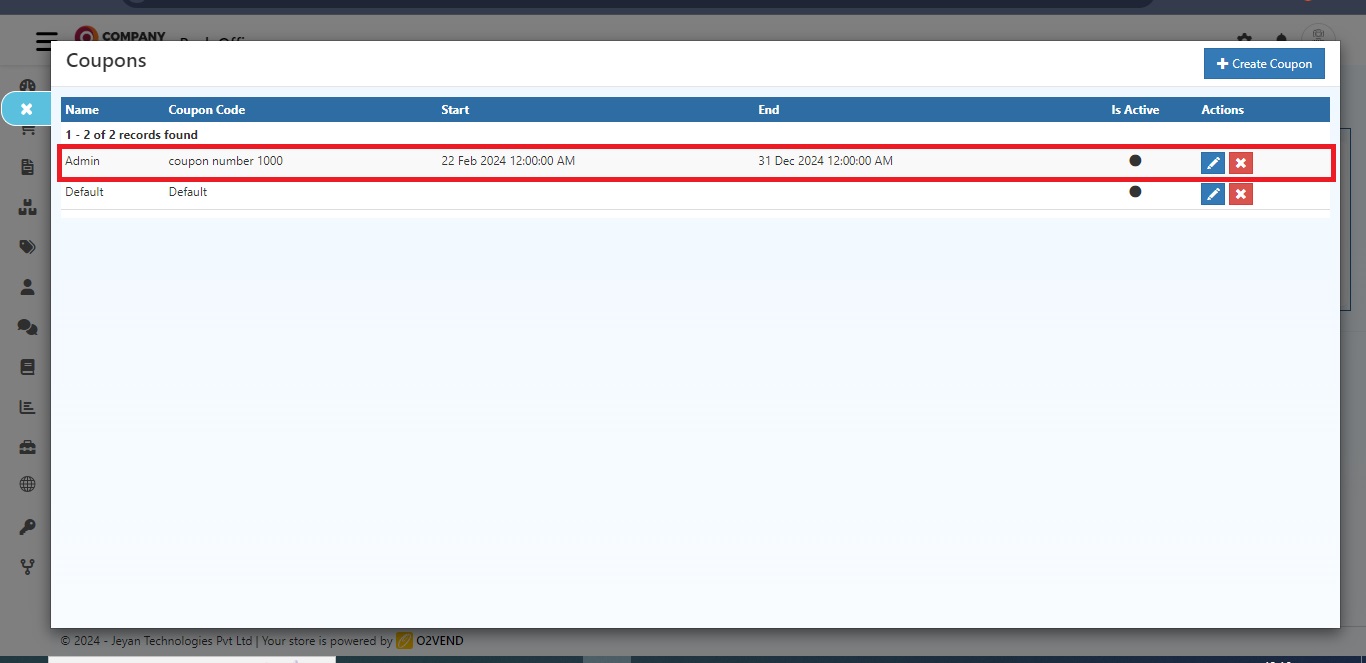
    1️⃣ Promotion Coupons During Checkout

    What is it?

    Allows customers to apply coupon codes during checkout to receive discounts.

    How to Enable

    1. Go to Admin Panel
    2. Navigate to Features
    3. Select Checkout
    4. Enable Promotion Coupons During Checkout

    Configuration

    • Create coupon under Settings → Coupons
    • Set:
      • Coupon code
      • Discount type (Flat / Percentage)
      • Minimum order value
      • Validity period
      • Usage limit

    Use Case

    Boost sales during festive offers or special promotions.


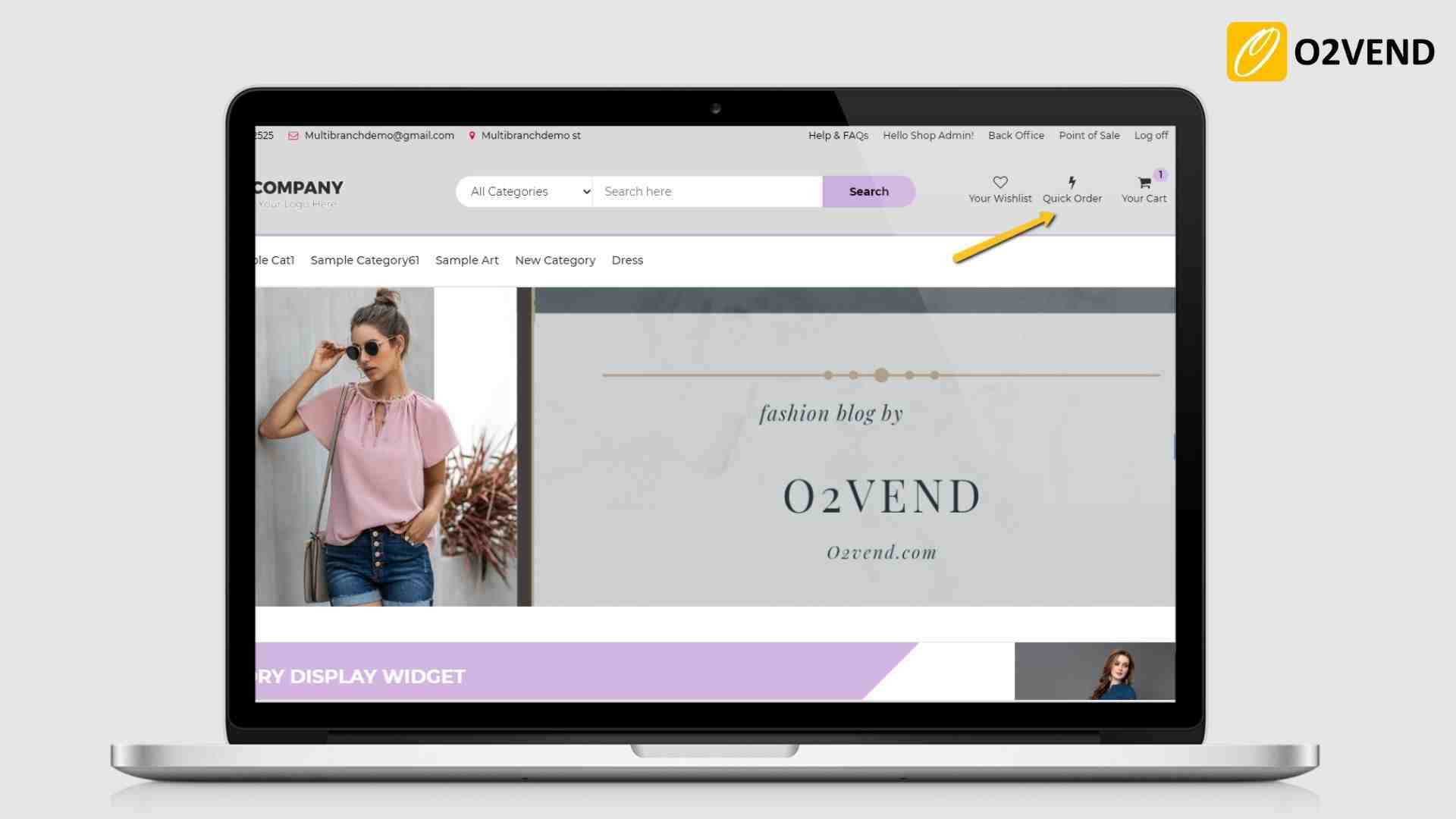
    2️⃣ Quick Order Taking Page

    What is it?

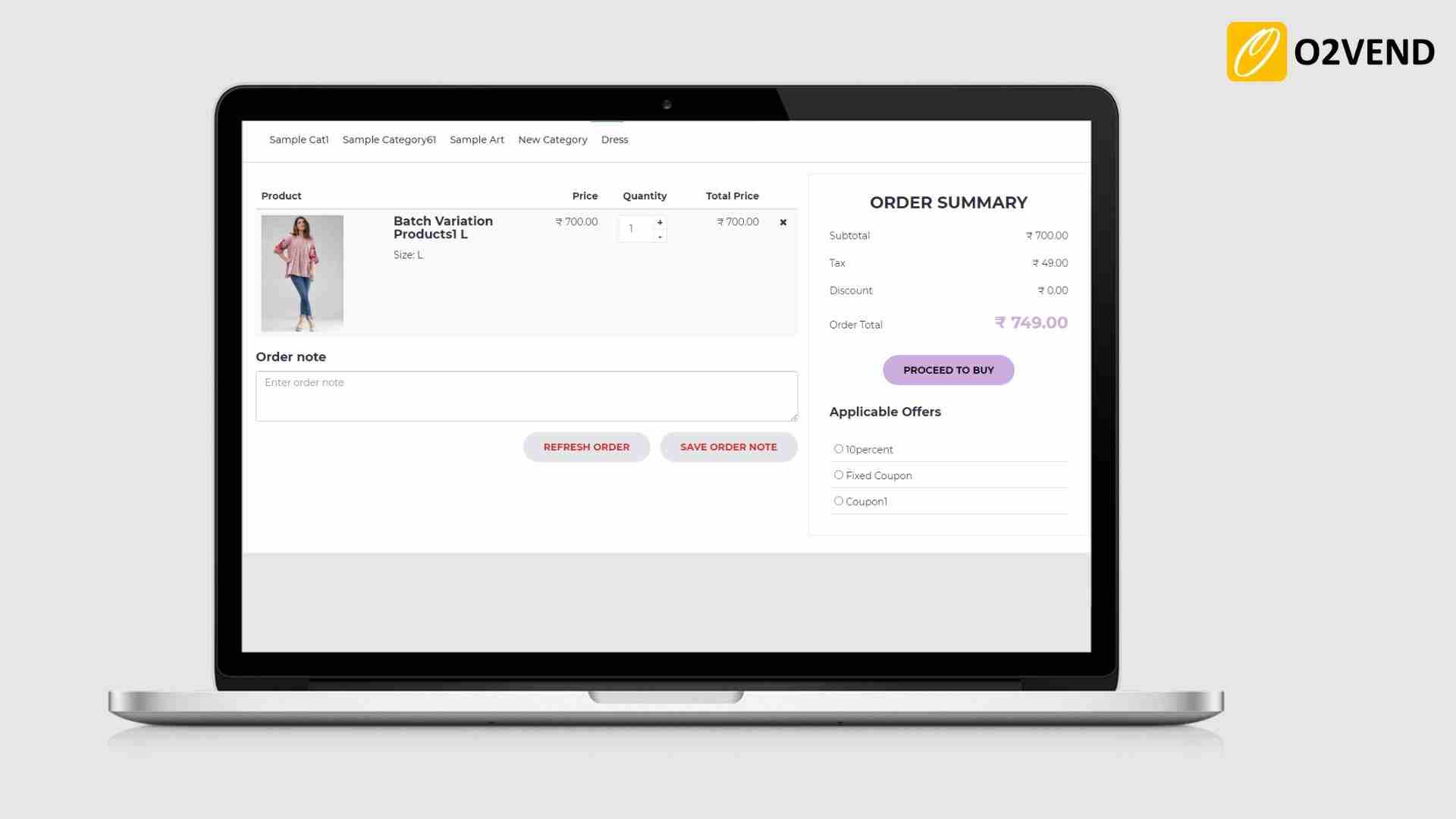
    Displays products in a list view for faster ordering.

    How to Enable

    1. Go to Checkout → Features
    2. Enable Quick Order Taking Page

    Benefits

    • Faster bulk ordering
    • Ideal for repeat customers
    • Reduces checkout time

    3️⃣ Scan, Pay and Go

    What is it?

    Customers scan QR code in-store and complete checkout from their mobile.

    How to Enable

    1. Enable Scan, Pay and Go
    2. Generate QR code
    3. Display QR in store

    Flow

    Customer scans → Adds products → Pays online → Order confirmed

    Best For

    Physical stores with heavy foot traffic.


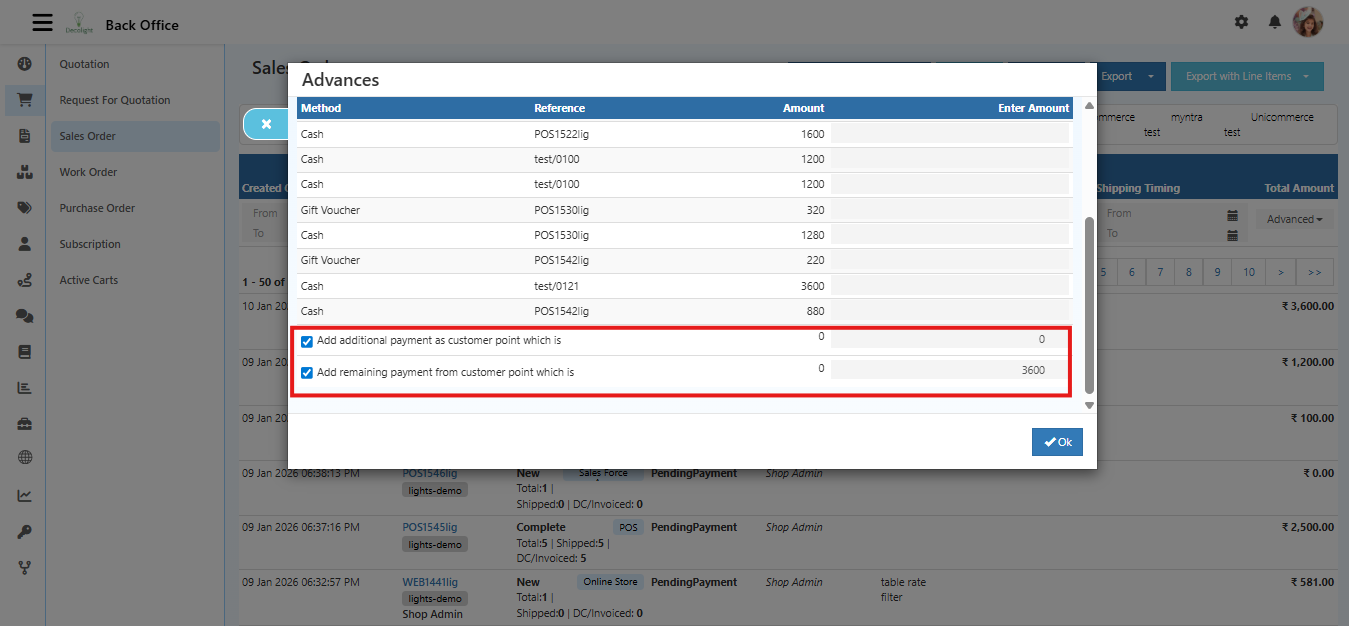
    4️⃣ Loyalty Points Redemption

    What is it?

    Allows customers to redeem loyalty points during checkout.

    How to Enable

    1. Enable Loyalty Points Redemption
    2. Configure:
      • Points earning ratio
      • Points redemption value
      • Minimum redeem points

    Benefit

    Encourages repeat purchases.


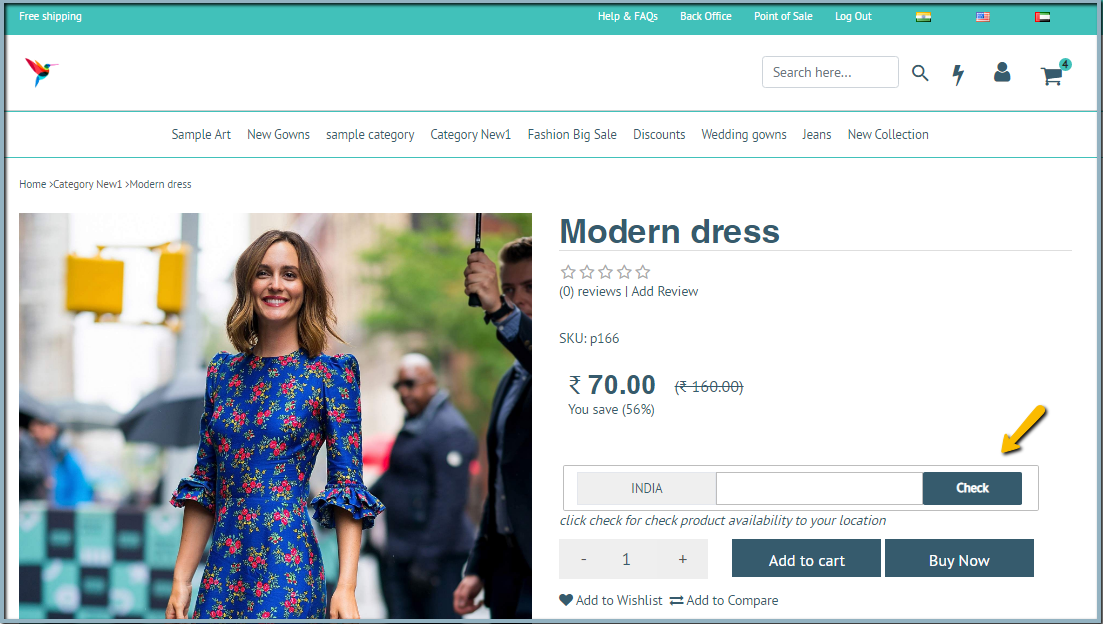
    5️⃣ Hyper Local Delivery Zone

    What is it?

    Set delivery availability based on pincode or radius.

    How to Enable

    1. Enable Hyper Local Delivery Zone
    2. Configure:
      • Serviceable pincodes
      • Delivery radius
      • Delivery charges
      • Minimum order value

    Use Case

    Perfect for local grocery or restaurant businesses.


    6️⃣ Show Add To Cart Popup

    What is it?

    Displays confirmation popup after adding product to cart.

    How to Enable

    1. Enable Show Add To Cart Popup

    Benefits

    • Improves user experience
    • Shows cart summary instantly
    • Encourages upselling

    7️⃣ Offer Flow Graphic (Coupon Flow)

    What is it?

    Displays offer progress bar during checkout.

    Example:

    Add ₹200 more to unlock 10% discount

    How to Enable

    1. Enable Offer Flow Graphic
    2. Configure:
      • Target cart value
      • Discount reward
      • Display message

    Benefit

    Increases average order value.


    8️⃣ Guest Checkout

    What is it?

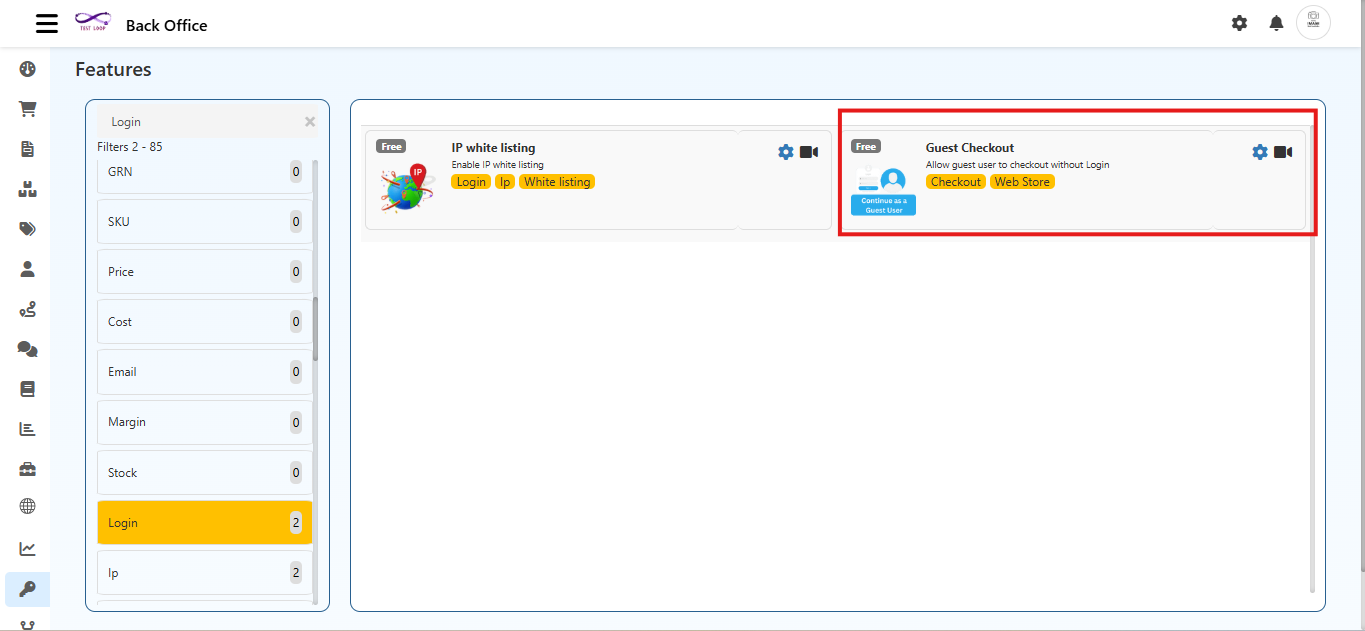
    Allows customers to place orders without login.

    How to Enable

    1. Enable Guest Checkout

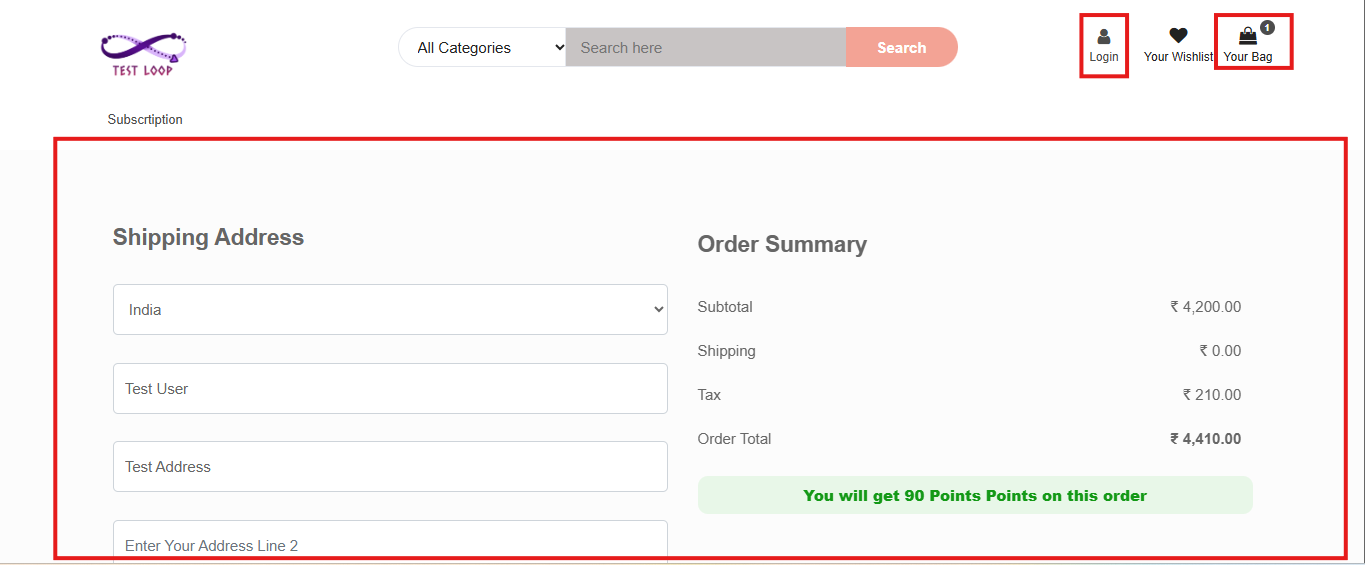
    Checkout Flow

    Customer enters:

    • Name
    • Mobile number
    • Address
    • Email (optional)

    Advantage

    Reduces cart abandonment.

    Checkout Optimization Tips

    ✔ Keep checkout steps minimal
    ✔ Enable guest checkout
    ✔ Show coupon and loyalty options clearly
    ✔ Avoid too many mandatory fields
    ✔ Use progress indicators


    Final Summary

    The Checkout features are designed to:

    • Improve conversion rate
    • Increase order value
    • Enhance customer experience
    • Reduce cart abandonment
    • Enable smart marketing strategies

    Proper configuration of these features can significantly improve your store’s sales performance.

    In this article
    © 2019-2026 Jeyan Technologies Private Limited • www.o2vend.com • Create your own store