Display Features in O2VEND
Display features control how products, menus, offers, and UI elements appear in the web store and POS.
These settings help improve product visibility, navigation, and checkout conversion.
Location in Back Office
Navigation Path:
Back Office → Features → Display
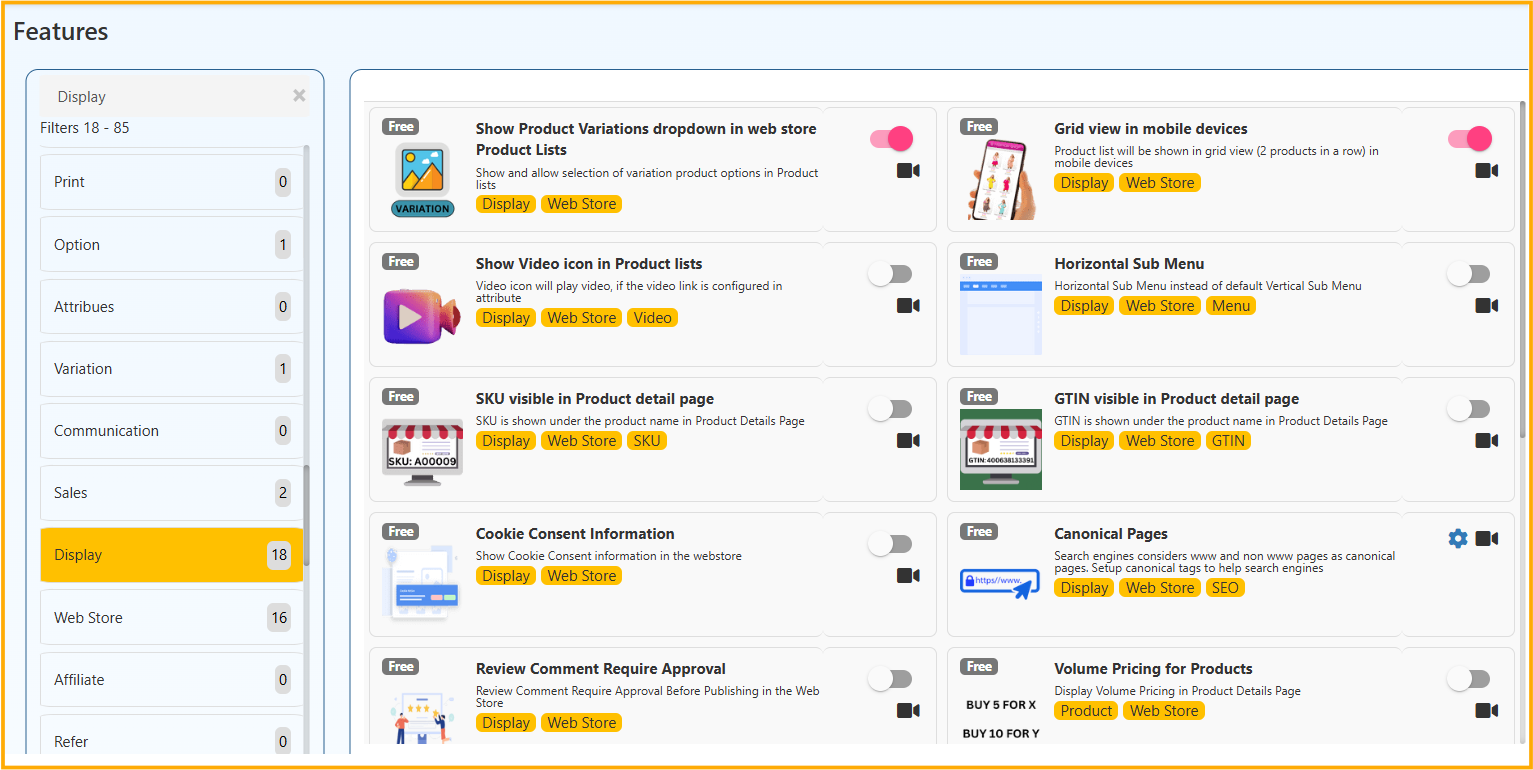
Review Comment Require Approval
Requires admin approval before customer review comments are published in the web store.
Display Volume Pricing in Product Details Page
Shows volume pricing slabs (for example, buy more and save more) on product detail pages.
Pagination
Controls the number of products shown per listing page and enables paginated browsing.
New Badge in the products
Displays a “New” badge on recently created products for configured number of days.
Top Menu Items Shown in Header
Defines how many category menu items are displayed in the website header.
Quantity -/+ Button
Shows plus/minus quantity buttons directly in product list or detail view.
Show Pincode Check in Product Details
Allows customers to check delivery availability by pincode on product detail page.
Offer Flow graphic (Coupon flow)
Displays offer progress during checkout to encourage higher cart value.
Show Add Extra Discount Button in Sales
Shows an extra discount button in POS sales screen for quick manual discounts.
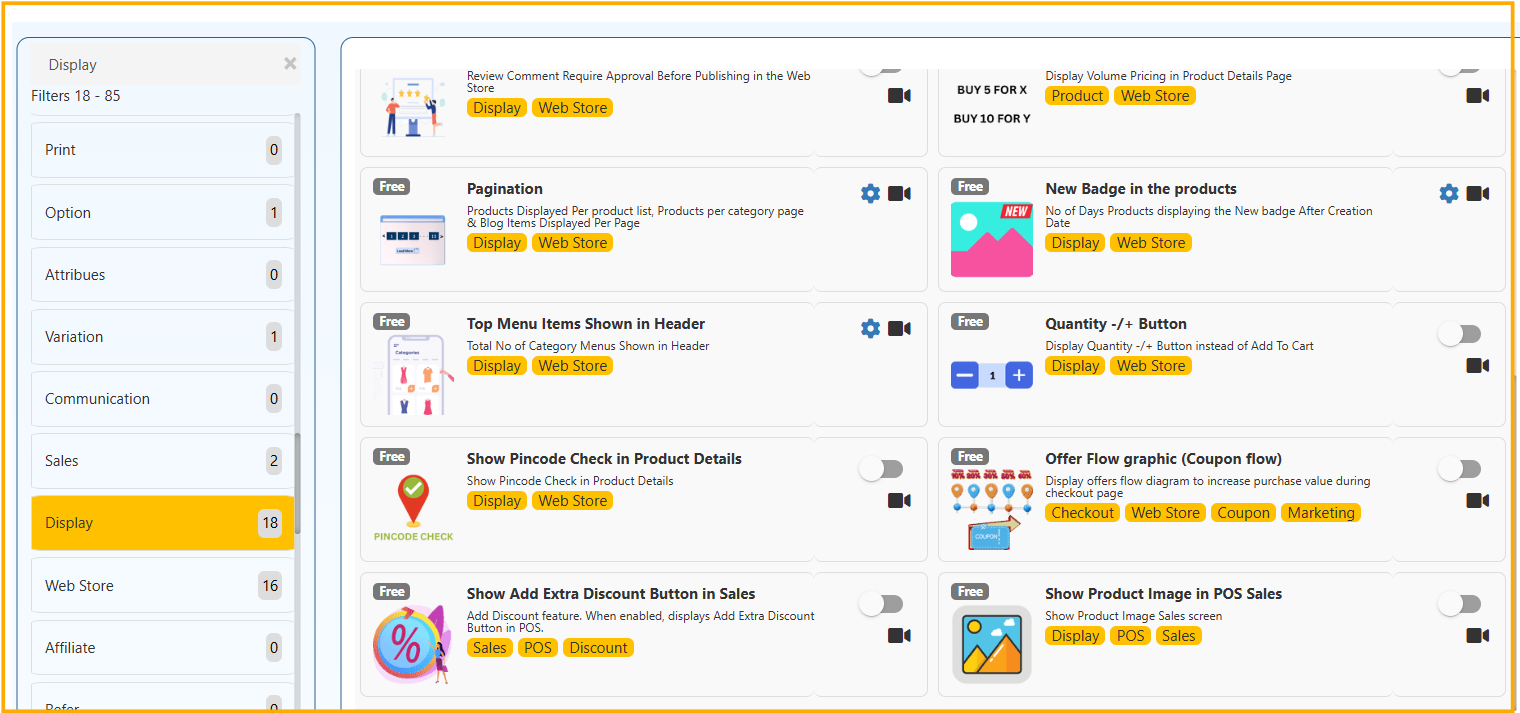
Show Product Image in POS Sales
Displays product image in POS sales screen for faster visual identification.
Show Product Variations dropdown in web store Product Lists
Shows variation options in product listing pages and allows direct selection.
Grid view in mobile devices
Displays products in mobile grid layout (for example, 2 products per row).
Show Video icon in Product lists
Shows a video icon in product listing when product video is configured.
Horizontal Sub Menu
Displays sub-menu in horizontal layout instead of vertical layout.
SKU visible in Product detail page
Displays SKU under product name in product detail page.
GTIN visible in Product detail page
Displays GTIN under product name in product detail page.
Cookie Consent Information
Shows cookie consent notice in the web store.
Canonical Pages
Adds canonical tags to avoid duplicate-content indexing issues.
Volume Pricing for Products
Displays product-wise volume pricing information in product detail page.