O2VEND Retail ERP
  • Getting Started
  • Ecommerce
  • Back Office
  • POS
  • Agent App
  • PIM
  • Communication
  • CMS
  • OMS
  • WMS
  • O2C
  • Accounting
  • Reports
  • Themes and Apps
Search Results for

    Show / Hide Table of Contents
    • Overview
    • Features
      • Product Management Features
        • Product Management
        • Product Attributes
        • Product Variations
        • SKU Length for Variations
        • Product Pricing
        • Product Margin Settings
        • Product Cost Configuration
        • Product Tax Settings
        • Additional Tax Setup
      • Inventory Management Features
        • Inventory Management
        • Stock Management
        • GRN (Goods Receipt Note)
        • GDN (Goods Delivery Note)
        • Disable Lot Popup Option
      • Order & Sales Features
        • Order Management
        • Point of Sale (POS)
        • Credit Sales & Invoice Return
        • Outstanding Management
        • Voucher Management
        • Guest Checkout Option
      • Marketing & SEO Features
        • SEO Optimization
        • URL Configuration
        • Schema Markup Setup
        • Segmentation
      • Communication & Notification Features
        • Email Settings
        • Communication Settings
        • Notifications
        • Web Notifications
      • System & Security Features
        • Application Settings
        • General Settings
        • Date Configuration
        • IP Restrictions
        • White Listing
        • Print Configuration
        • Option Settings
    • Integrations
      • Marketplace Integrations
        • Amazon Integration
        • Flipkart Integration
        • Myntra Integration
        • Shopify Integration
        • Unicommerce Integration
      • Payment Gateway Integrations
        • Razorpay Integration
        • PayU Integration
        • Paytm Integration
        • PhonePe Integration
        • Cashfree Integration
        • Stripe Integration
        • Paypal Integration
      • Shipping & Logistics Integrations
        • Shiprocket Integration
        • Shipway Integration
        • eShipper Integration
        • Amazon Shipping Integration
        • XpressBees Integration
        • GetDelivered Integration
      • Communication Integrations
        • WhatsApp Integration
        • MSG91 Integration
        • SendGrid Integration
        • Amazon SES Integration
        • Email Integration
      • Marketing & CRM Integrations
        • HubSpot Integration
        • Typesense Integration
      • Tax & Compliance Integrations
        • e-Invoice Integration
        • e-Way Bill Integration
        • Tax Configuration
      • Security & Technical Integrations
        • reCAPTCHA Integration
        • Webhook Integration
        • Custom CDN Domain Setup
      • Inventory & Store Integrations
        • Inventory Integration
        • Storefront Integration
        • Display Configuration
        • General Settings
    • Product Enhancements
      • Affiliate Program Management
      • Back Office Management System
      • Checkout Process Settings
      • Coupon Code Management
      • Currency Configuration Settings
      • Delivery Zone Configuration
      • Discount Management System
      • Product Display Settings
      • Geo IP Location Detection
      • GTIN Product Code Management
      • Invoice Management System
      • Marketing & Campaign Tools
      • Menu Management Settings
      • Pricing Rule Configuration
      • Purchase Management Module
      • Referral Program Settings
      • Return Management Process
      • Sales Management System
      • Shipment & Delivery Tracking
      • SMS Notification Settings
      • Sub Location Management
      • Vendor Management System
      • Product Video Integration
      • Web Store Configuration
      • WhatsApp Integration Settings
    • Blog Categories Setup
    • Blog Management
    • Email Settings
    • Home Page Components
    • Main Menu Management
    • Newsletter Subscription Settings
    • SMS Settings
    • WhatsApp Settings
    • Communication Template Setup
    • Page Header Settings
    • Site Menu Management
    • Site Pages Management

    E-Way Integration in O2VEND

    E-Way integration in O2VEND configures branch details, GSTIN, authentication credentials, and IRP options to ensure accuracy. This guide shows how to configure E-Way settings for smooth operations.

    Step-by-Step Guide: Configure E-Way in O2VEND

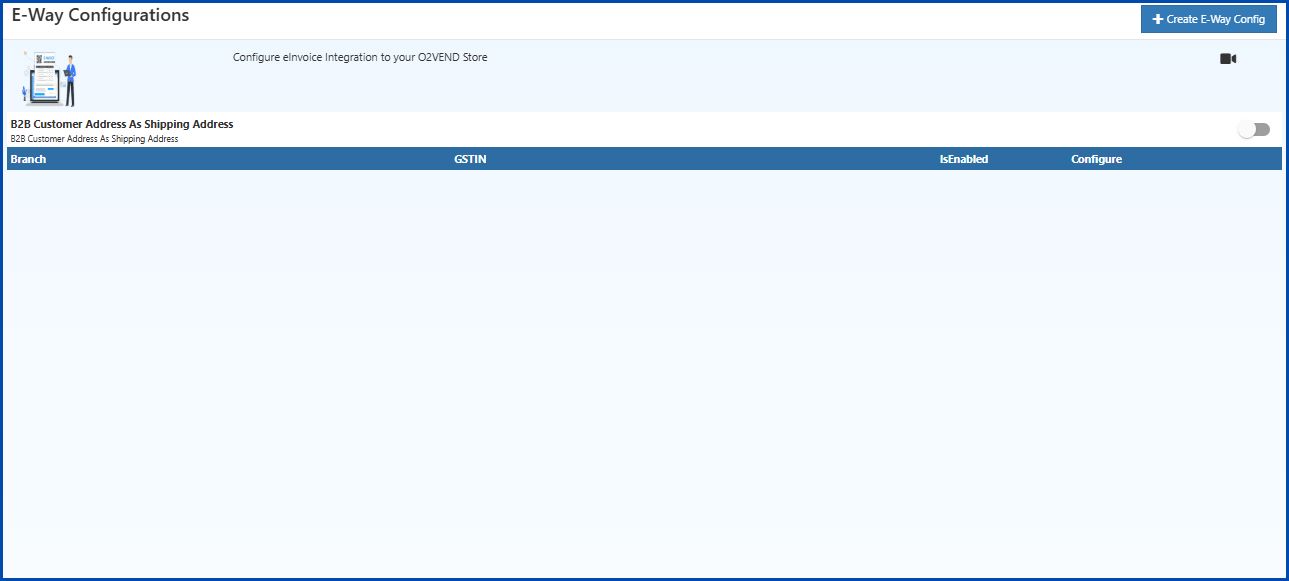
    Step 1: Navigate to E-Way Configurations

    • Log in to the O2VEND Admin Panel.
    • Go to Intergration → GST → E-Way Configurations.
    • Click + Create E-Way Config to add a new configuration or click the gear icon to edit an existing one.
    E-Way Integration in O2VEND

    Step 2: Fill in Configuration Details

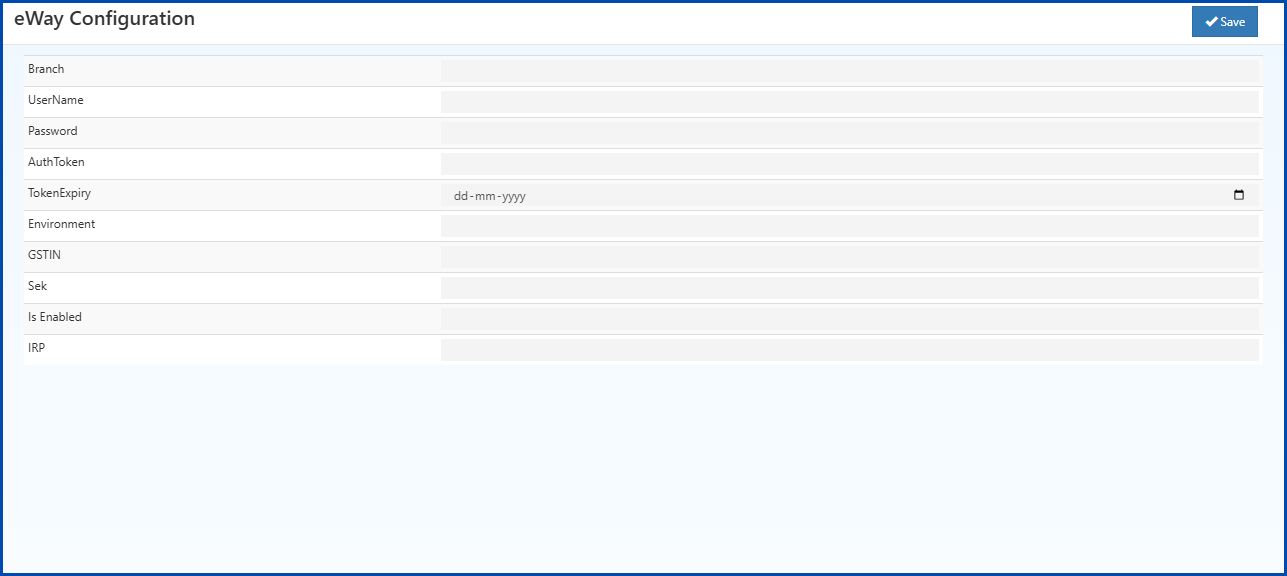
    In the E-Way Configuration form, enter the following:
    E-Way Integration in O2VEND
    • Branch: Enter the business location or branch name.

    • UserName: Enter the username created on the government portal during registration.

    • Password: Enter the password created on the government portal for authentication.

    • AuthToken: Enter the authentication token issued by the government.

    • TokenExpiry: Enter the token expiry date in dd-mm-yyyy format.

    • Environment:

      • 0 – Sandbox (Testing)
      • 1 – Production (Live)
    • GSTIN: Provide the companys GST Identification Number.

    • Sek: Enter the Secure Encryption Key provided by the portal.

    • Is Enabled: Select True to activate the Eway configuration.

    • IRP: Choose the correct IRP option. If one IRP server is down or busy, it is possible to switch to another IRP option (0, 1, or 2) for uninterrupted service.

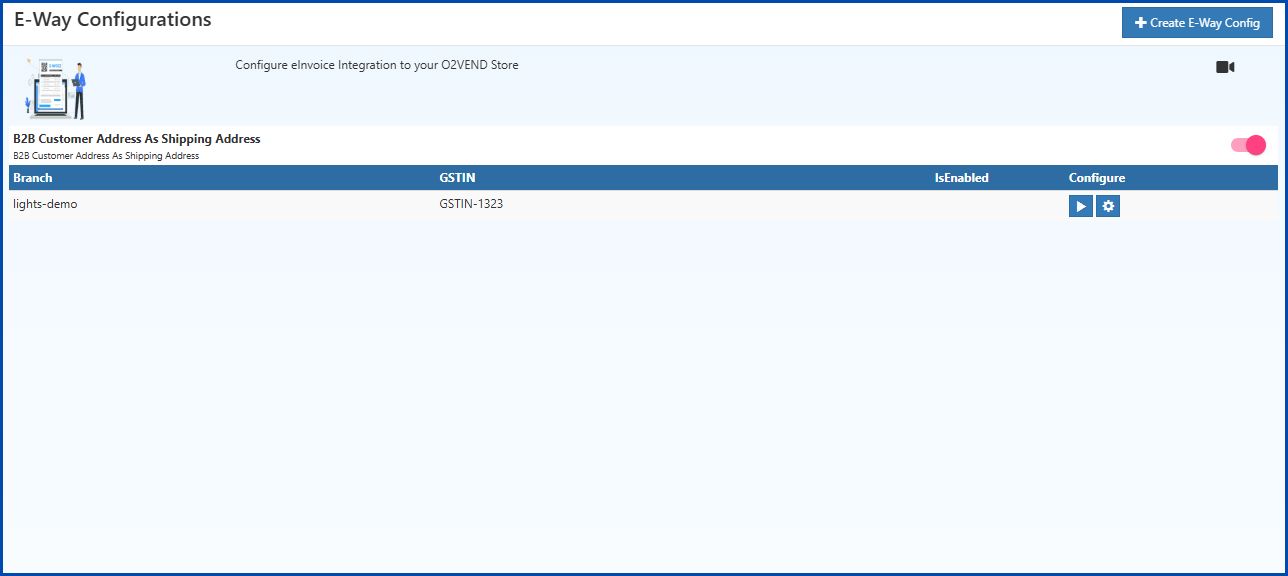
    Step 3: Enable B2B Customer Address as Shipping Address

    • In the E-Way Configurations screen, turn ON the toggle for B2B Customer Address As Shipping Address.

    • This ensures that for B2B transactions, the customers address will automatically be used as the shipping address in the E-Way Bill.
      E-Way Integration in O2VEND

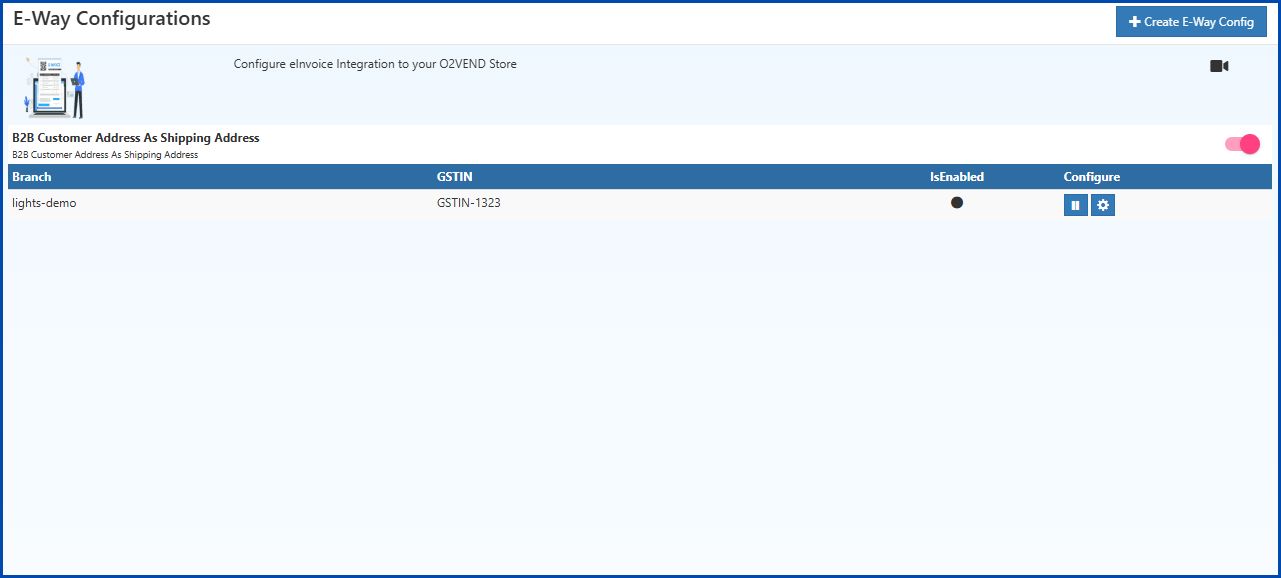
    Step 4: Save the Configuration

    • After filling all fields, click Save (top-right corner).
    • The configuration will now appear in the E-Way Configurations list.
    E-Way Integration in O2VEND
    In this article
    Back to top _includes/footer.html
    © 2019–2026 Jeyan Technologies Private Limited • www.o2vend.com • Create your own store