Sales Order Summary Report – Monthly, Daily & Bill-wise Sales Analysis
The Sales Order Summary Report in O2VEND gives you a clear and structured view of your sales data — starting from monthly performance and going all the way down to individual orders.
Instead of checking multiple reports, everything is available in one place, making it easier to understand trends, track performance, and verify sales.
Why Use This Report?
This report is useful when you want to quickly understand how your business is performing. It helps you:
- Track sales trends across months and days
- Identify peak sales periods and slow days
- Drill down into individual orders for detailed checking
- Spot zero-sales or inactive days
- Export data for audits and reporting
Navigation
O2VEND Back Office → Reports → Order Reports → Sales Order Summary
Filters & Controls
You can customize the report based on your needs:
- Date Range lets you select any period — monthly, quarterly, or full financial year
- Branch Filter allows you to view either all branches together or focus on one location
- Export and Print options help you download or share the report easily
How the Report Works
The report follows a simple drill-down approach. You start with a summary and then move into deeper details step by step.
First, you see the monthly summary. From there, you can click and move into daily data. Then, if needed, you can go even deeper into individual orders.
Month-wise Sales Summary
This is the top-level view where you can see how your sales are performing across different months.
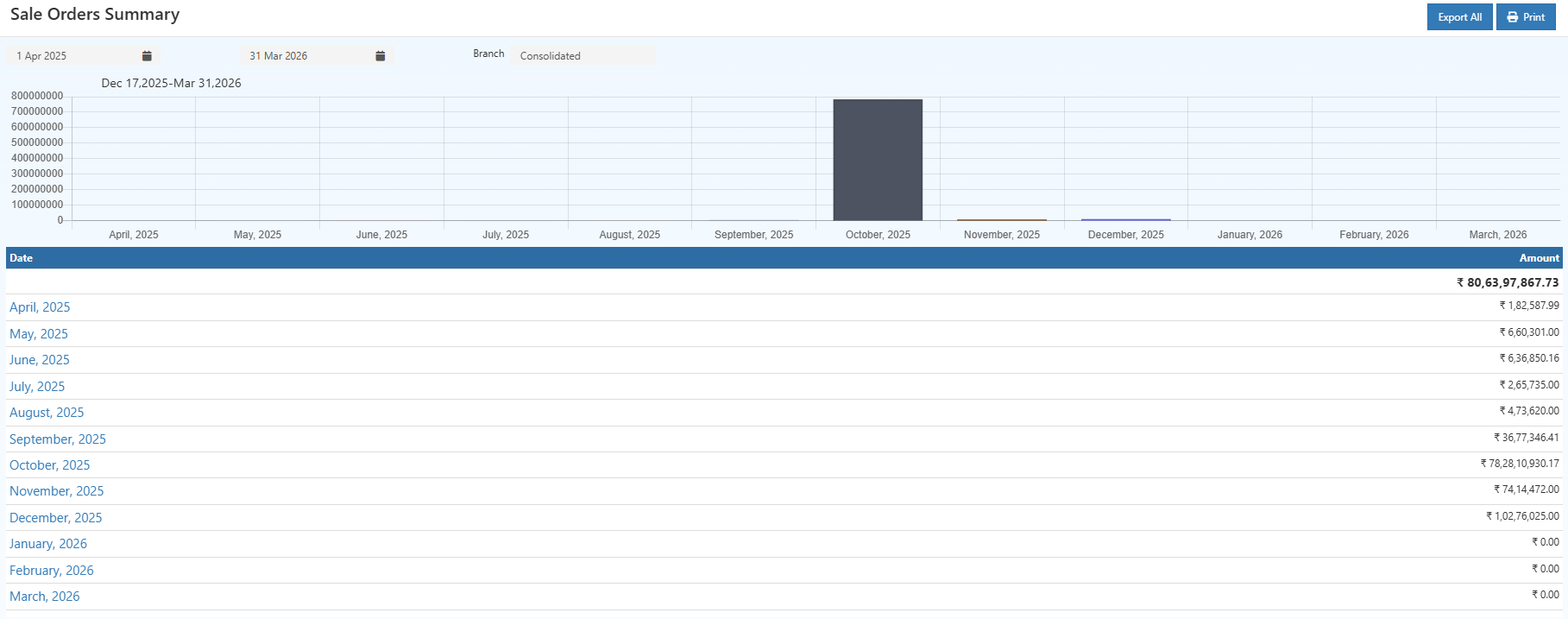
Here, each month shows the total sales value for that period. This helps you quickly understand which months performed well and which didn’t.
You can also spot seasonal patterns and plan ahead based on past performance.
👉 Click on any month to view detailed daily sales.
Day-wise Sales Summary
Once you select a month, you’ll see a breakdown of sales for each day.
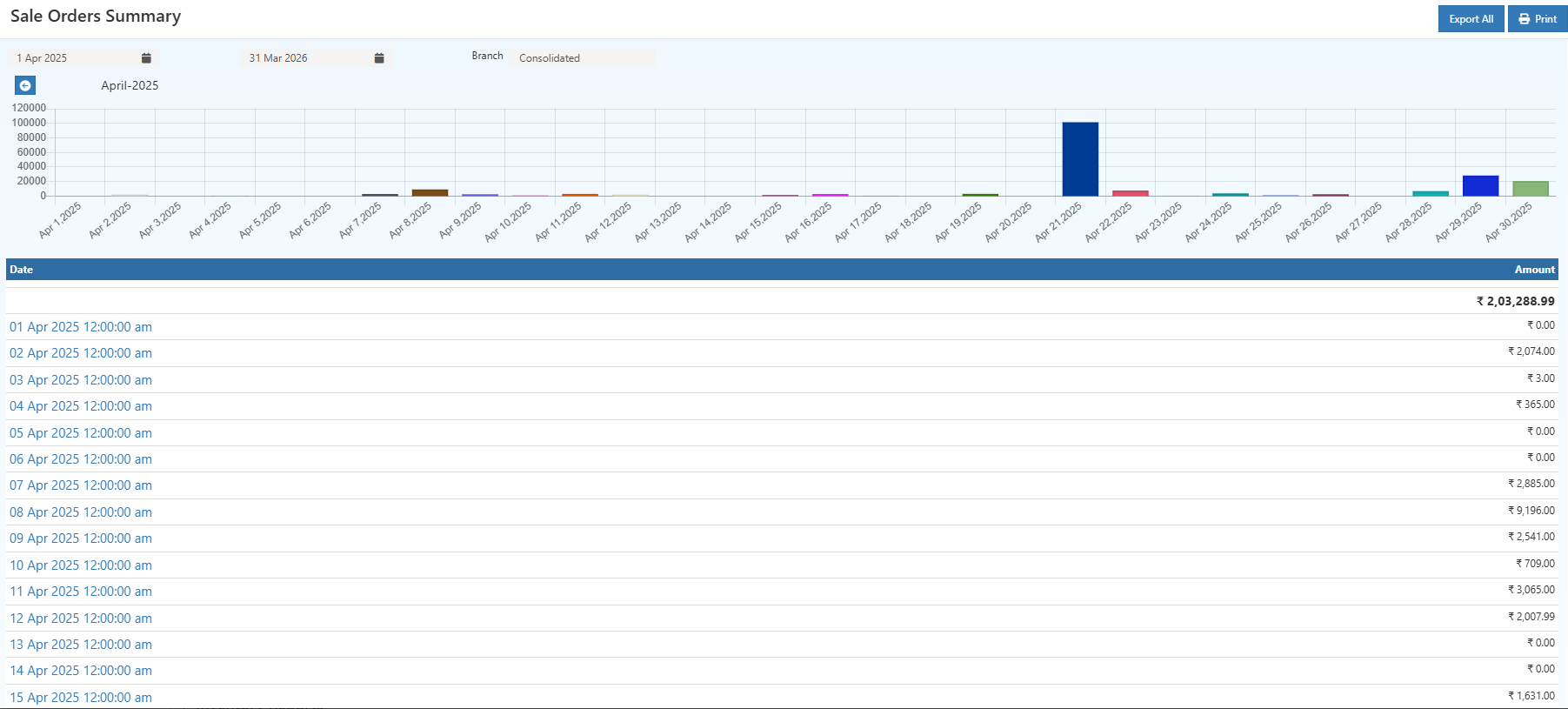
This view helps you understand daily performance. You can easily notice days with high sales, low activity, or even zero sales.
It’s especially useful for checking how promotions, weekends, or special events impact your business.
👉 Click on a date to see individual orders.
Order-wise (Bill-wise) Sales Summary
This is the most detailed level of the report.
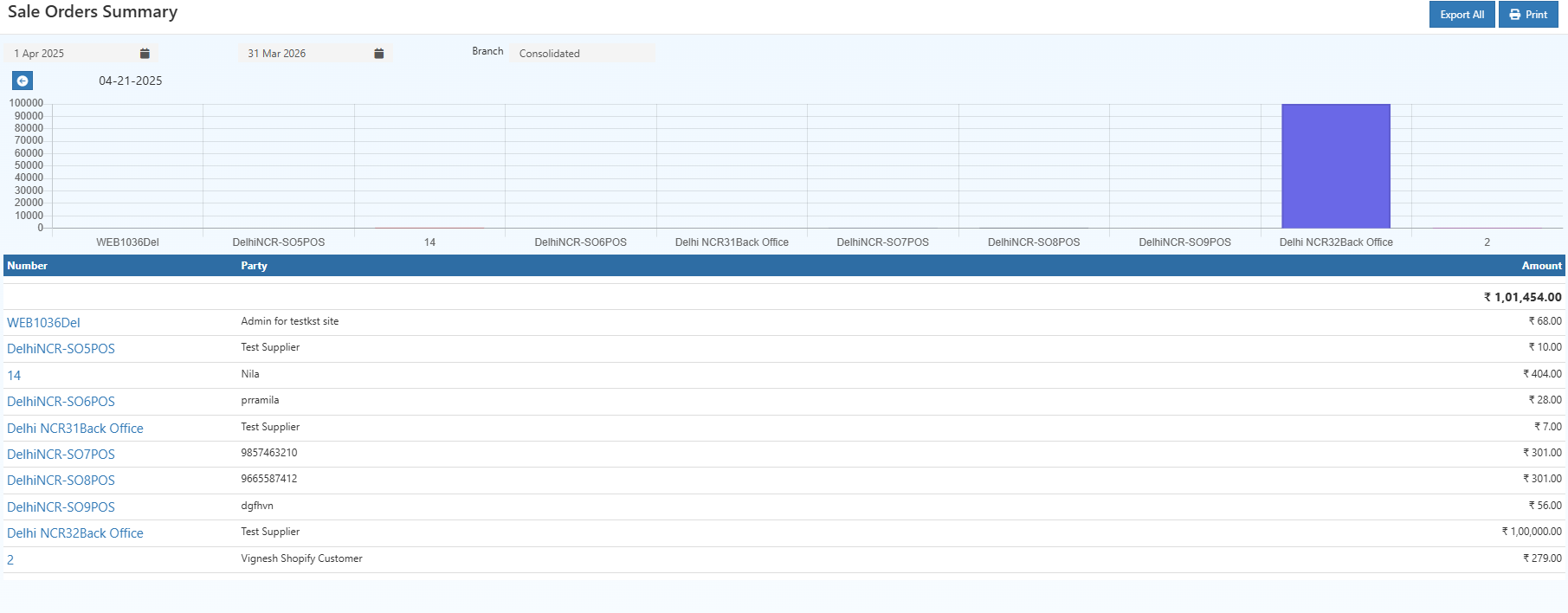
Here, every sales order (or bill) is listed with its value and customer or source details.
This section is mainly used for verifying transactions, checking billing accuracy, and handling audits or disputes.
Who Should Use This Report?
This report is useful for anyone involved in sales or operations:
- Business owners who want a quick performance overview
- Sales managers tracking daily and monthly results
- Accountants verifying financial data
- Branch managers comparing performance across locations
Related Reports
- Day Book Report
- Ledger Report
- Purchase Order Pending Item Report
- Receipt Summary Report
- Purchase Summary
Tip
For better accuracy, it’s always a good idea to compare this report with the Day Book Report for the same date range. This ensures all entries are properly recorded.
Try O2VEND
Want to stay on top of your sales?
- Monitor performance in real time
- Track branch-wise activity
- Export reports anytime