O2VEND Back Office Settings Guide | Configuration
The Settings section in O2VEND Back Office is the central configuration hub for your store. Use it to jump into the exact setup area you need, without digging through menus.
This page groups the main settings pages into clean sections so the path is easy to scan and quick to use.
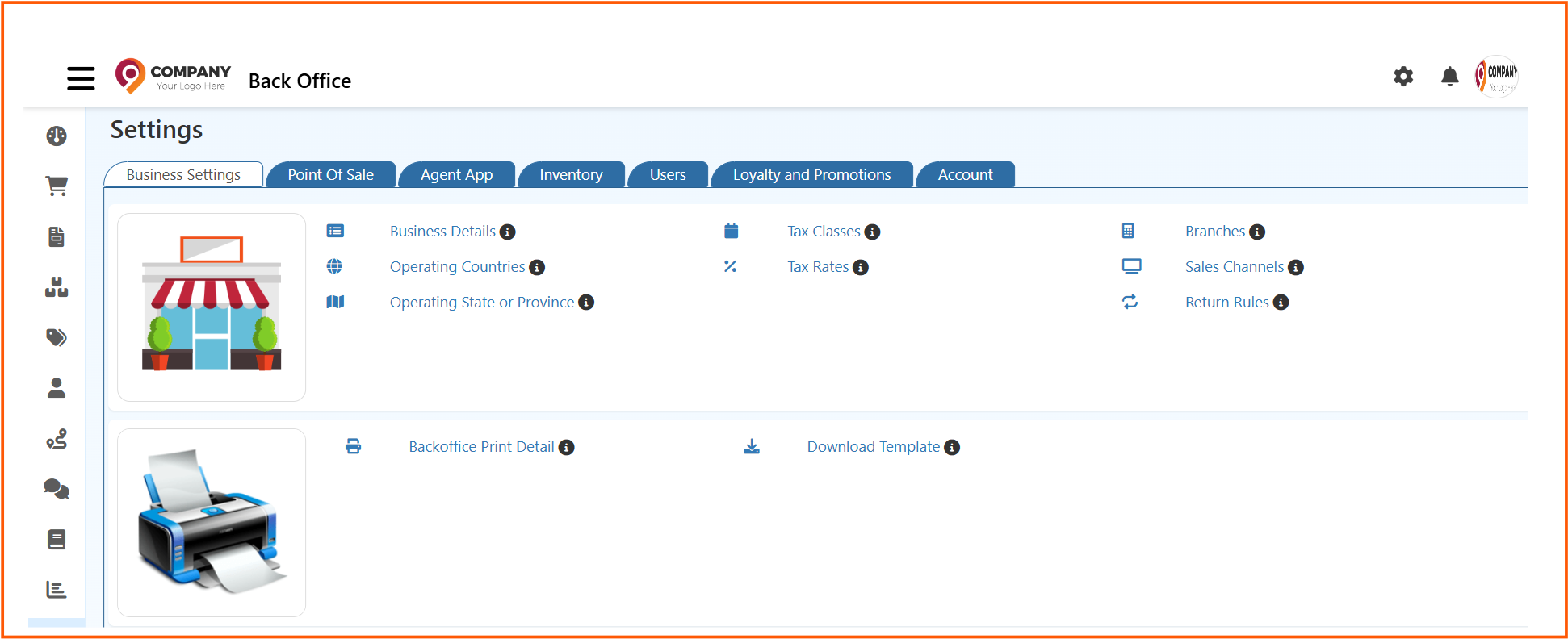
Click the Settings icon in the navigation menu to access all back office configuration pages from one place.
Settings Overview
- Store setup and business details
- POS behavior, printing, language, and payment setup
- Inventory structure, stock controls, and barcode tools
- User access, employee setup, and role management
- Loyalty, discounts, and reward features
- Financial and numbering configuration
Settings Sections
Store Setup
Use these pages to manage the core structure of your business, branches, sales channels, and region-level settings.
- Business Details
- Branches
- Sales Channels
- Countries
- States
- Tax Classes
- Tax Rates
- Return Rule
- Push Notification
- Download Template
Point Of Sale
Use these pages to shape the cashier experience, from payment handling to display and print behavior.
Agent App
Use this page to control Agent App print and app-level output details.
Inventory
Use these pages to manage stock organization, units, barcode printing, and storage locations.
Users
Use these pages to handle employee setup, permissions, access rules, and user-related controls.
- Employees
- Roles
- Backoffice Role
- Ecommerce Role
- POS Role
- Sales App Role
- Authorization
- Automatic User Code
- User Date Setup
- Vendor
- Vendor Commission
- Credit Rules
Loyalty And Promotions
Use these pages to configure campaign tools, benefits, vouchers, and reward logic.
- Coupon Setup
- Benefits
- Reward Points
- Offers And Discounts
- Gift Vouchers
- Coupon Print Setting
- Affiliate
Account
Use these pages to control finance-facing setup, numbering, and mappings.
Recommended Start Points
If you are setting up O2VEND for the first time, start here: