O2VEND Retail ERP
  • Product
  • Solutions
  • Resources
    • Blog
    • Community
    • Partnership
    • Find Partner
    • Developer
  • Pricing
  • Docs
    • Getting Started
      • Channels
        • Sales Channel
        • O2VEND to O2VEND Channel
        • Shopify Integration Guide
    • Commerce
      • Ecommerce
      • POS
      • Agent App
      • CMS
      • Themes & Apps
      • Apps
        • Sales Navigator
    • Operations
      • OMS
      • WMS
      • O2C
      • Vendor Portal
      • Supplier Portal
    • Back Office
      • Accounting
      • Reports
      • PIM
      • Communication
      • Back Office
Search Results for

    Show / Hide Table of Contents
    • Retail ERP Back Office Overview
    • Back Office Dashboard
    • Analytics & Reports
      • Visitor Analytics
      • E-commerce Analytics
      • Product Analytics
      • Campaigns Analytics
    • API & Webhook Integration
      • Webhook
      • Product Webhook Payload Guide
      • Testing webhook
    • Back Office Settings
      • Settings Overview
      • Store Settings
        • Business Details
        • Tax Classes
        • Tax Rates
        • Operating Countries
        • Operating State or Province
        • Branches
        • Sales Channels
        • Return Rule
        • Back Office Print Detail
        • Download Template
        • Order Numbering
        • Push Notification
      • POS Settings
        • Quick Add Buttons
        • Print Settings
        • Payment Methods
        • Delivery Settings
        • Language
        • POS Offline Mode
      • Agent App Settings
        • Agent App Print Details
      • Stock Settings
        • Unit Of Measure
        • Location
        • Unit Of Measure Conversions
        • Stock Levels
        • Sub Location
        • Print Barcode Label Settings
        • Package Material
      • User Settings
        • Vendors
        • User Date Setup
        • Employees
        • Vendors Commission
        • Credit Rules
        • Automatic User Code
        • User Authorization
      • User Role Mapping
        • Set Up Employee Roles
        • Ecommerce
        • Point Of Sale
        • Back Office
        • Sales App
        • Roles
      • Loyalty and Promotions
        • Reward Points
        • Coupons
        • Gift Vouchers
        • Offers and Discounts
        • Benefits
        • Affiliate
        • Coupon Print Setting
      • Account Settings
        • Financial Year
        • Voucher Numbering
        • Sales Account Map
        • Voucher Numbering Rules
    • Profile

    O2VEND POS Quick Add Buttons | Add Fast Product Shortcuts in POS

    Learn how to configure Quick Add Buttons in O2VEND POS. Add commonly used products for faster billing and quicker checkout in the Point of Sale screen.

    The Quick Add Buttons feature in O2VEND POS helps you add frequently used products as shortcuts in the billing screen. This makes checkout faster and easier for the sales team.

    Use this page to:

    • add commonly sold products to quick buttons
    • speed up POS billing
    • reduce search time during checkout
    • manage shortcut products from Back Office

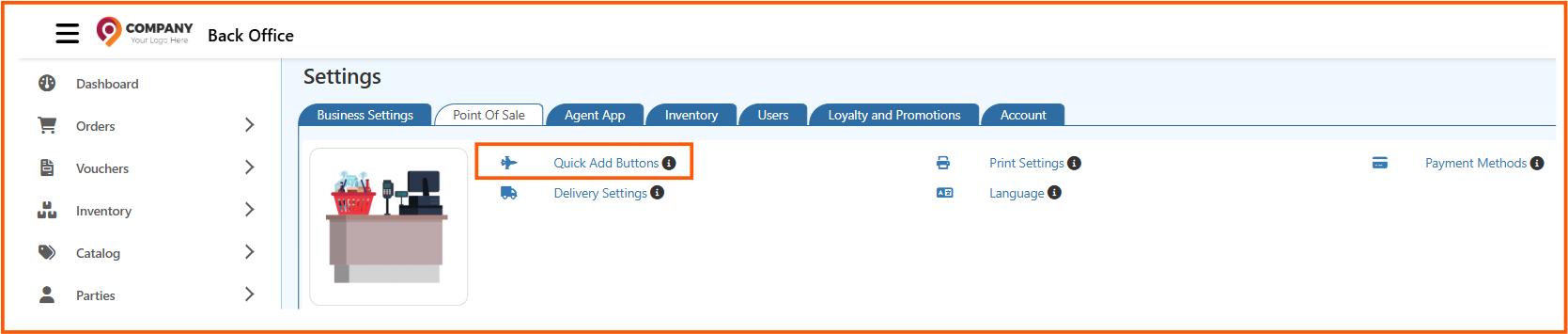
    Open Quick Add Buttons

    1. Sign in to Back Office.
    2. Go to Settings -> Point Of Sale.
    3. Click Quick Add Buttons.

    Quickaddbuttons

    This page opens the Quick Add Product Buttons setup screen.


    Add Products

    1. Use the Add to Item field to search and select a product.
    2. Add the products you want to show as quick buttons in POS.
    3. Review the selected list.

    The selected products will appear as quick add options in the POS screen.
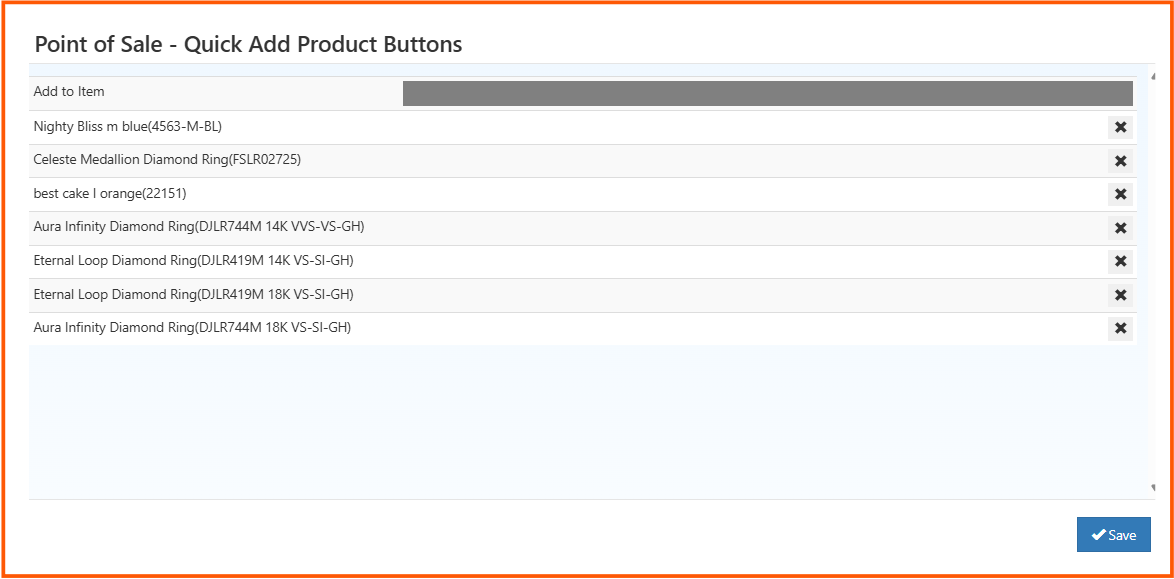
    quick-add-product


    Remove Products

    If you no longer want a product in the quick add list:

    1. Find the product in the list.
    2. Click the Remove icon.
    3. Save the changes.

    Save the Settings

    1. Check the product list one more time.
    2. Click Save.

    After saving, the selected products will be available as quick add buttons in POS.

    Related Articles

    • POS Print Settings
    • POS Payment Methods
    • POS Delivery Settings
    • Agent App Print Details
    In this article
    O2VEND

    O2VEND Help Center for Ecommerce, Back Office, POS, Agent App, PIM, OMS, WMS, Accounting, O2C, CMS, and ERP Reports workflows.

    Get Demo Contact Sales

    Product Docs

    Ecommerce Back Office Point of Sale Agent App Warehouse (WMS)

    Module Docs

    PIM OMS Accounting Order to Cash (O2C) CMS

    Resources

    Ecommerce POS Back Office Agent App Restaurant POS Integrations

    Community and Company

    Blog Community Partnership Find Partner Developer Pricing

    © 2019-2026 Jeyan Technologies Private Limited. All rights reserved.

    Privacy Policy • Terms of Service • Cancellation & Refund