How to Cancel a Sales Invoice
This guide explains how to cancel a sales invoice in O2VEND using the Change Status tab.
Overview
In O2VEND, a sales invoice can be cancelled by changing its status to Void.
Once an invoice is set to Void, it cannot be reopened or reversed.
Important: Cancelling an invoice is a permanent action. Make sure you verify the details before proceeding.
Steps to Cancel a Sales Invoice
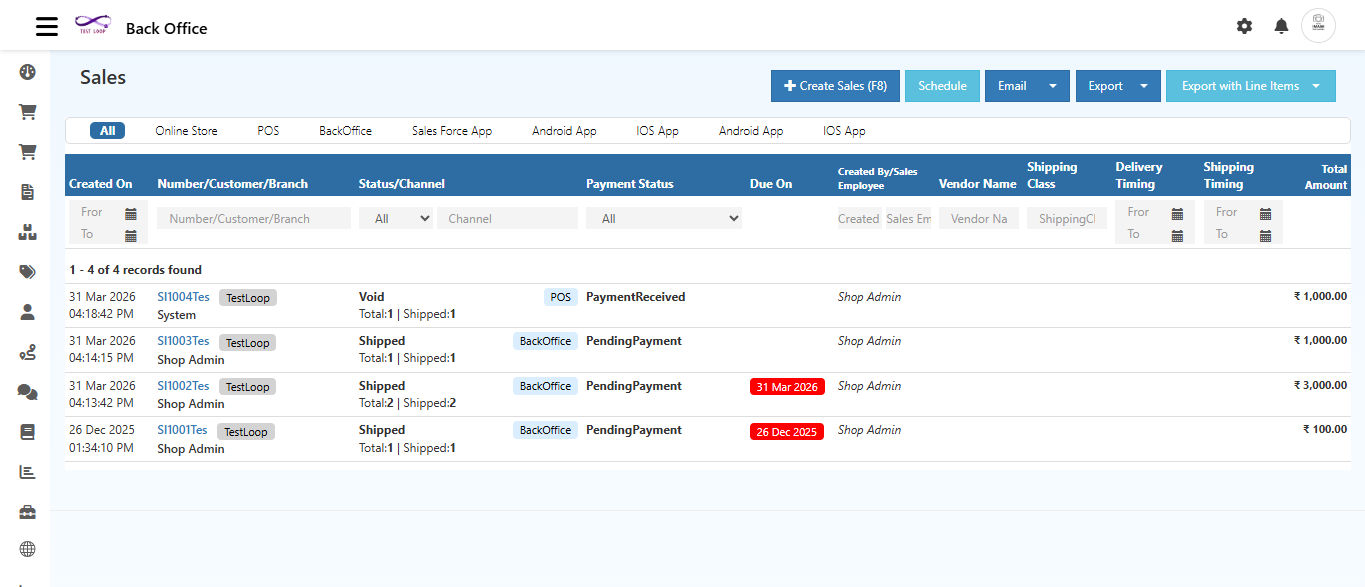
Step 1 — Open the Sales Invoice
Navigate to:
Back Office → Voucher → Sales
Click the Invoice Number from the list to open the invoice you want to cancel.
Step 2 — Go to the Change Status Tab
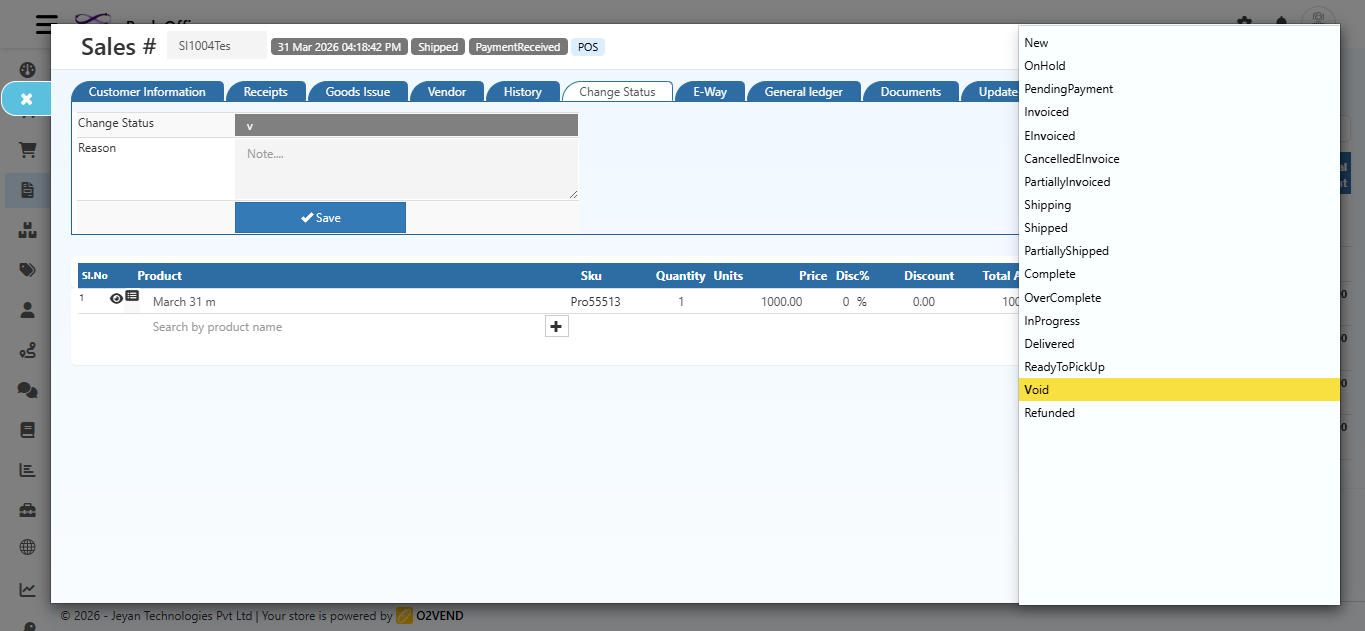
Inside the invoice, click the Change Status tab from the top tab bar.
You will see two fields:
- Change Status — dropdown to select the new status
- Reason — text box to enter the reason for the change
Step 3 — Select the Status
Click the Change Status dropdown. The following status options are available:
| Status | What It Means |
|---|---|
| Open | Invoice is open and active |
| SentToParty | Invoice has been shared with the customer |
| PartiallyDelivered | Some items have been delivered |
| PartiallyInvoiced | Invoice is partially processed |
| Delivered | All items have been delivered |
| Invoiced | Invoice is fully generated |
| Closed | Invoice is completed and closed |
| PartiallyReturned | Some items are returned by the customer |
| Returned | All items are returned |
| Void | Invoice is cancelled permanently |
Select Void to cancel the invoice.
Step 4 — Enter the Reason
In the Reason text box, enter the reason for cancelling the invoice.
Example: "By Mistake", "Duplicate Invoice", "Wrong Customer", etc.
Providing a clear reason helps maintain proper records.
Step 5 — Click Save
Click the Save button.
A confirmation dialog will appear:
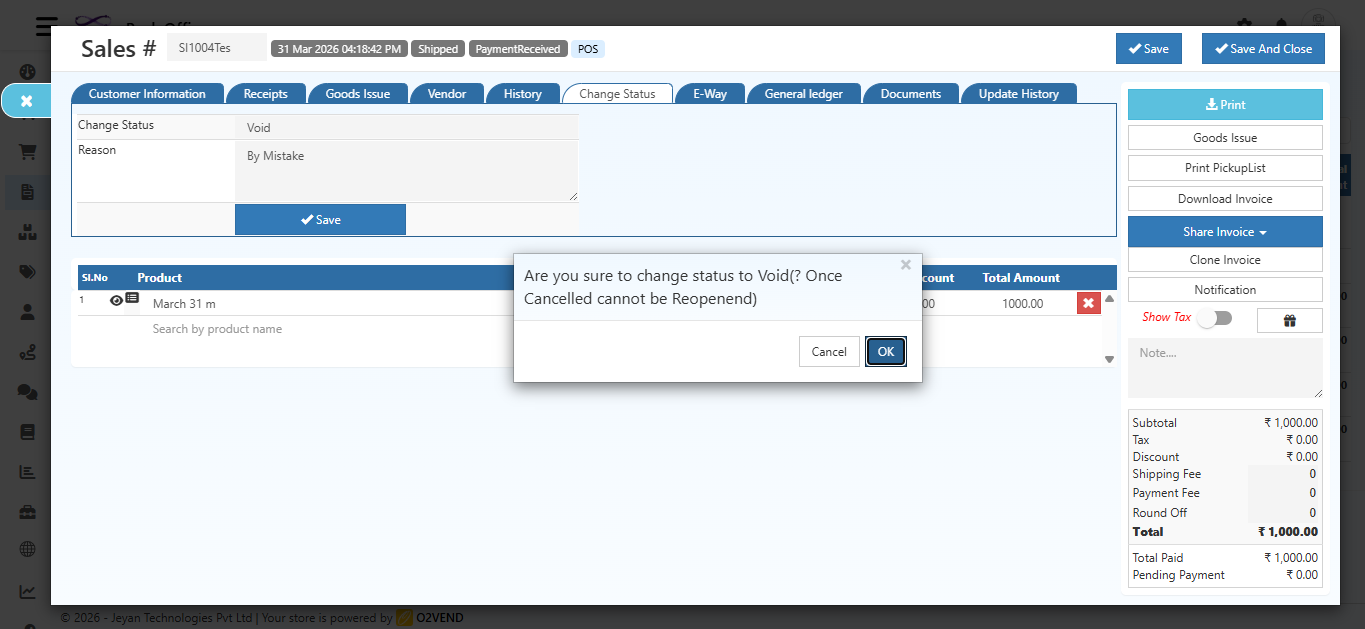
"Are you sure to change status to Void? (Once Cancelled cannot be Reopened)"
- Click OK to confirm cancellation
- Click Cancel to go back without making changes
Step 6 — Invoice is Cancelled
After confirmation, success messages will appear:
- Transaction Deleted
- The order now is Void
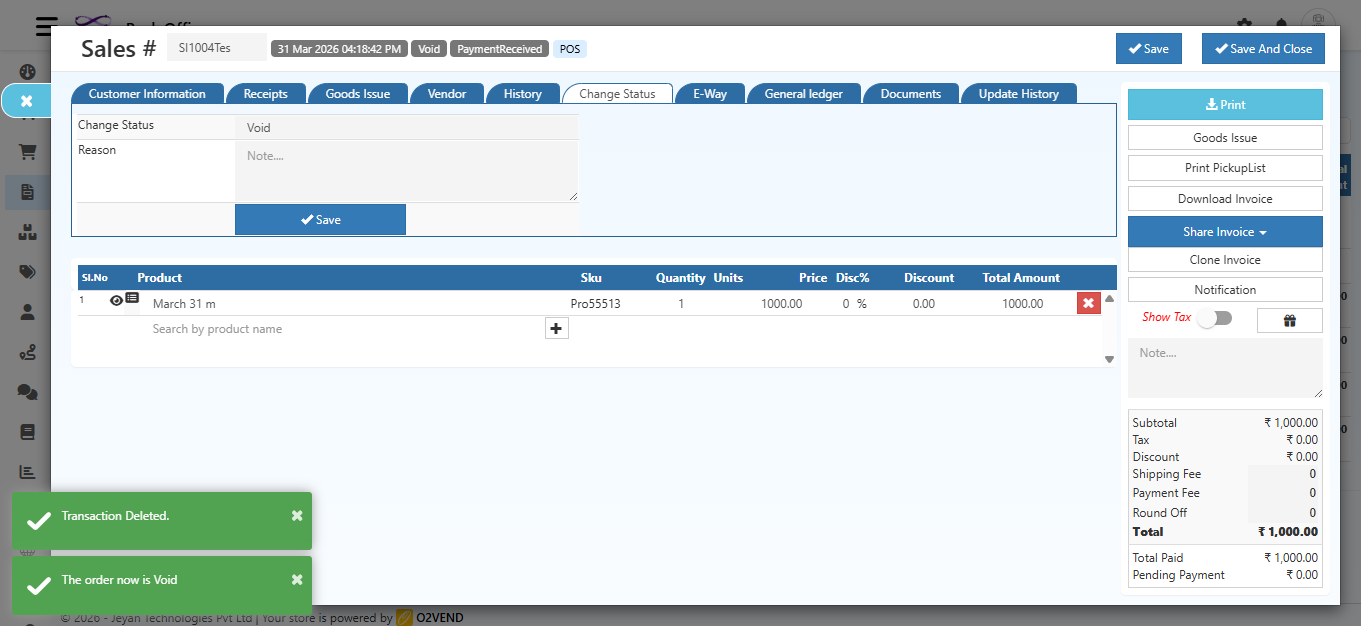
The invoice header will now display the status as Void.
After Cancellation
Once the invoice is marked as Void:
- The status in the Sales List will show as Void
- The invoice will remain visible but cannot be edited or reopened
- The transaction will be removed from active accounting records
All Available Status Options (Reference)
| Status | Use Case |
|---|---|
| Open | Default status when invoice is created |
| SentToParty | When invoice is shared with the customer |
| PartiallyDelivered | Partial delivery completed |
| PartiallyInvoiced | Partial billing done |
| Delivered | Full delivery completed |
| Invoiced | Invoice fully generated |
| Closed | Invoice process completed |
| PartiallyReturned | Some items returned |
| Returned | All items returned |
| Void | Invoice is cancelled permanently |
Quick Summary
| Step | Action |
|---|---|
| 1 | Open the Sales Invoice from the list |
| 2 | Click the Change Status tab |
| 3 | Select Void from the dropdown |
| 4 | Enter a Reason |
| 5 | Click Save |
| 6 | Click OK to confirm |
| Invoice is cancelled — status shows Void |
Remember: A Void sales invoice cannot be reopened. If cancelled by mistake, you must create a new sales invoice.