Goods Dispatch Note in O2VEND | Track Outbound Shipments
Manage outbound shipments, validate dispatch quantities, and maintain accurate warehouse stock with Goods Dispatch Note (GDN) in O2VEND ERP. Every outward stock movement is recorded, verified, and audit-ready.
What is a Goods Dispatch Note (GDN)?
A Goods Dispatch Note (GDN) is an outbound warehouse document that records and confirms the dispatch of goods from the warehouse. It captures dispatch details, validates outbound quantities, and ensures inventory is updated only after shipment verification — maintaining a complete audit trail for every outward movement.
Whether you're dispatching against a sales order, invoice, or delivery challan, GDN keeps your warehouse dispatch activity organized and traceable.
Key Benefits of Using GDN in O2VEND
- Centralized tracking of all outbound shipments from one screen
- Automated stock deduction after dispatch confirmation — no manual entries
- Structured validation reduces dispatch errors and stock mismatches
- Real-time outbound shipment visibility from dispatch to delivery
- Complete audit trail for every goods dispatch transaction
Navigation
Back Office → Inventory → Goods Dispatch Note
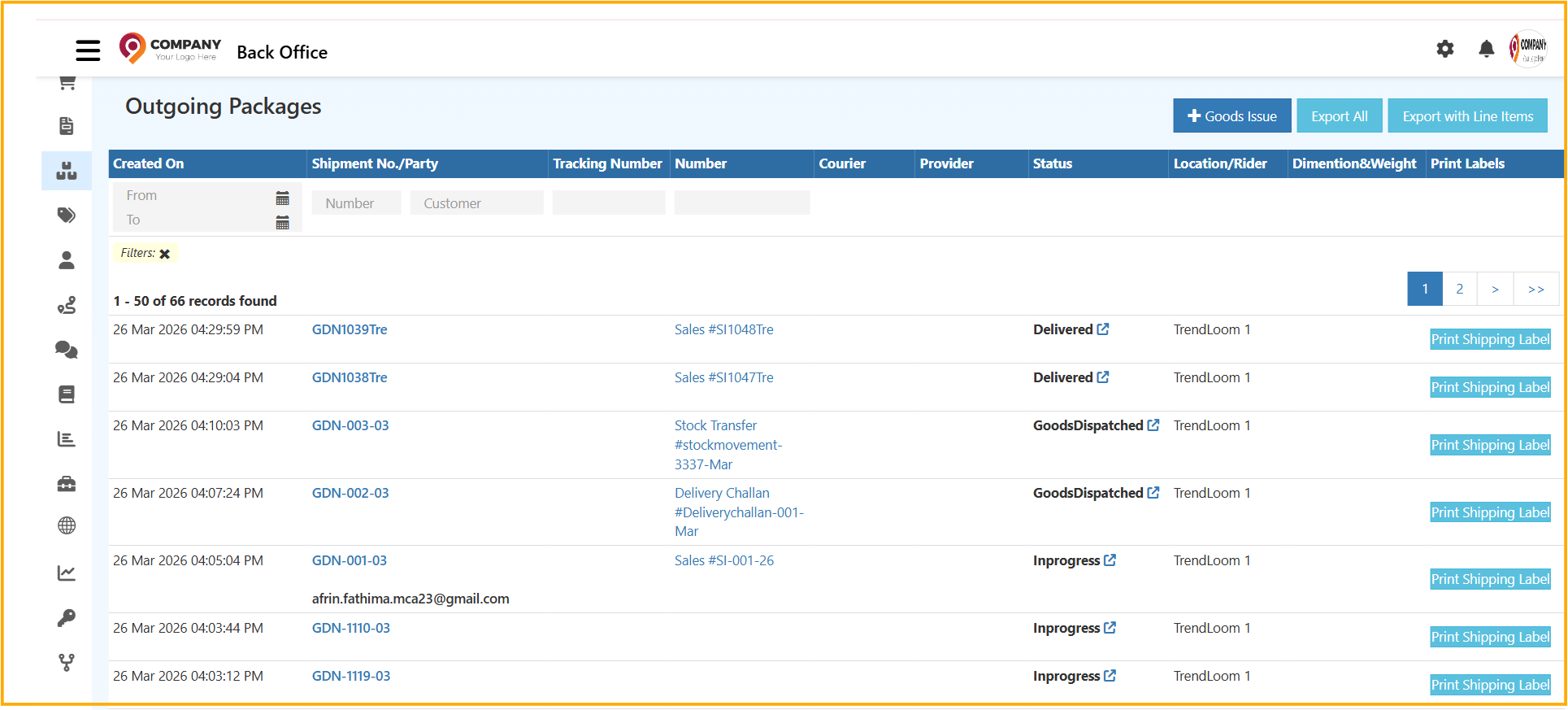
GDN Creation Sources in O2VEND ERP
GDN can be initiated from multiple sources, ensuring every outward stock movement ties back to the correct document.
| GDN Source | When to Use |
|---|---|
| Sales Order (SO) | Stock dispatched against a confirmed customer order |
| Sales Invoice (SI) | Confirm dispatched quantities during invoice generation |
| Delivery Challan (DC) | Goods moving out with a challan for shipment and document traceability |
| Outgoing Packages | After physical package dispatch — supports partial dispatch and package-level validation |
GDN vs GRN — Complete Inventory Control
Accurate warehouse inventory depends on tracking both inbound and outbound stock movements. O2VEND covers both with GRN and GDN.
| Document | Direction | Stock Impact |
|---|---|---|
| GRN – Goods Receive Note | Inbound | Stock increases |
| GDN – Goods Dispatch Note | Outbound | Stock decreases |
Together, GRN and GDN provide end-to-end inventory lifecycle visibility — from purchase receipt to customer dispatch — inside O2VEND ERP.
GDN Screen Overview
The Goods Dispatch screen captures all information needed to validate and confirm outbound stock — GDN reference, courier and transport details, tracking numbers, dispatch location, package count, and product-wise quantities. Dispatch quantities, rejected quantities, and unit-level validation are handled before stock is deducted from inventory.
GDN Screen Tabs
| Tab | Purpose |
|---|---|
| General | Core GDN details — customer, date, dispatch location, and quantities |
| Packages | Package-level breakdown, dispatch entries, and material handling |
| History | Complete log of all changes and actions on the GDN |
| Status | Current dispatch status and workflow progression |
| Documents | Attach and manage supporting files for the GDN |
When to Use Goods Dispatch Note
- Dispatching stock against sales orders or invoices
- Recording outbound shipments with courier or transport details
- Validating partial dispatches at package level
- Maintaining warehouse dispatch logs for audits
- Tracking outbound inventory movement across branches