Product Brands
Brands can be a powerful selling point for products as they can help to establish trust and credibility with customers. Brands are often associated with quality, reliability and reputation.
In O2VEND eCommerce, brand names can be created and managed in the back-end system, typically by selecting the option to create a new brand. Once a brand is created, it can be associated with products by selecting the brand name when creating or editing a product.
Using brand names can also help with product organization and searchability. It makes it easier for customers to find products from a specific brand, and for store managers to manage products from a specific brand.
It's important to note that the brands should be relevant to the products and align with the overall business strategy. Additionally, it's important to make sure that the brand names are spelled correctly and that they are consistent throughout the website.
Having brand names associated with products can increase customer trust and loyalty, as well as improve the discoverability and organization of the products on the website. It can also help to increase sales and customer satisfaction.
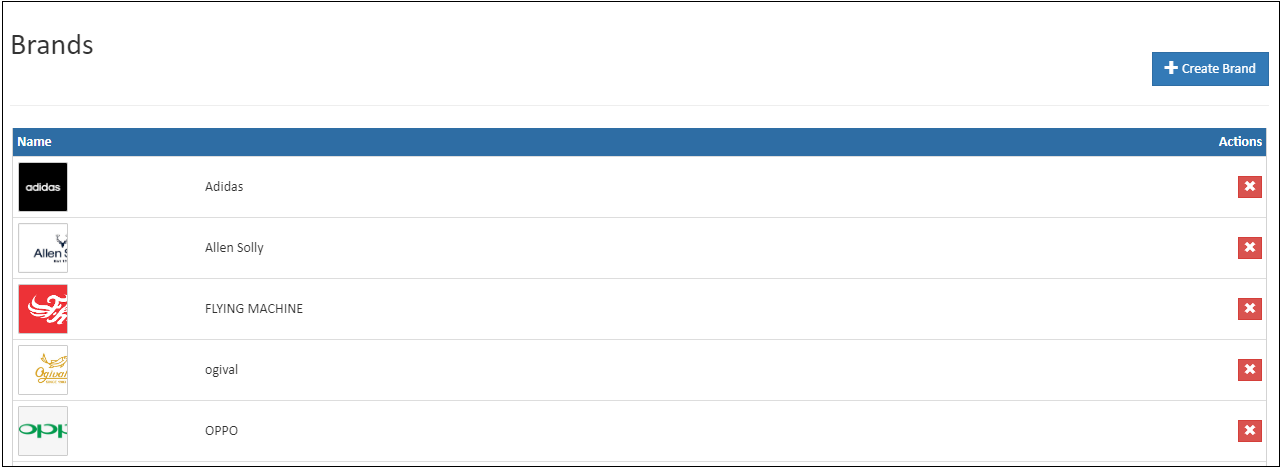
General
Create Brand
Create brand name follow the below steps,
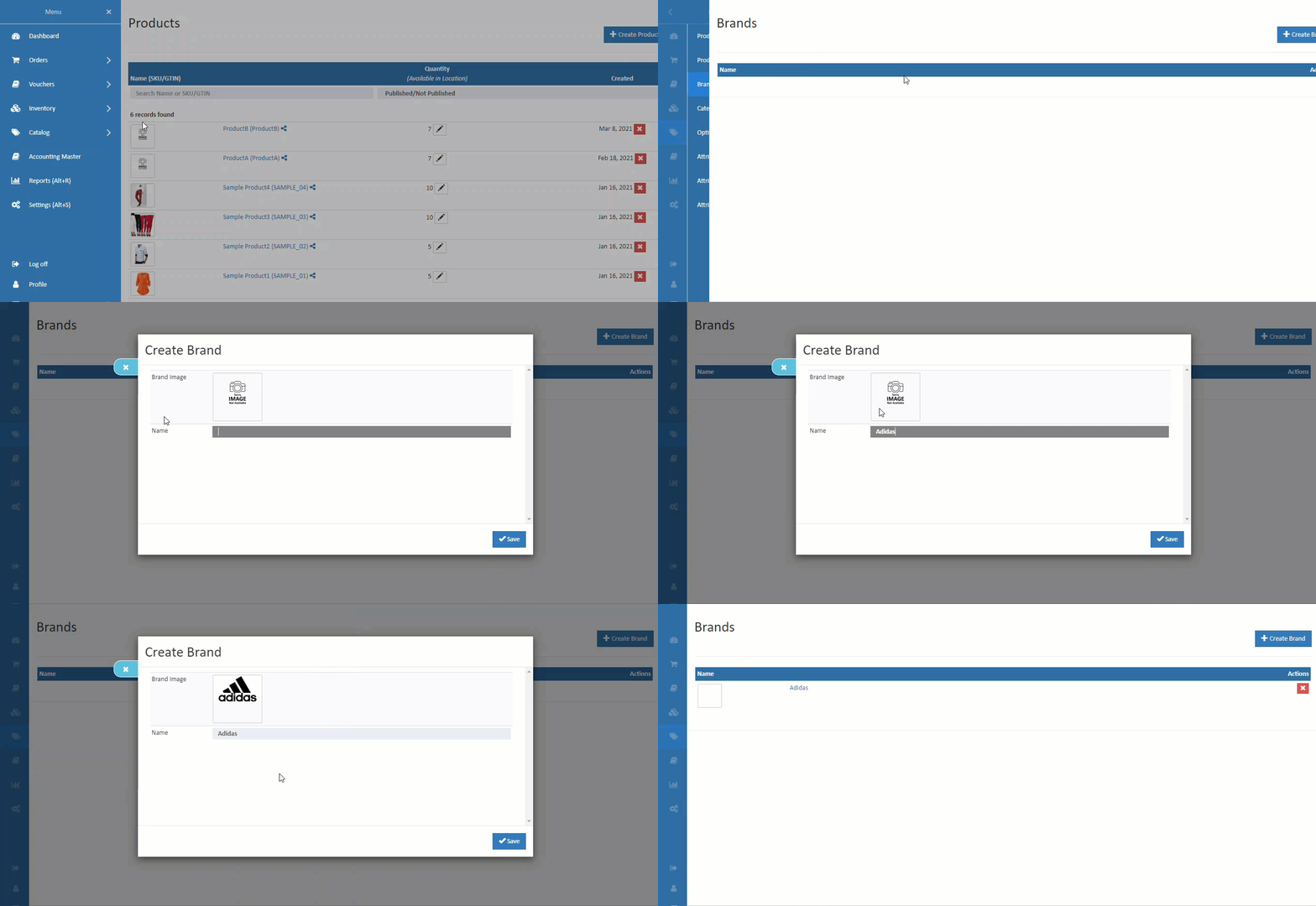
How to Create Brand
- Open Back Office.
- Go to Catalog Menu.
- Click and open Brand section.
- Click Create Brand Button in the top right corner.
- Add image of the brand and enter the brand name.
- Press Save button.
Name
Name of the Brand.
Tip
Use Manufacturer name if don't have their Brand Name
Brand Image
Upload brand image here. It will be useful for brand widgets.
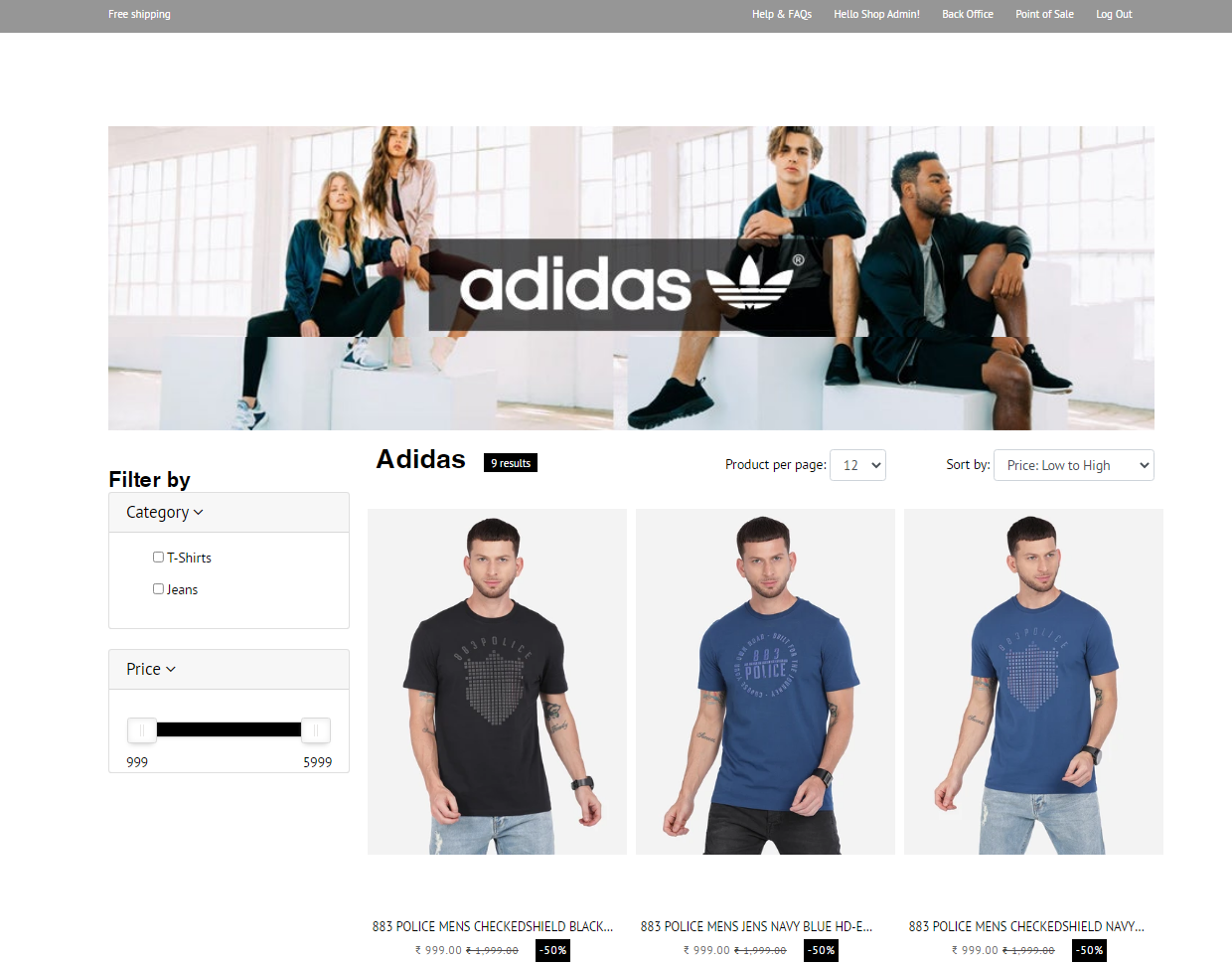
Banner Image
Uploading a banner image for a brand can be a great way to make the brand page more visually appealing and engaging for customers. A banner image is typically a large image that is placed at the top of the brand page, and it can be used to showcase the brand, its products, or its message.
In O2VEND eCommerce, the banner image for a brand can be uploaded in the back-end system, typically by selecting the brand and then choosing the option to upload a banner image. The image file can be selected from the local computer and then uploaded to the website.
It's important to note that the banner image should be high-quality, visually appealing and relevant to the brand. Additionally, it's important to make sure that the image is properly optimized for web and mobile, as this can improve the page load time and user experience.
The banner image can also be used to feature special promotions, sales or other relevant information for the brand or its products, and it can be an effective way to catch the customer's attention and increase the chances of conversion.
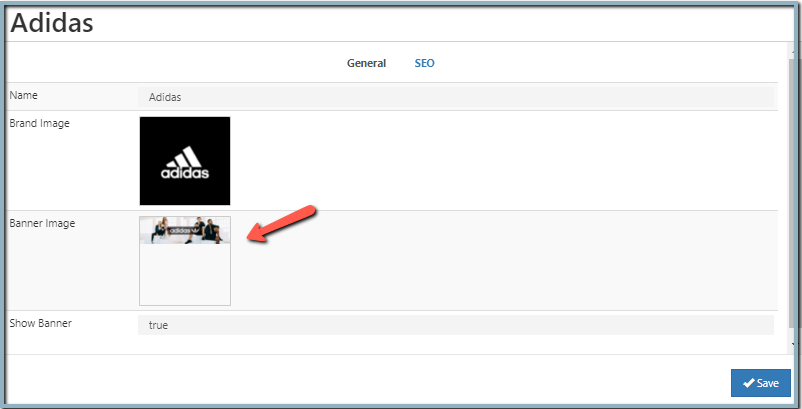
Show Banner
Banner will be display only the show banner is "TRUE". If it is false, it will not display.
SEO
In this section, add the URL slug name, meta title, meta keyword and meta description of the brands.
Brand SEO URL Slug:
Slug is part of a URL that comes at URL ends it representing a particular page of a website. By default, the URL slug name took from the brand name. Admin and SEO managers can change the slug name. Ensure that the slug URL field does not require the addition of specific numbers, special characters and unnecessary words.
How to create SEO URL Slug
- open the SEO tab.
- Enter the Brand SEO URL slug name.
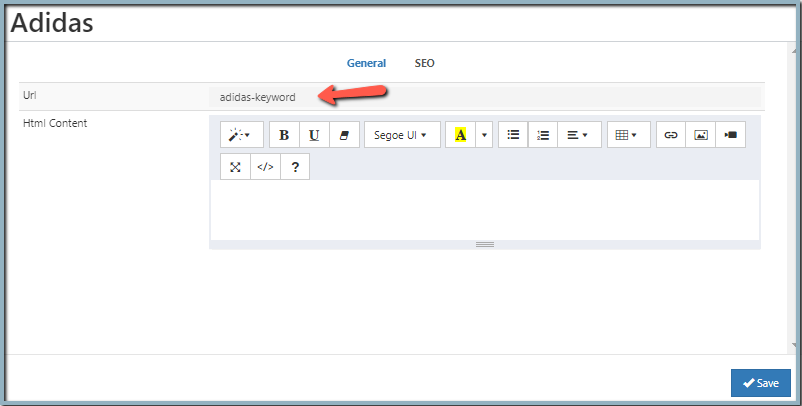
An example is the URL "https://o2vend.com/brandname-keyword/" where the slug is "brandname-keyword".

HTML Content
Enter details in HTML content. The administrator can write content about their brand on the brand detail page. Use pictures, different fonts, colors to create the layout of the page.

Modify Brand
Update the brand details.
How to modify Brand
- Open Back Office.
- Go to Catalog Menu.
- Click and open Brand section.
- Already existing brands will be listed.
- Click the Brand Name against the brand to be edited.
- Update all the needed information.
- Press Save to update the changes.
Related Blogs
Want to improve catalog visibility, inventory handling, and search performance?
Explore these related articles:
Best 10 Wholesale eCommerce Platforms for Businesses
Explore the top wholesale eCommerce platforms and choose the right solution for scaling your business operations.Wholesale eCommerce Explained: 10 Best Platforms for Wholesale
A detailed guide to wholesale eCommerce models and the best platforms to manage bulk selling efficiently.Understanding Meta Descriptions: Importance and Basics
Understand how meta descriptions improve product visibility, search rankings, and click-through rates.Essential Tips for Writing SEO-Friendly Website Titles
Learn how to write effective, SEO-friendly titles that attract clicks and improve search engine performance.