Using O2VEND POS Offline – Complete Guide to Billing Without Internet
Learn how to enable and use O2VEND POS Offline Mode for uninterrupted billing, receipt generation, and inventory management when internet is unavailable.
Running a retail store should never stop because of internet issues.
O2VEND POS Offline Mode allows your store to continue billing, generating receipts, and managing inventory even when the internet connection is unavailable.
This guide explains:
- What is O2VEND POS Offline Mode
- How Offline POS Works
- How to Enable Offline Mode
- Step-by-Step Process to Use POS Offline
- How to Sync Offline Orders
- Features Available in Offline Mode
- Best Practices for Retail Stores
When enable the pos offline, - see Pos Settings
🔎 What is O2VEND POS Offline Mode?
O2VEND POS Offline Mode enables your store to:
- Process sales orders without internet
- Generate receipts
- Access product details
- Use stored customer information
- Update stock locally
- Automatically sync data once internet is restored
This ensures zero business interruption during network failures.
💡 Why Offline POS is Important for Retail Stores
Internet downtime can cause:
- Billing delays
- Customer dissatisfaction
- Revenue loss
- Inventory mismatch
With O2VEND Offline POS:
✔ Sales continue smoothly
✔ No transaction data loss
✔ Automatic synchronization
✔ Accurate inventory maintenance
How O2VEND POS Offline Works
When the internet disconnects:
- POS stores transactions locally on the device.
- Sales orders and receipts are saved in offline memory.
- Once the internet reconnects, data syncs automatically with the central server.
- Inventory and reports update correctly.
This ensures uninterrupted store operations.
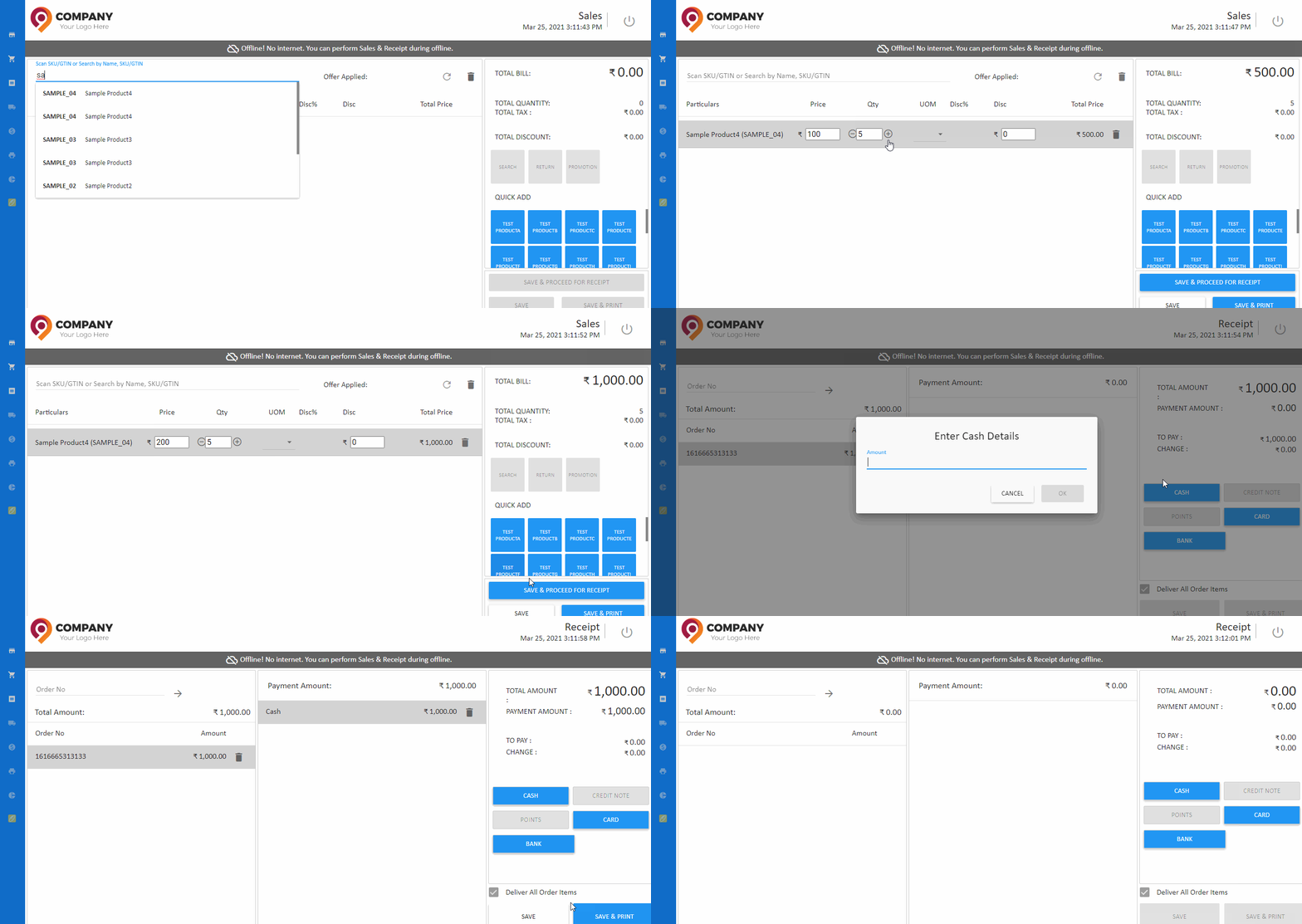
🔧 How to Enable O2VEND POS Offline Mode
To enable Offline Mode: