Customer Reviews | Manage Product Reviews
Learn how to view and manage customer reviews in Online Store. This tutorial explains where to open the review section and how to use the reviews page to monitor customer feedback.
What Is Customer Reviews?
The Customer Reviews section helps you monitor reviews submitted by customers for products in your online store.
It is useful for:
- checking customer feedback
- reviewing ratings and comments
- tracking review status
- identifying recent reviews
- managing product review activity from one place
Navigation Path
Back Office -> Online Store -> Open Reviews
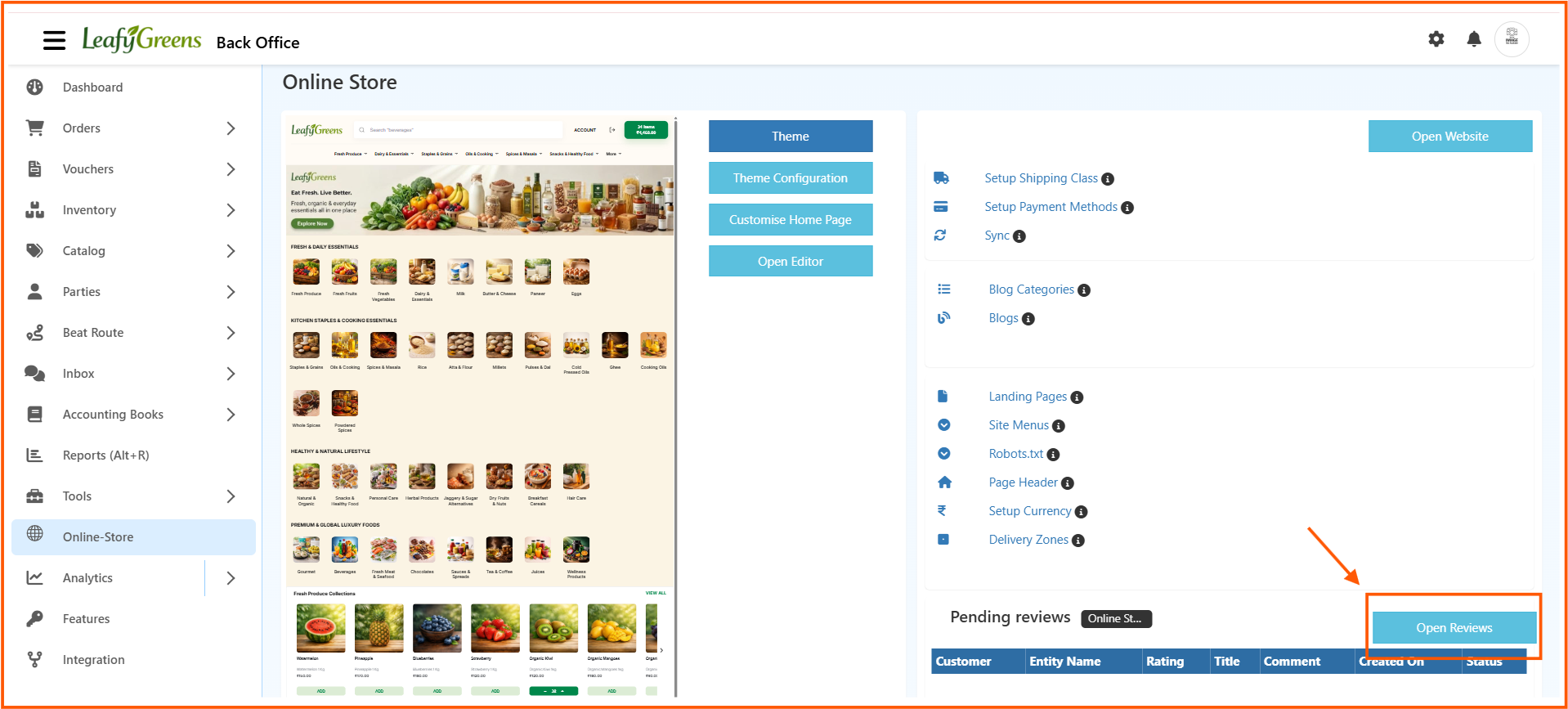
From the Online Store page, click Open Reviews to open the reviews management screen.
Reviews List Page
The Reviews page shows customer review records in one place.

The list page includes columns such as:
- Customer
- City
- Entity Name
- Rating
- Title
- Comment
- Created On
- Status
- Actions
This page helps you review all submitted feedback in a structured format.
How to View Customer Reviews
- Open Back Office
- Go to Online Store
- Click Open Reviews
- View the list of available customer reviews
- Check the rating, title, and comment details
- Review the created date and review status
- Use filters if needed to find specific reviews
Filters Available on the Reviews Page
The reviews screen provides filters to help you find the required records quickly.
You can review or filter data using:
- customer details
- city
- entity name
- comment date range
- created date
- status
These filters help when there are many reviews in the system.
Review Details Explained
Customer
Shows the customer who submitted the review.
City
Shows the customer city linked to the review.
Entity Name
Shows the product or item name connected to the review.
Rating
Shows the rating given by the customer.
This helps you quickly understand customer satisfaction.
Title
Shows the review title entered by the customer.
Comment
Displays the customer comment or feedback message.
Created On
Shows when the review was submitted.
Status
Shows the current review status.
This helps you identify which reviews need attention.
Actions
The Actions column is used to manage the review record when required.
Why Customer Reviews Matter
Using the customer reviews section in O2VEND helps with:
- better customer feedback tracking
- quick review monitoring
- product quality observation
- store credibility management
- organized review handling
Benefits of Customer Reviews
Using the customer reviews section in O2VEND helps you:
- monitor customer feedback from one place understand product satisfaction through ratings
- review customer comments for service improvement
- identify low-rated products quickly manage reviews in a more organized way