Ledger Management
Ledger Management helps you view account-wise financial transactions for a selected period. It is useful for checking debit and credit entries, reviewing balances, and tracking account movement.
Quick Links
- Accounting Books Overview
- Sales Book Report
- Purchase Book Report
- Cash Book Management
- Day Book Report
Navigation Path
Back Office -> Accounting Books -> Ledgers
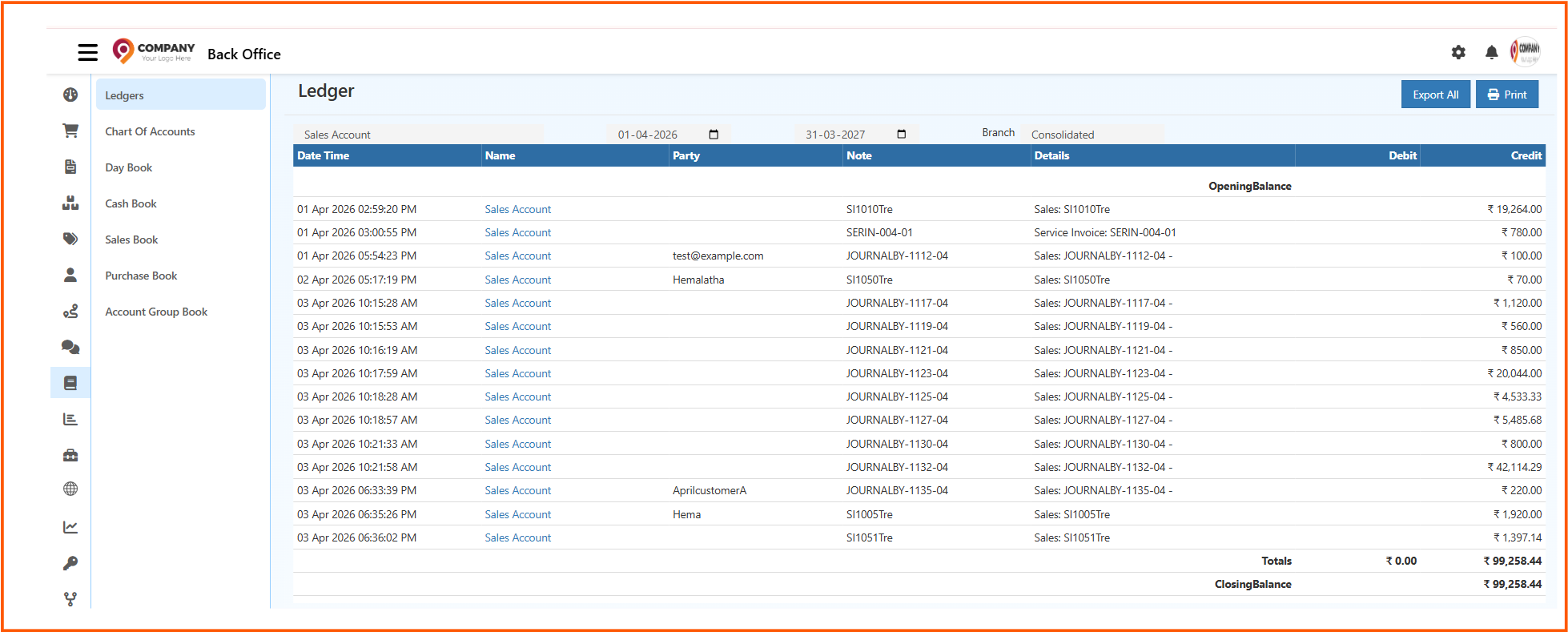
From the Accounting Books section, open Ledgers to view ledger transactions for a selected account.
What You Can Do in Ledger
The Ledger page helps you:
- select a ledger account and view transactions
- review entries within a date range
- check opening balance, totals, and closing balance
- view debit and credit values account-wise
- export the ledger data
- print the ledger report
Ledger Page Overview
The Ledger screen displays transactions for the selected account in a structured table.
Common areas on the page include:
- Ledger Search to choose the required ledger account
- From Date and To Date to filter the period
- Branch selector to view branch-wise or consolidated data
- Export All to download the report
- Print to print the ledger view
Search by Ledger
Use the ledger search field to find and select the required ledger account.
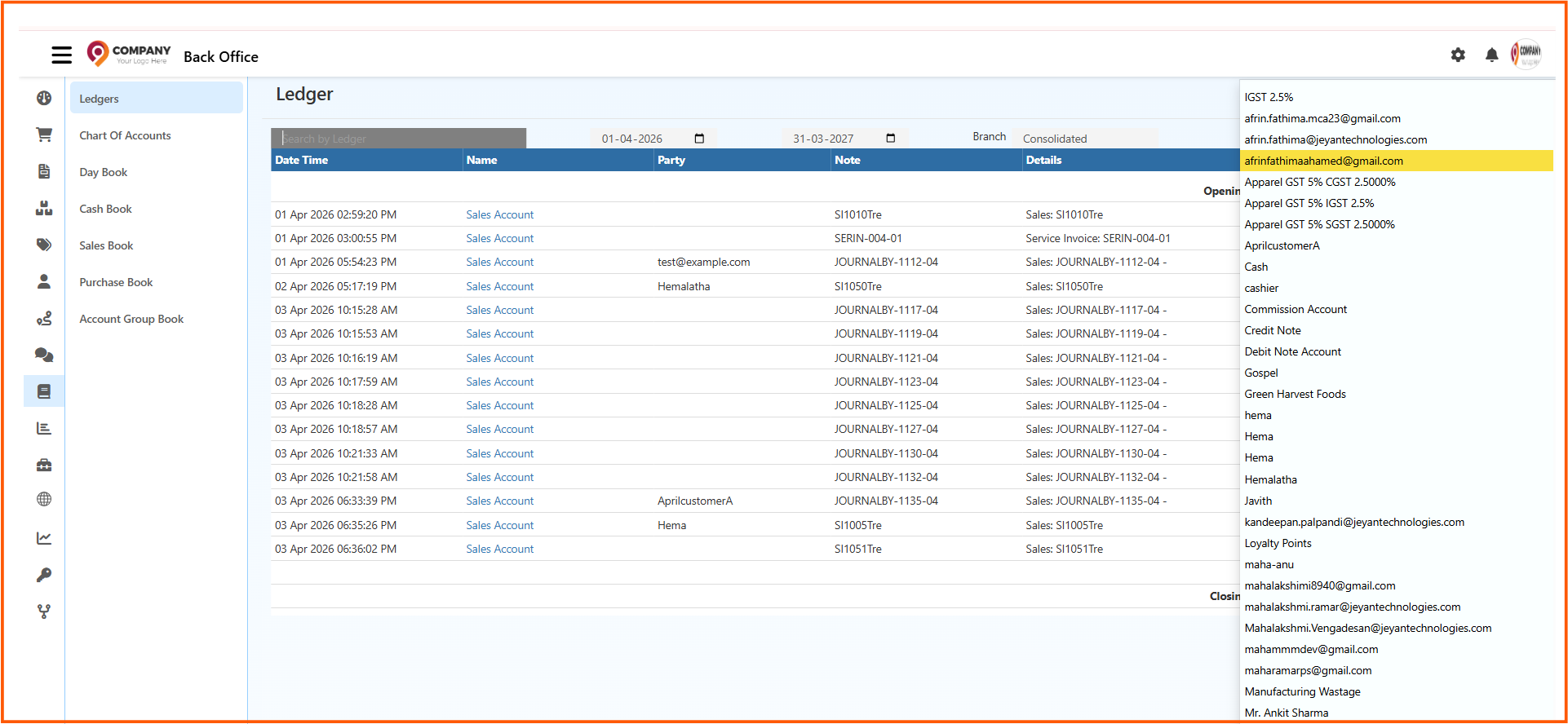
This helps you quickly open accounts such as:
- Sales Account
- Cash
- Credit Note Account
- Debit Note Account
- Customer-related ledger accounts
- Tax-related ledger accounts
After selecting the ledger, the transaction list updates based on the chosen account.
Details Shown in Ledger Report
The ledger table can include the following columns:
- Date Time
- Name
- Party
- Note
- Details
- Debit
- Credit
The page also shows:
- Opening Balance
- Totals
- Closing Balance
This makes it easier to understand the account movement for the selected period.
How to View a Ledger
- Open Back Office
- Go to Accounting Books
- Click Ledgers
- Search and select the required ledger account
- Choose the From Date and To Date
- Select the required Branch or use consolidated view
- Review the transactions shown in the table
Export and Print Options
The Ledger page provides quick output options:
- Export All to download the ledger data
- Print to print the current ledger report
These options are useful for reviews, audits, reconciliation, and record sharing.
Why Ledger Management Is Important
Using the Ledger page helps you:
- review account-wise transactions clearly
- track debit and credit movement accurately
- verify balances for a selected period
- support reconciliation and audit work
- understand the financial activity of specific accounts