Sales Book Report | View Sales Entries and Balances
Learn how to use the Sales Book report in O2VEND to review sales transactions, monthly summaries, detailed entries, and balances.
Quick Links
- Accounting Books Overview
- Ledger Management
- Cash Book Management
- Purchase Book Report
- Day Book Report
Navigation Path
Back Office -> Accounting Books -> Sales Book
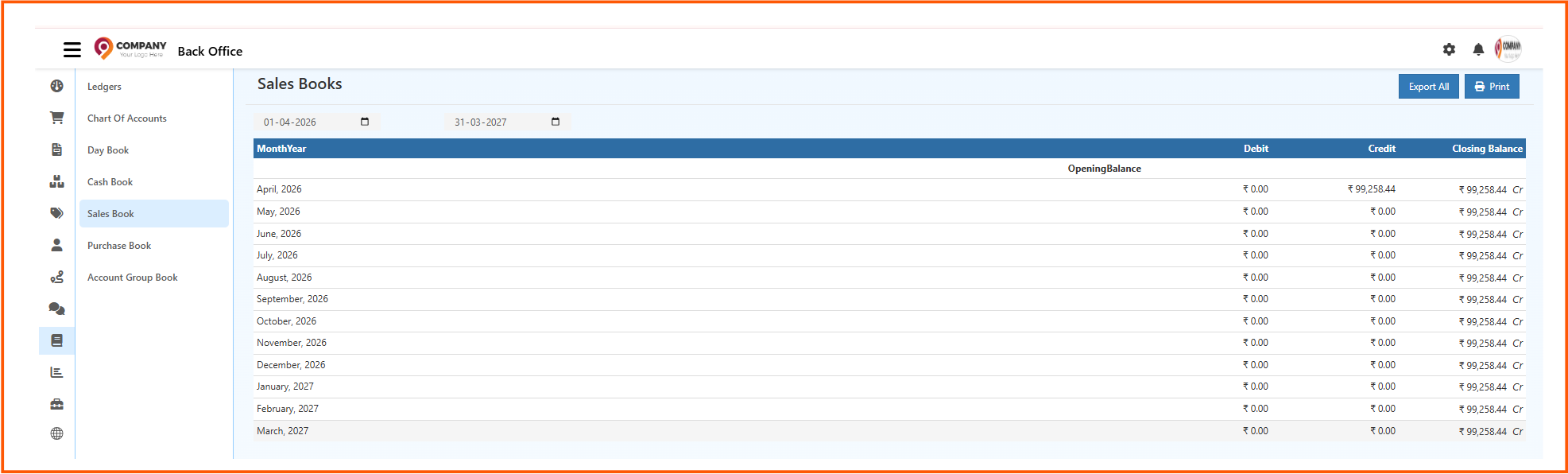
From the Accounting Books section, open Sales Book to view sales summaries and detailed sales entries.
What You Can Do in Sales Book
The Sales Book page helps you:
- review sales-related transactions
- check monthly debit and credit summaries
- view detailed entries for a selected period
- monitor opening balance, totals, and closing balance
- export the report
- print the report
Sales Book Summary View
The Sales Book summary screen shows month-wise sales activity for the selected date range.

Common sections on the page include:
- From Date and To Date filters
- Export All option
- Print option
- month-wise rows with debit, credit, and closing balance values
This view helps you understand sales movement month by month.
Detailed Sales Book View
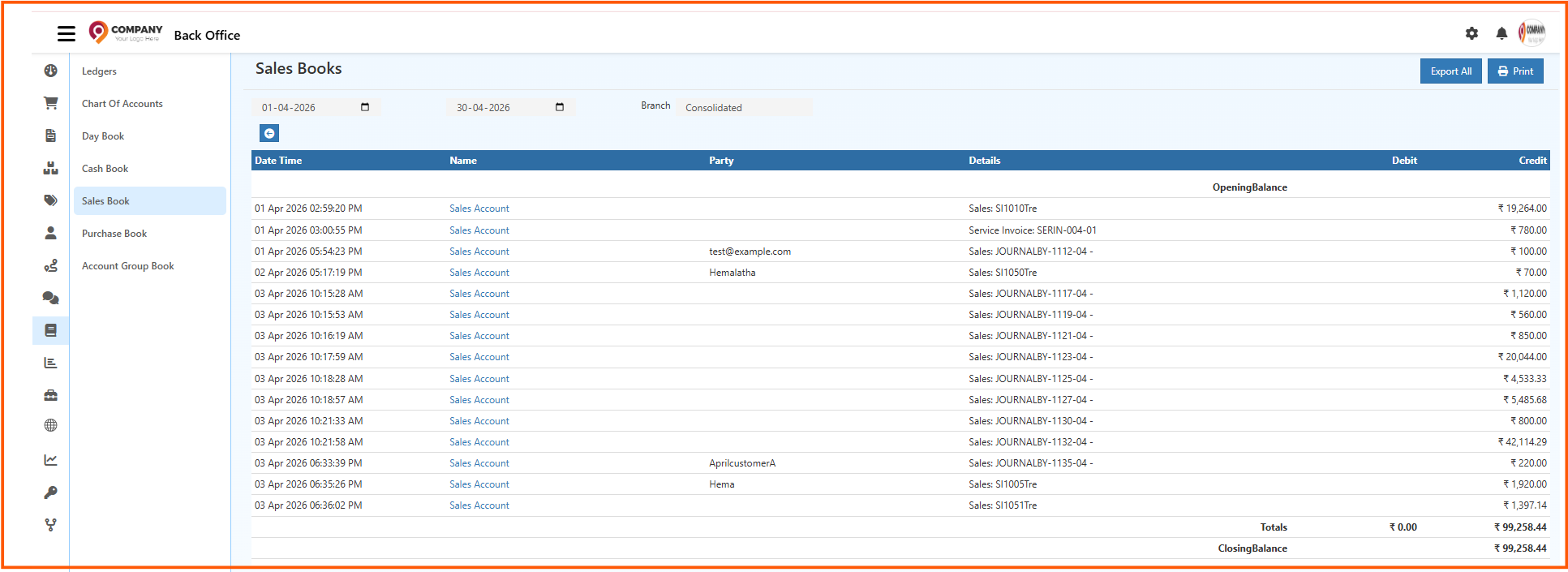
The detailed Sales Book screen shows transaction-wise entries for the selected period.
The detailed table can include:
- Date Time
- Name
- Party
- Details
- Debit
- Credit
The page also shows:
- Opening Balance
- Totals
- Closing Balance
This makes it easier to review how sales transactions were posted during the selected period.
Grouped Sales Account View
The Sales Book can also display grouped sales values by account for the selected period.
This view is useful when you want to review summarized sales account values instead of full transaction-level records.
How to View the Sales Book Report
- Open Back Office
- Go to Accounting Books
- Click Sales Book
- Select the From Date and To Date
- Choose the required Branch or consolidated view if available
- Review the summary or detailed entries shown in the table
Export and Print Options
The Sales Book page provides quick output options:
- Export All to download the sales book data
- Print to print the current report
These options are useful for audits, financial reviews, and record sharing.
Why Sales Book Is Important
Using the Sales Book helps you:
- review sales entries clearly
- track debit and credit movement related to sales
- monitor opening and closing balances
- support audit and reconciliation work
- understand monthly and transaction-wise sales activity