Chart of Accounts Setup
Chart of Accounts helps you organize financial records under structured account groups such as Assets, Liabilities, Revenue, Expense, and Equity.
Quick Links
Navigation Path
Back Office -> Accounting Books -> Chart Of Accounts
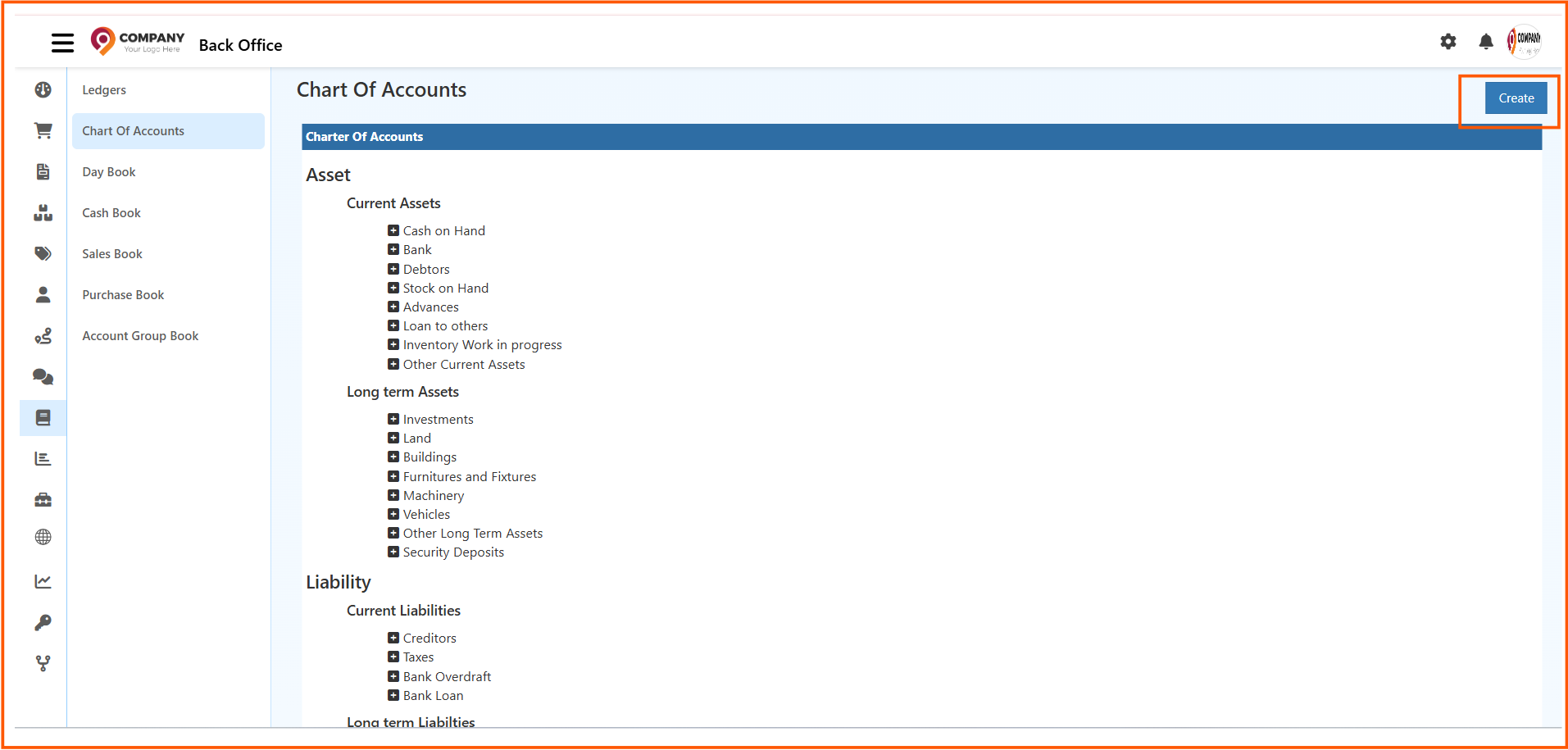
From the Accounting Books section, open Chart Of Accounts to view the account structure and create master accounts.
What You Can Do in Chart of Accounts
This page helps you:
- view the account group structure
- check account categories and sub-categories
- create new master accounts
- organize accounts under the correct account type
- maintain a cleaner accounting structure for reports and transactions
Chart of Accounts Page Overview
The Chart of Accounts screen shows account groups in a structured format.
Common sections visible on the page include:
- Asset
- Liability
- Revenue
- Expense
- Equity
Under each main heading, you can view grouped accounts and sub-accounts.
Account Group Structure
The page organizes accounts into major accounting categories.
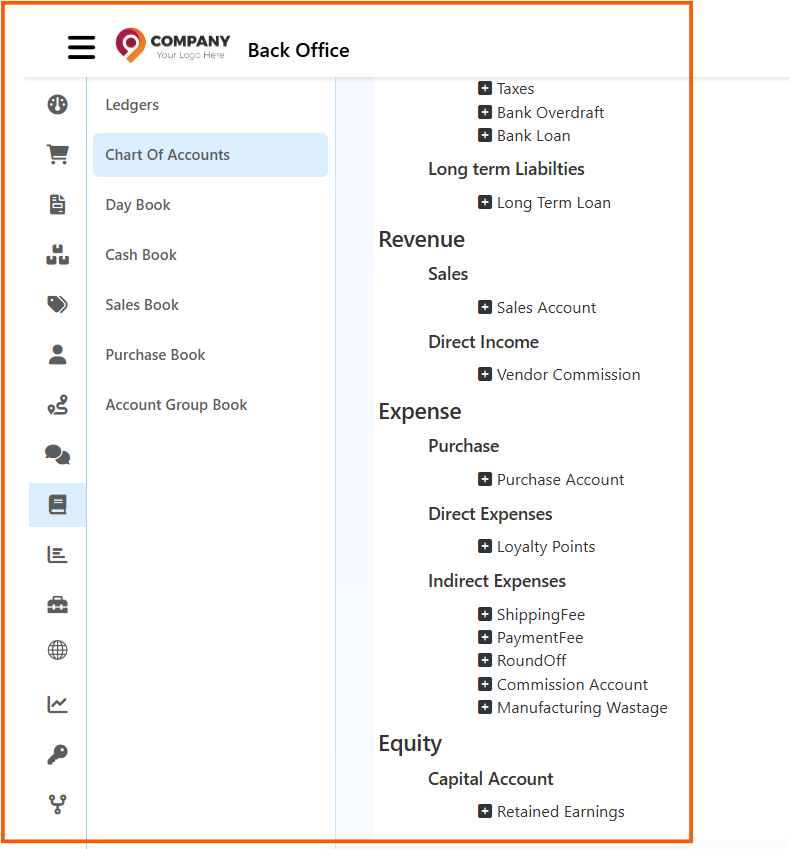
Examples shown in the structure include:
Asset
Asset accounts may include:
- Current Assets
- Long term Assets
- Cash on Hand
- Bank
- Debtors
- Stock on Hand
- Advances
Liability
Liability accounts may include:
- Current Liabilities
- Long term Liabilities
- Creditors
- Taxes
- Bank Overdraft
- Bank Loan
Revenue
Revenue accounts may include:
- Sales
- Sales Account
- Direct Income
- Vendor Commission
Expense
Expense accounts may include:
- Purchase
- Purchase Account
- Direct Expenses
- Indirect Expenses
- Shipping Fee
- Payment Fee
- Manufacturing Wastage
Equity
Equity accounts may include:
- Capital Account
- Retained Earnings
This structure helps keep financial records organized and easy to review.
How to Create a Master Account
To create a new master account:
- Open Back Office
- Go to Accounting Books
- Click Chart Of Accounts
- Click Create
- Enter the Account Name
- Select the required Account Type
- Click Save
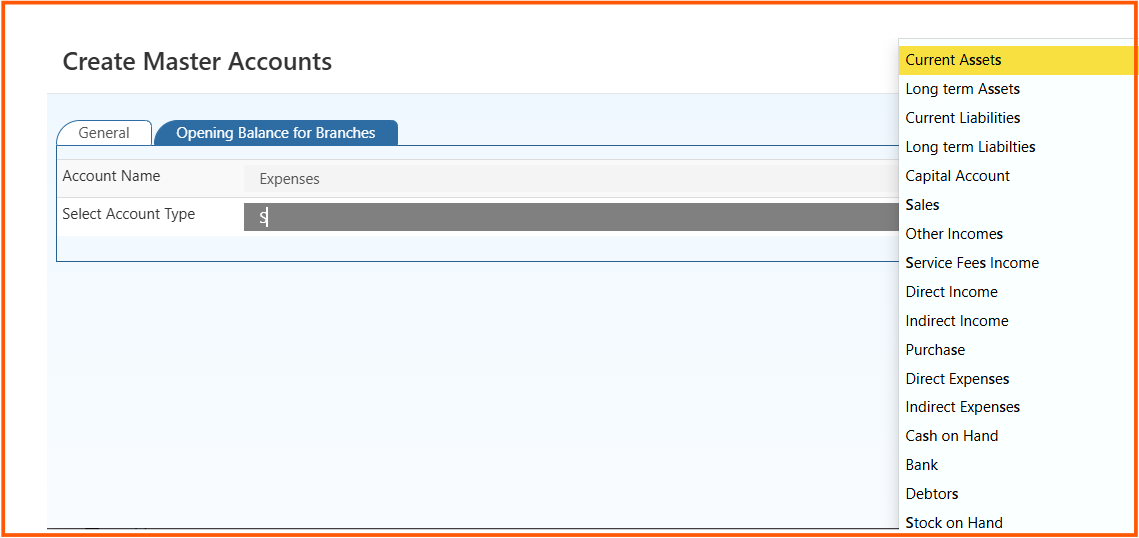
The Create Master Accounts screen helps you define the new account and assign it to the correct account type.
Account Type Selection
When creating a master account, the Select Account Type field helps you choose the right financial category.
Common account type options can include:
- Current Assets
- Long term Assets
- Current Liabilities
- Long term Liabilities
- Capital Account
- Sales
- Other Incomes
- Purchase
- Direct Expenses
- Indirect Expenses
- Cash on Hand
- Bank
- Debtors
- Stock on Hand
Choosing the correct account type is important because it affects how the account is grouped in reports and accounting records.
Why Chart of Accounts Setup Is Important
Using Chart of Accounts Setup helps you:
- maintain a clear accounting structure
- group transactions under the correct account heads
- support financial reporting more accurately
- simplify account creation and management
- improve consistency in accounting records