O2VEND Retail ERP
  • Getting Started
  • Ecommerce
  • Back Office
  • POS
  • Agent App
  • PIM
  • Communication
  • CMS
  • OMS
  • WMS
  • O2C
  • Accounting
  • Reports
  • Themes and Apps
Search Results for

    Show / Hide Table of Contents
    • Accounting Management Overview
    • Ledger Management
    • Chart of Accounts Setup
    • Day Book Report
    • Cash Book Management
    • Sales Book Report
    • Purchase Book Report
    • Account Group Management
    • Contra Entry Management
    • Journal Entry Management

    Account Group Book - Detailed Functional Guide

    Introduction

    The Account Group Book is a structured accounting report that displays financial transactions and balances grouped by their category or account classification. Instead of viewing transactions account by account, this report shows information grouped under higher-level categories such as Assets, Liabilities, Income, and Expenses. It provides a clear summary of how each group contributes to the financial position of the business.

    Purpose of the Account Group Book

    The main objective of the Account Group Book is to:

    • Present accounting data in organized groups.
    • Help analyze financial activity at a consolidated category level.
    • Support financial control and review of grouped account totals.
    • Offer a simplified view for reporting and decision-making.
    • Enable quick verification of balances across accounting groups.

    This makes the Account Group Book a valuable tool for managerial and audit-level financial analysis.

    Role in Accounting Workflow

    The Account Group Book acts as a bridge between detailed ledgers and higher-level financial reports. Data summarized here flows directly to:

    • Trial Balance
    • Balance Sheet
    • Profit & Loss Statements
    • Financial audit reports

    Maintaining accurate and up-to-date transaction grouping ensures reliable financial statements.

    Accessing the Account Group Book

    To open the Account Group Book:

    1. Go to the Accounting Books section.
    2. Select Account Group Book.
    3. Choose the required accounting period or date range.
    4. Apply the filter to generate the grouped summary.

    The report will load all transactions classified under appropriate account groups.

    Information Displayed in the Report

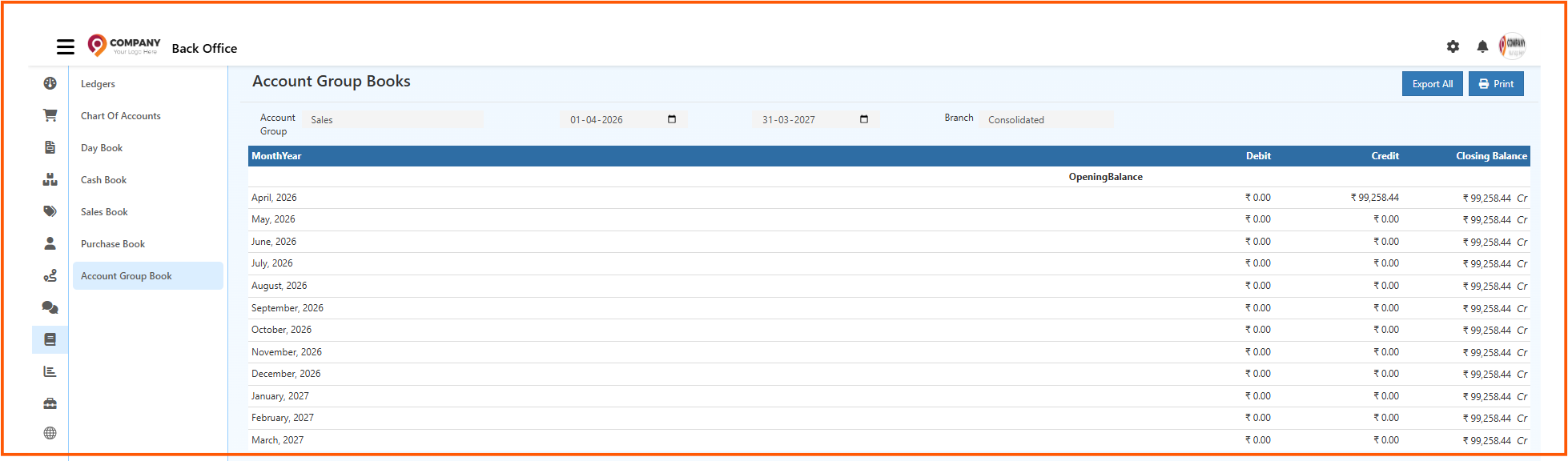
    The Account Group Book typically includes:

    • Group name (such as Current Assets, Operating Expenses, Sales Income, Loans & Advances, etc.)
    • Opening balance for each group
    • Total debit entries
    • Total credit entries
    • Closing balance
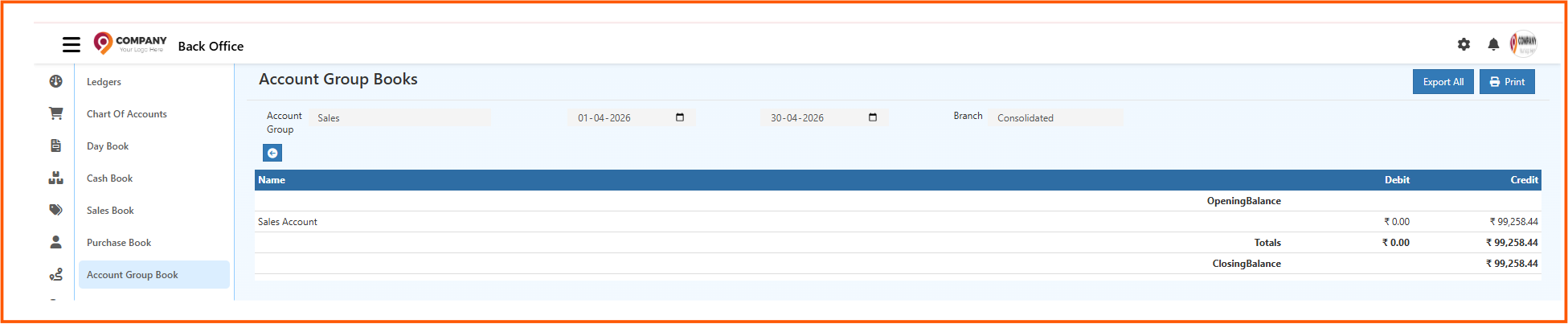
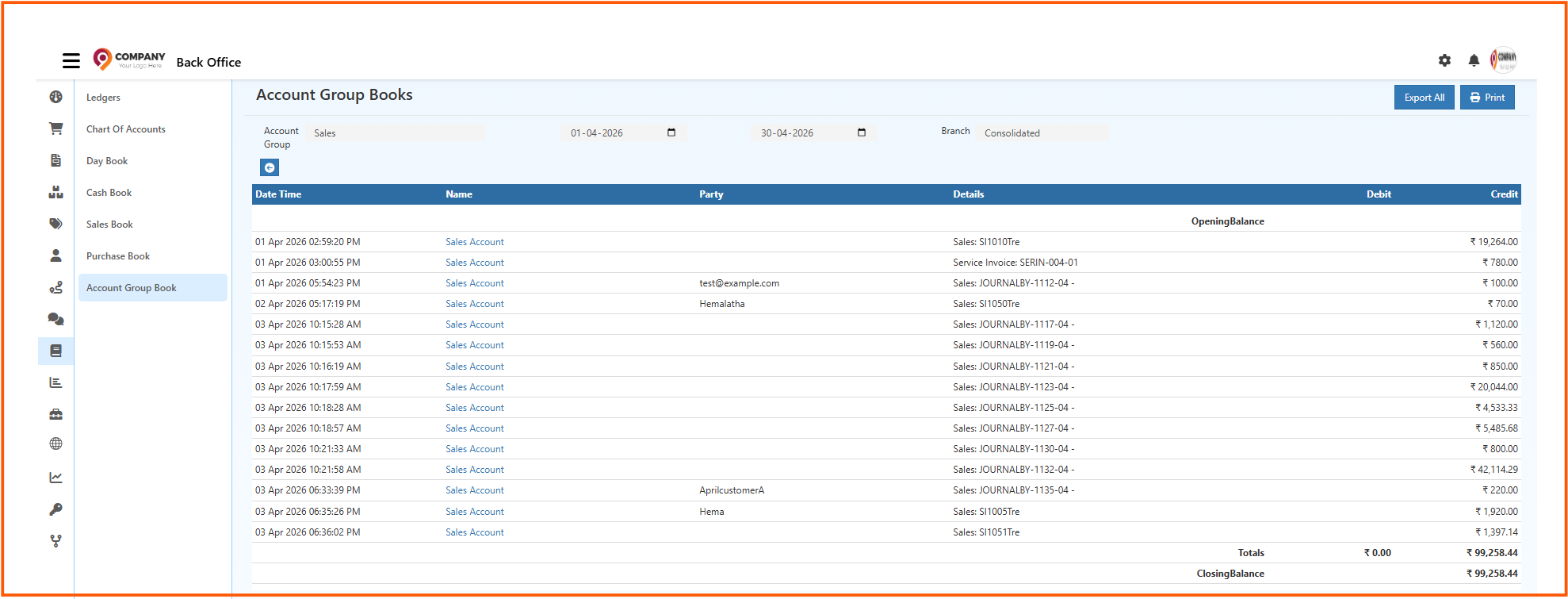
    • Ledger accounts and transactions under each group (if drill-down is enabled)

    This structured presentation allows easy visibility of how each account category impacts the business financially.

    Filtering and Search Options

    Users can refine the Account Group Book using:

    • Date or period selection
    • Specific group filtering
    • Ledger search within a group (if supported)

    These filters help to analyze performance at group level or at individual ledger level within the group.

    Drill-Down Functionality

    Many systems allow clicking on a group or ledger to:

    • Open detailed ledger transactions
    • Review posting entries
    • View related vouchers and source documents

    This drill-down access improves accuracy and enables:

    • Audit verification
    • Internal reviews
    • Error correction
    • Month-end and year-end financial checks

    Business Use Cases

    Financial Overview

    Managers can view how much money is tied up in assets, liabilities, income, and expenses without analyzing each ledger individually.

    Expense and Cost Monitoring

    Helps identify which groups contribute the most to business expenses.

    Balance Sheet and Profit Analysis

    Provides summarized data for preparing financial statements quickly and accurately.

    Audit Support

    Makes it easy to verify group-wise totals, saving time during internal and external audits.

    Control and Monitoring

    Ensures that account classification is accurate and financial reporting is consistent.

    Export and Reporting

    Depending on system settings, the report can be exported for:

    • Accounting documentation
    • Financial planning and budgeting
    • Compliance and audit record keeping
    • External reporting or review

    Relationship with Other Reports

    • Ledger Book - Shows account-level details that roll up into each group.
    • Trial Balance - Uses group totals for credit and debit columns.
    • Balance Sheet - Displays financial position based on grouped account balances.
    • Profit & Loss Statement - Uses Income and Expense groups to present business performance.

    Accurate grouping ensures that all financial statements remain consistent and reliable.

    Advantages of the Account Group Book

    • Clear consolidated view of financial data grouped by category.
    • Saves time by avoiding ledger-by-ledger analysis.
    • Helps quickly identify unusual balances or errors.
    • Improves financial control and reporting accuracy.
    • Supports audit and compliance processes.
    • Essential for quick management decision-making.

    Conclusion

    The Account Group Book is an essential accounting report that organizes financial data into meaningful categories. It provides a high-level view of business performance while still allowing drill-down into detailed financial records. This makes it a crucial tool for both operational accounting and strategic financial reporting.

    In this article
    Back to top _includes/footer.html
    © 2019–2026 Jeyan Technologies Private Limited • www.o2vend.com • Create your own store