O2VEND Retail ERP
  • Getting Started
  • Ecommerce
  • Back Office
  • POS
  • Agent App
  • PIM
  • Communication
  • CMS
  • OMS
  • WMS
  • O2C
  • Accounting
  • Reports
  • Themes and Apps
Search Results for

    Show / Hide Table of Contents
    • Accounting Management Overview
    • Ledger Management
    • Chart of Accounts Setup
    • Day Book Report
    • Cash Book Management
    • Sales Book Report
    • Purchase Book Report
    • Account Group Management
    • Contra Entry Management
    • Journal Entry Management

    Purchase Book - Detailed Functional Guide

    Introduction

    The Purchase Book is a primary accounting register used to record all credit and cash purchases made by the business. It captures details of vendor transactions, purchase amounts, taxes, and ledger postings, helping maintain transparency and control over procurement expenses. This register acts as the first record before data flows into ledgers, trial balance, and financial statements.

    Purpose of the Purchase Book

    The key objectives of maintaining a Purchase Book are:

    • To systematically record every business purchase.
    • To track vendor liabilities and payment obligations.
    • To ensure every purchase entry has a matching accounting posting.
    • To maintain accurate and auditable procurement records.
    • To support smooth preparation of purchase-related reports and financial statements.

    Role in Accounting Workflow

    The Purchase Book serves as a foundational input to:

    • Ledgers for supplier account balancing.
    • Trial balance for debit and credit summaries.
    • Expense tracking and cost calculations.
    • GST and statutory reporting (if applicable).
    • Overall financial statements.

    Accurate data in the Purchase Book ensures that all downstream reports reflect the correct figures.

    Accessing the Purchase Book

    You can open the Purchase Book from the accounting section:

    1. Navigate to Accounting Books.
    2. Select Purchase Book.
    3. Choose the desired date or period.
    4. Apply the filter to load the records.

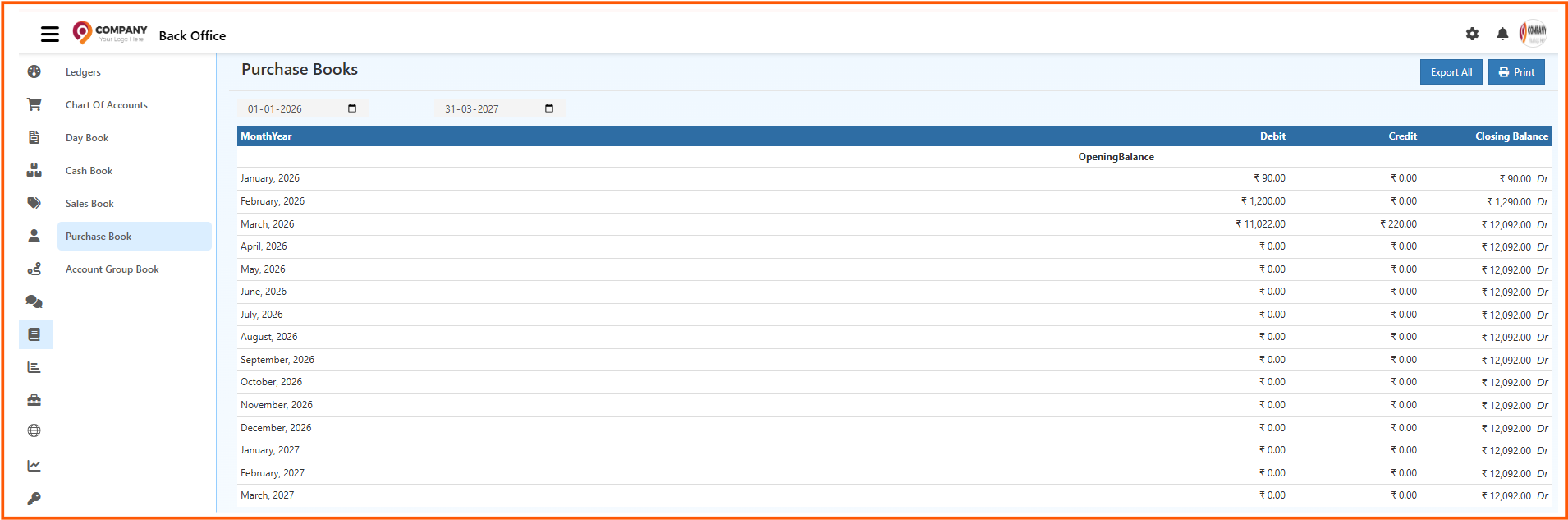
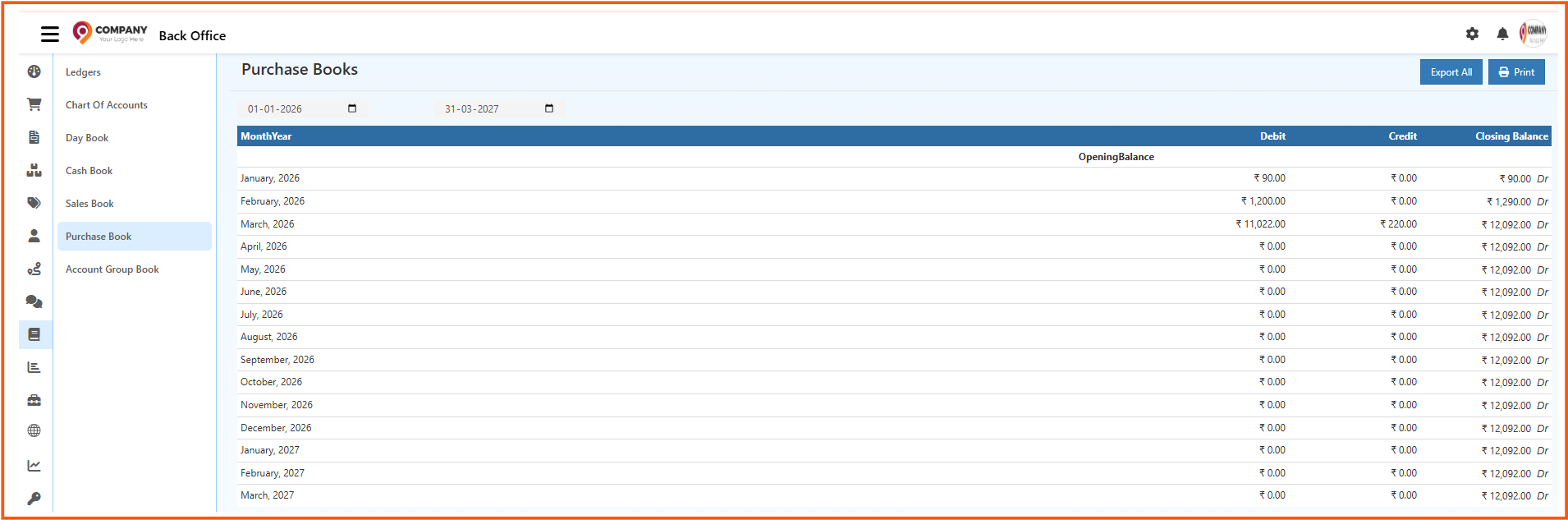
    The system will display all business purchase entries for the selected time frame.

    Information Displayed in the Purchase Book

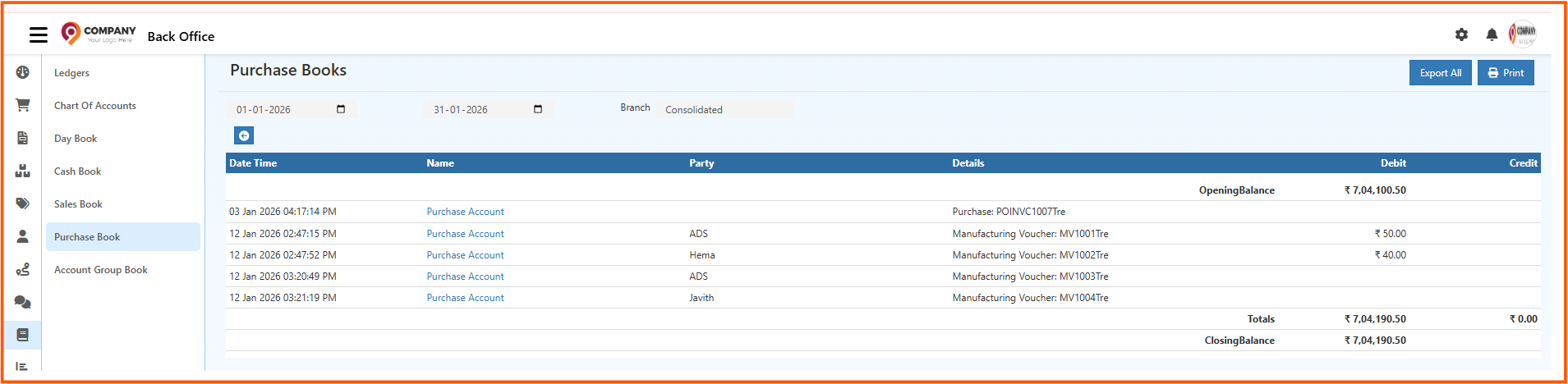
    Each transaction includes complete details needed for financial verification. Typical fields include:

    • Purchase date
    • Invoice or reference number
    • Supplier name or ledger
    • Product or cost details (optional based on configuration)
    • Purchase amount
    • Tax and charges (if applicable)
    • Debit and credit postings
    • Narration or additional description

    The total payable amount and purchase value are available at the bottom of the report for quick financial review.

    Filtering and Search Options

    The Purchase Book supports powerful filters to refine the report:

    • Date or date range
    • Vendor or ledger selection
    • Invoice number or reference search
    • Purchase type (cash, credit, expense, etc.)

    These filters help locate specific transactions, such as purchases from a single vendor or purchases on a particular date.

    Drill-Down into Purchase Records

    Most systems support drill-down, allowing you to:

    • Open the original purchase voucher or invoice.
    • Verify supporting documentation.
    • Check ledger postings related to the entry.

    This is especially useful during:

    • Vendor reconciliation
    • Audit reviews
    • Month-end closing
    • Discrepancy checks

    Practical Use Cases in Business

    Daily Procurement Review

    Businesses can confirm whether all purchase invoices for the day have been recorded.

    Internal Control

    Reduces the risk of missing purchase entries or duplication of invoices.

    Payment Tracking

    Helps identify outstanding vendor balances and schedules.

    Expense Analysis

    Allows businesses to understand procurement trends, cost behavior, and purchase mix.

    Audit Support

    Provides a consolidated and traceable record of all purchases, helping auditors verify expense authenticity.

    Export and Archival

    Depending on configuration, the Purchase Book can be exported for:

    • Vendor communication and reconciliation
    • Filing statutory documents
    • Internal financial documentation
    • Long-term record keeping

    Relationship with Other Accounting Reports

    • Ledger - Posts vendor-wise financial balances.
    • Trial Balance - Summarizes total debit and credit from purchase transactions.
    • Inventory Reports - Track stock purchases (if applicable).
    • Financial Statements - Impact expenses and cost reporting.

    Advantages of Using the Purchase Book

    • Transparent record of all business purchases.
    • Quick access to supplier-wise purchase information.
    • Helps maintain proper accounting accuracy.
    • Supports audit-ready financial reporting.
    • Enhances control over procurement spending.
    • Improves tracking of pending payments and invoices.

    Conclusion

    The Purchase Book forms a crucial part of accounting operations by recording every purchase transaction in a structured and verifiable manner. It ensures that procurement activity is accurate, traceable, and fully reflected in financial reports.

    In this article
    Back to top _includes/footer.html
    © 2019–2026 Jeyan Technologies Private Limited • www.o2vend.com • Create your own store