O2VEND Retail ERP
  • Getting Started
  • Ecommerce
  • Back Office
  • POS
  • Agent App
  • PIM
  • Communication
  • CMS
  • OMS
  • WMS
  • O2C
  • Accounting
  • Reports
  • Themes and Apps
Search Results for

    Show / Hide Table of Contents
    • Accounting Management Overview
    • Ledger Management
    • Chart of Accounts Setup
    • Day Book Report
    • Cash Book Management
    • Sales Book Report
    • Purchase Book Report
    • Account Group Management
    • Contra Entry Management
    • Journal Entry Management

    Journal

    A journal entry is a record of the business transactions in the accounting books of a business. A properly documented journal entry consists of the correct date, amounts to be debited and credited, description of the transaction and a unique reference number.

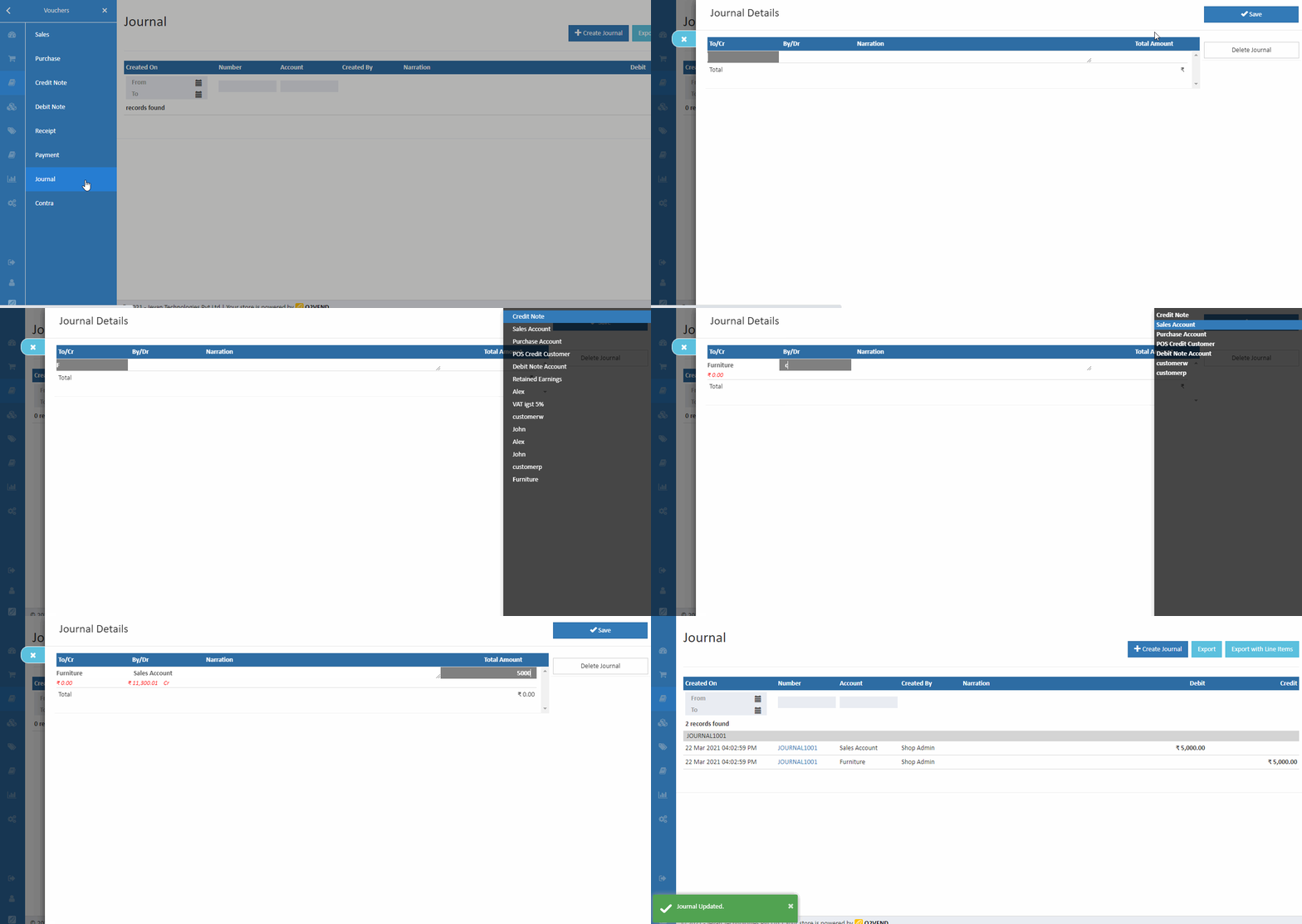
    How To Create Journal Entry

    1. Open Back Office.
    2. Go to Vouchers Menu.
    3. Click and open Journal section.
    4. Click Create Journal Button in the top right corner.
    5. Select the creditor and debitor name.
    6. If required, enter the details of transactions in the Narration field.
    7. Enter the total amount and click Enter the amount added below. Enter multiple debits and credits in next rows.
    8. Press Save button.
    Journal
    In this article
    Back to top _includes/footer.html
    © 2019–2026 Jeyan Technologies Private Limited • www.o2vend.com • Create your own store