O2VEND Support Desk Guide – How to Submit Tickets, Report Issues, and Get Help Faster
The O2VEND Support Desk provides a centralized platform for creating support tickets, reporting bugs, requesting technical assistance, and submitting improvement suggestions. This guide offers a complete overview of the Support Desk features for easy navigation and clarity.
How to Access the O2VEND Support Desk
The Support Desk can be accessed from the O2VEND website in two different ways, depending on whether a user is logged in or not.
🔹 Access From the Website (Logged-In Users)
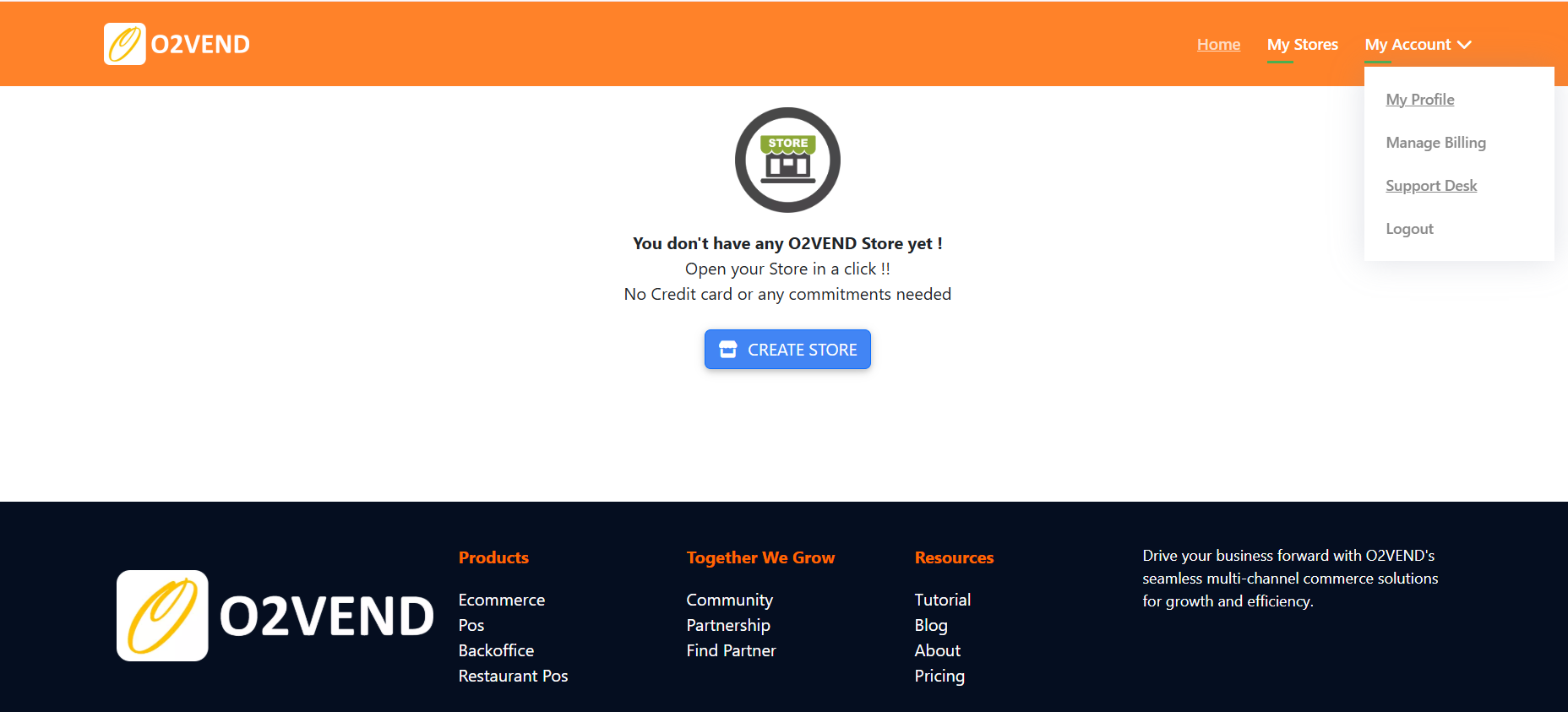
- Open https://o2vend.com.
- Click the My Account option located in the top-right corner of the homepage.
- Select Support Desk from the dropdown menu.
- The system redirects to the Support Portal after login.
This method provides direct access for registered customers and team members.
 ---
---
🔹 Access From the Website (Visitors / Not Logged In)
- Visit https://o2vend.com.
- Open the Resources menu in the main navigation bar.
- Click Contact Us.
- The Contact page displays Support Desk information and access options for submitting requests or raising tickets.
This flow helps new visitors or trial users reach the support system without a login.

Contact O2VEND Support
Email Support
For direct communication, send issues, logs, or attachments to:
All submitted emails are automatically converted into support tickets inside the O2VEND Support Desk.
Support Desk Portal Link
🌐 Go to O2VEND Support Desk Portal
Understanding the O2VEND Support Desk
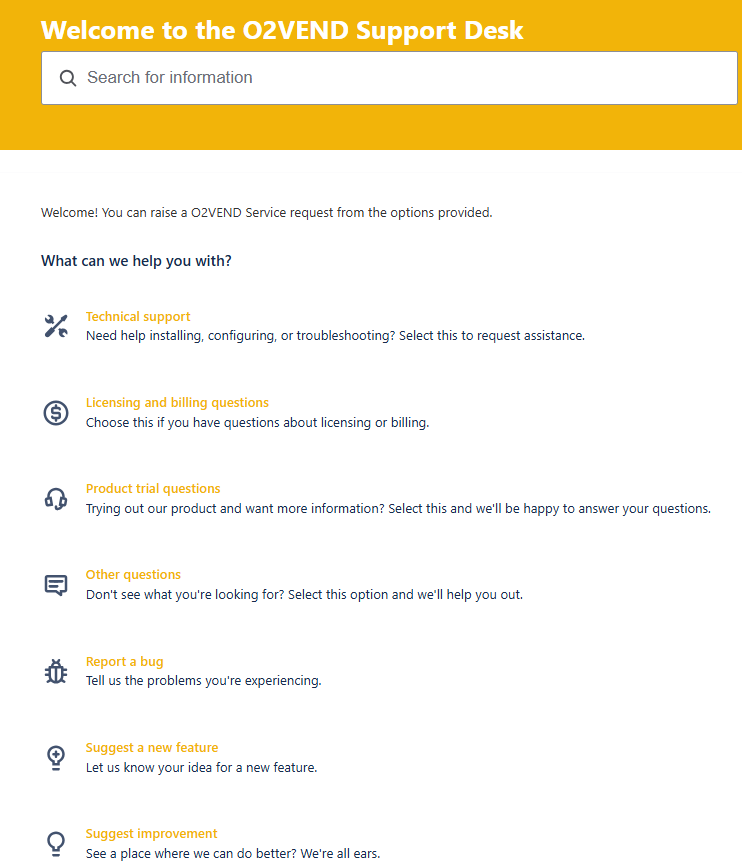
The Support Desk enables efficient management of customer inquiries through categorized forms, a smart search bar, and automated email-to-ticket conversion. It ensures structured communication and faster issue resolution.
Support Desk Home Page
Search Bar
Use the search bar to quickly find:
- FAQs
- Troubleshooting articles
- Configuration guides
- Knowledge base documents
This helps reduce navigation time and locate solutions instantly.
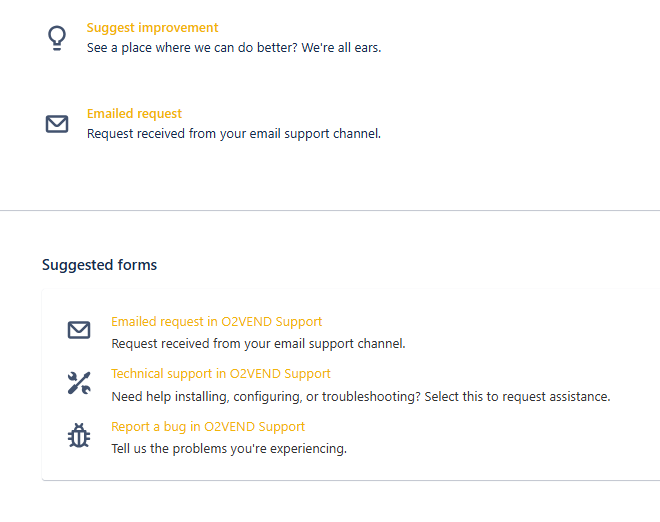
Support Categories & Suggested Forms
The Support Desk displays structured categories and auto-suggested forms to help classify issues correctly and route them to the right team.
Technical Support
Handles issues related to:
- Installation setup
- System configuration
- Error diagnostics
- Performance troubleshooting
- Integrations
- Device/environment issues
Licensing and Billing
Used for:
- Subscription plans
- Billing invoices
- Renewals
- Licensing details
- Payment or account queries
Product Trial Support
Best for trial-phase assistance:
- Feature explanations
- Basic setup
- Onboarding guidance
- Trial usage questions
Other General Questions
For inquiries that do not match any specific category.
Report a Bug
Submit details about platform defects:
- UI or layout glitches
- Unexpected behavior
- Broken workflows
- Error pop-ups
- Feature malfunctions
Suggest a New Feature
Propose:
- New capabilities
- Feature additions
- Functional upgrades
Suggest an Improvement
Recommend enhancements that improve:
- Performance
- User experience
- Workflow speed
- System stability
Emailed Requests
Any email sent to **[email protected]** is automatically converted into a ticket and shown under the Emailed Requests section.
How to Create a Ticket in the O2VEND Support Desk
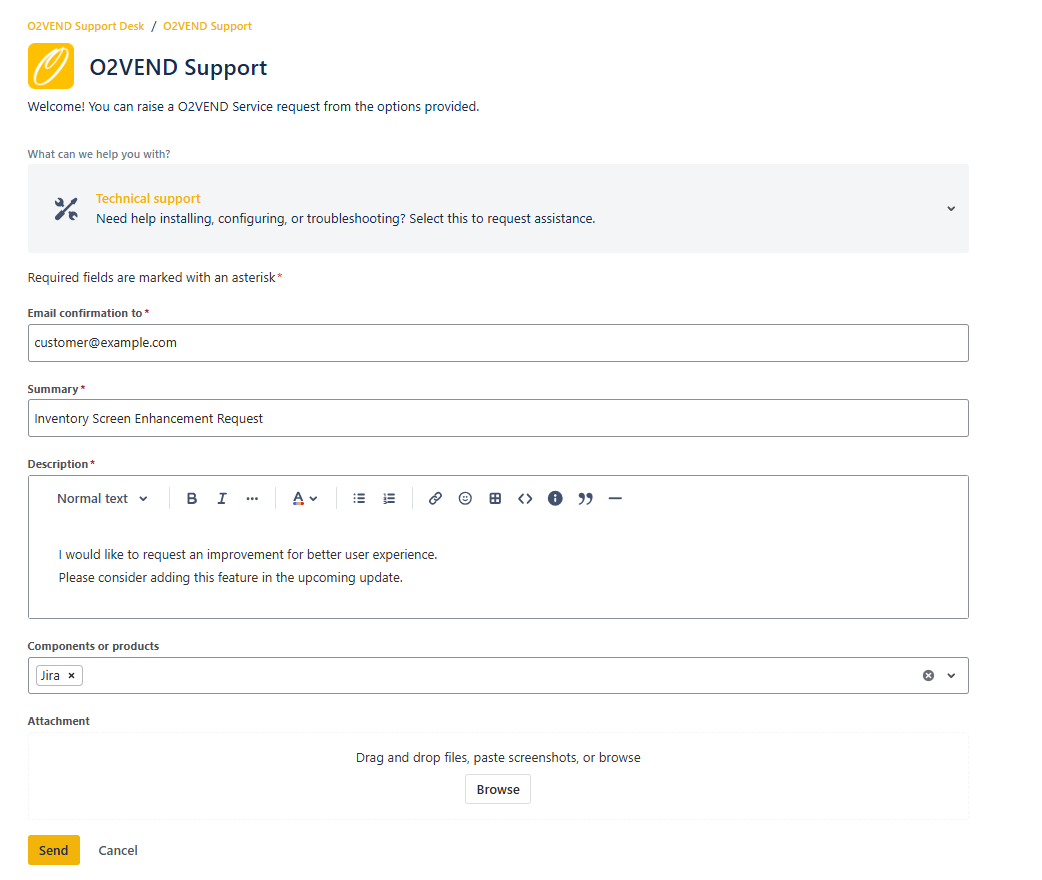
The O2VEND Support Desk provides a simple and structured ticket submission form that helps users report issues, request assistance, or submit technical information. Follow the steps below to create a support request.
Feature Update – Bulk Import
Summary
Enhance the Bulk Import module to improve user experience and clarity.
Description
Introduce a refined Bulk Import interface with:
- Clear and correctly formatted Date & Time display.
- Streamlined view that shows only relevant import entries.
- Improved layout for easier tracking of imported products.
Components
- Bulk Import Module
- Product Import Tool
3️. Submit the Ticket
Once all required fields are completed:
- Click Send.
- A confirmation email will be sent immediately.
- The support team will begin reviewing the ticket.
After Ticket Submission
- A unique ticket ID will be assigned.
- The request will be reviewed and processed based on priority.
- Responses will be sent through email or the portal.
- Additional information or attachments can be added at any time.